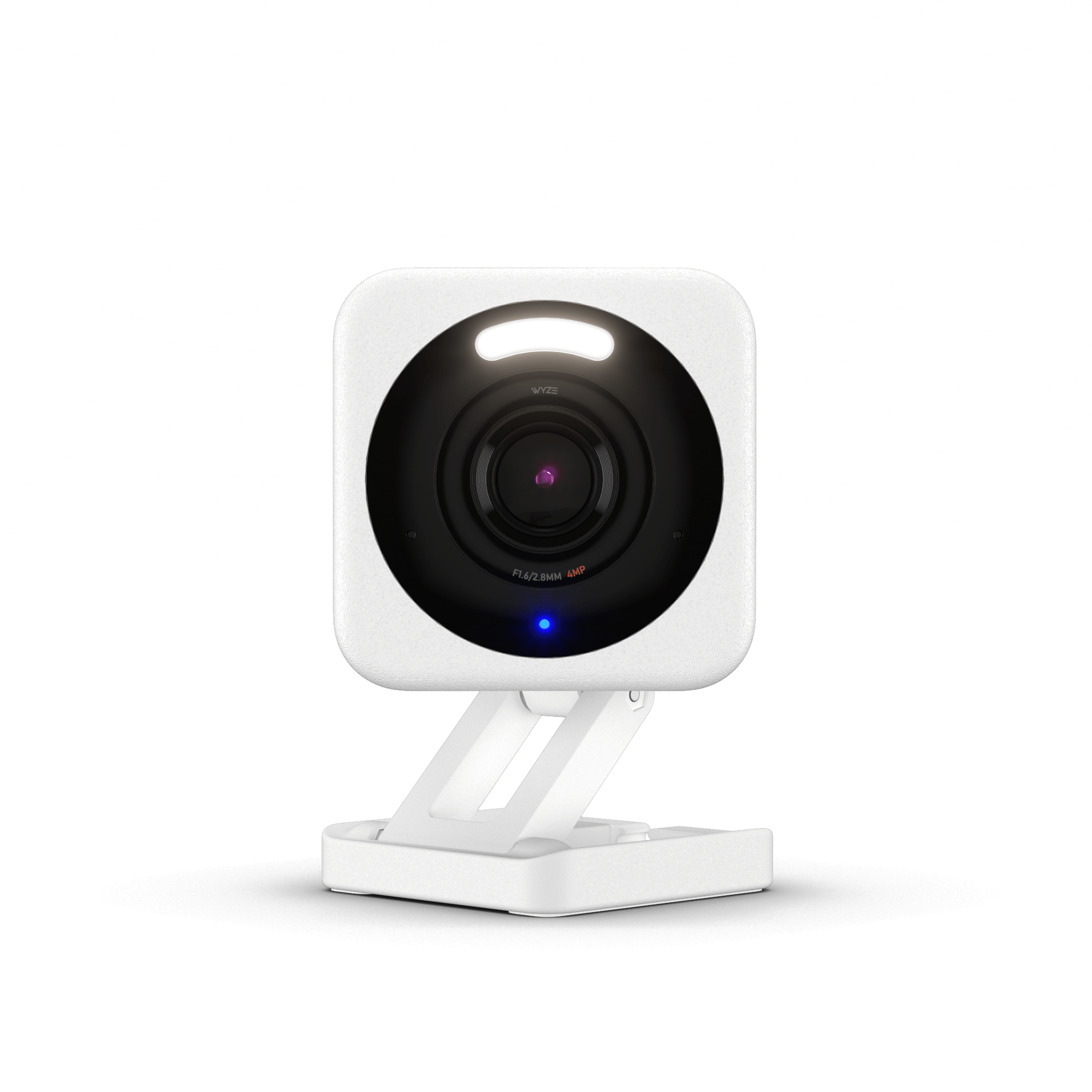
The Wyze Cam v4 is easy to recommend for free, round-the-clock footage that holds up at night, and next to the Tapo C120 in Tom's Guide's side-by-side its brighter spotlight and louder siren made it the stronger deterrent. The trade-offs: useful smart alerts need a Cam Plus subscription ($29.99 a year per camera), the free tier waits five minutes between alerts, and low frame rates can make motion look choppy. If you want smart alerts without paying for a plan, the Tapo C120 is the better buy.
Pros
- Sharp 2560 x 1440 video with color night vision
- Built-in spotlight and siren
- IP65 weather rating (outdoor power adapter sold separately)
- Free 24/7 recording to a microSD card
Cons
- Smart alerts and full cloud clips need Cam Plus
- Free tier waits five minutes between alerts
- Low frame rates can look choppy
- 2.4 GHz Wi-Fi and micro USB only
As an Amazon Associate I earn from qualifying purchases. Disclosure
Overview
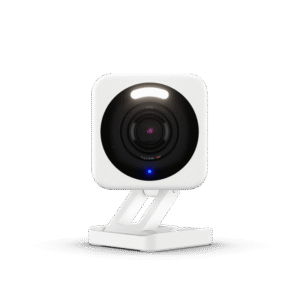
The Wyze Cam v4 is a budget camera that records 2560 x 1440 video, sees in color at night with help from a small built-in spotlight, and can keep a continuous record on a microSD card without any monthly fee. Its IP65 rating means the same 2-inch cube can sit on a bookshelf or watch a back door, as long as an outlet is within reach of its 6-foot cable.
The catch is the software around it. The camera itself is a step up from most cheap cameras, with a sharper sensor, a spotlight and a siren, but the smart features that make alerts useful (telling a person from a passing car, cloud clips of each event) sit behind Wyze’s Cam Plus subscription. Lean on the memory card and the v4 is a bargain; want smart alerts and it becomes a cheap camera plus a small monthly fee.
Key Specifications
| Price (USD) | $43.99 |
| Resolution | 2.5K QHD (2560 x 1440), 8x digital zoom |
| Field of view | 115.8° diagonal, 98.5° horizontal, 53.1° vertical |
| Frame rate | 20 fps day, 15 fps night |
| Night vision | 4 infrared LEDs plus 2 white spotlight LEDs (72 lumens); color night vision |
| Weather rating | IP65; operates from -4°F to 122°F |
| Wi-Fi | 2.4 GHz only (Wi-Fi 6); Bluetooth 5.2 for setup |
| Power | Wired: indoor USB adapter and 6-foot micro USB cable included; outdoor adapter sold separately |
| Storage | microSD card (sold separately) for 24/7 recording; cloud with a Cam Plus plan |
| Audio | Two-way talk, built-in siren, noise and echo cancellation |
| Works with | Alexa, Google Assistant, IFTTT |
| Size and weight | 2 x 2 x 2 3/8 in; 0.49 lb |
| Warranty | 1 year |
Wyze Cam v4 Video and Night Vision
Picture quality is one of the v4’s real strengths. Daytime footage is sharp with natural color, and the extra pixels over a 1080p camera mean you can zoom in on a face or a package label before it breaks up. TechGearLab ranked it second of the 20 security cameras it tested and named it the best indoor and outdoor camera in its lineup. It also credited the v4 with good depth of field: in its porch test the camera kept a visitor in focus and still picked out detail on the house across the street.
At night, a starlight sensor and two white LEDs give you color rather than the usual gray infrared image, and the camera holds onto detail in very dark scenes. The one weak spot is motion. The v4 records at 20 frames per second by day and 15 at night, and Tom’s Guide saw occasional stutter in recordings, which it put down to those low frame rates and the lack of 5 GHz Wi-Fi.
Smart Alerts and the Cam Plus Question
Without a plan, the v4 still sends motion alerts and lets you watch live, talk through it and record around the clock to a microSD card. What it won’t do is tell you what set an alert off, and after each event the free tier goes quiet for five minutes before it will notify you again. A lot can happen at a front door in five minutes, so if you rely on alerts rather than scrubbing through the card later, plan on Cam Plus. Wyze lists it at $2.99 a month per camera, or $29.99 a year paid up front, with 14 days of cloud clips and person, pet, vehicle and package detection. That’s a yearly cost per camera close to what the camera itself costs, so with four or more cameras Wyze’s Cam Unlimited ($9.99 a month, covering every camera) works out cheaper, and three cost about the same, going by Wyze’s plan prices as of October 2026. Facial recognition needs Cam Unlimited too.
With a plan, detection is dependable. In TechGearLab’s testing it flagged people and animals as far as 50 feet away, although facial recognition only worked reliably within about 5 feet. Alerts arrive fast: Tom’s Guide timed them at under two seconds after a subject walked into view. The v4 can also listen for sounds such as a baby crying, a fire alarm or breaking glass. Tom’s Guide singled out Smart Focus as the feature that lifts the v4 above other cheap cameras: it adds a zoomed-in view that follows whatever is moving while the full frame stays on screen.
Placement, Setup and the Wyze App
The v4 needs constant power, so placement starts with the nearest outlet. Its folding magnetic base can stand on a shelf, stick to a magnetic metal surface, or attach magnetically to the included metal plate on a wall or ceiling, and the head swivels to find an angle. Outdoors you’ll need Wyze’s outdoor power adapter, sold separately. Two small compromises: the cable is micro USB rather than USB-C, and the camera joins only 2.4 GHz networks.
Setup and day-to-day use are easy. The app opens on live previews of every Wyze device you own, motion zones are set by tapping squares on a grid rather than drawing shapes, and built-in rules can, for example, switch on Wyze lights when the camera sees motion. TechGearLab’s one complaint was in-app advertising, though Tom’s Guide found no product pushes popping up between devices. The camera works with Alexa, Google Assistant and IFTTT, but not Apple HomeKit.
How Does It Stack Up Against the Competition?
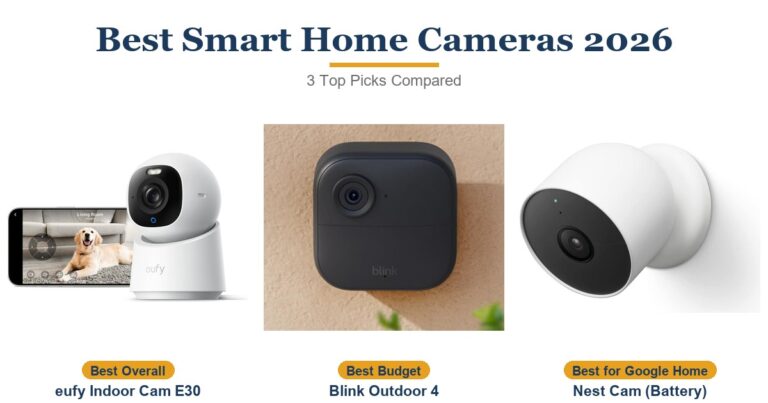
The Tapo C120 matches the v4’s resolution, weatherproofing and free microSD recording and has a spotlight of its own (dimmer than the Wyze’s in Tom’s Guide’s side-by-side), then adds free smart alerts. The eufy wins on pan and tilt, and the Blink plugs into an existing Blink system.
| Feature | Wyze Cam v4 | TP-Link Tapo C120 | Blink Mini 2K+ | eufy Indoor Cam E30 |
|---|---|---|---|---|
| Price (USD) | $43.99 | $31.99 (1-pack) | Deal $15.99 until Oct 8 | $59.99 |
| Resolution | 2560 x 1440 (sold as 2.5K) | 2560 x 1440 (sold as 2K) | 2560 x 1440 (sold as 2K) | 4K UHD |
| Indoor / outdoor | Both (IP65); outdoors needs Wyze’s outdoor power adapter, sold separately | Both (IP66) | Both (IP65); outdoors needs Blink’s weather-resistant adapter, sold separately | Indoor |
| Local storage | microSD card (sold separately) | microSD card up to 512GB (sold separately) | Only through a Sync Module 2 or XR (sold separately) | microSD card (sold separately) |
| Smart detection with no subscription | No (needs Cam Plus) | Yes: people, pets, vehicles | No (needs a Blink plan) | Yes: people, pets, sounds |
| Motorized pan and tilt | No | No | No | Yes, 360° view |
| TTP Review | This review ↑ | — | — | Read our review → |
Prices change frequently — always verify current pricing before purchasing.
Is the Wyze Cam v4 Worth It?
If the camera is going somewhere you want an unbroken record of, such as a driveway, a side gate or a garage, the v4 is easy to recommend: put a card in it and you have 24/7 footage that holds up at night, with no fee. It is also the better pick for a spot you want to deter as well as watch. In Tom’s Guide’s side-by-side with the Tapo C120, the Tapo’s picture was sharper overall (though faces sometimes looked smoothed next to the Wyze’s), while the Wyze felt like the stronger outdoor deterrent because its spotlight is brighter and its siren louder. Budget for Cam Plus only if you want your phone to tell you a person is at the door rather than that something moved.
If you want useful alerts and never want to pay a subscription, the Tapo C120 is the better buy: it sorts people, pets and vehicles for free. For watching a room rather than a doorway, the eufy Indoor Cam E30 adds a motor that follows people and pets around the room, plus HomeKit support. The Blink Mini 2K+ fits into an existing Blink setup, but it records locally only through a separate Sync Module and keeps its smart detection behind a plan.
Sources
- Wyze — Wyze Cam v4 Specifications
- Wyze — Cam Plus
- Wyze — Service Plans
- Wyze Cam v4 — Amazon Product Listing
- TechGearLab — Wyze Cam v4 Review
- Tom’s Guide — Wyze Cam v4 Review
- Dumb Switches — Wyze Cam v4 Review
- Tom’s Guide — Tapo C120 Review
- PCWorld — Tapo C120 Review
- TP-Link — Tapo C120
- Blink — Mini 2K+ FAQ
- TechRadar — Blink Mini 2K+ Review
- eufy — Indoor Cam E30
Reader Poll
Would you pay for Cam Plus on a Wyze Cam v4, or rely on the memory card?
Help Our Editors Know What Matters to You
Explore on Amazon →