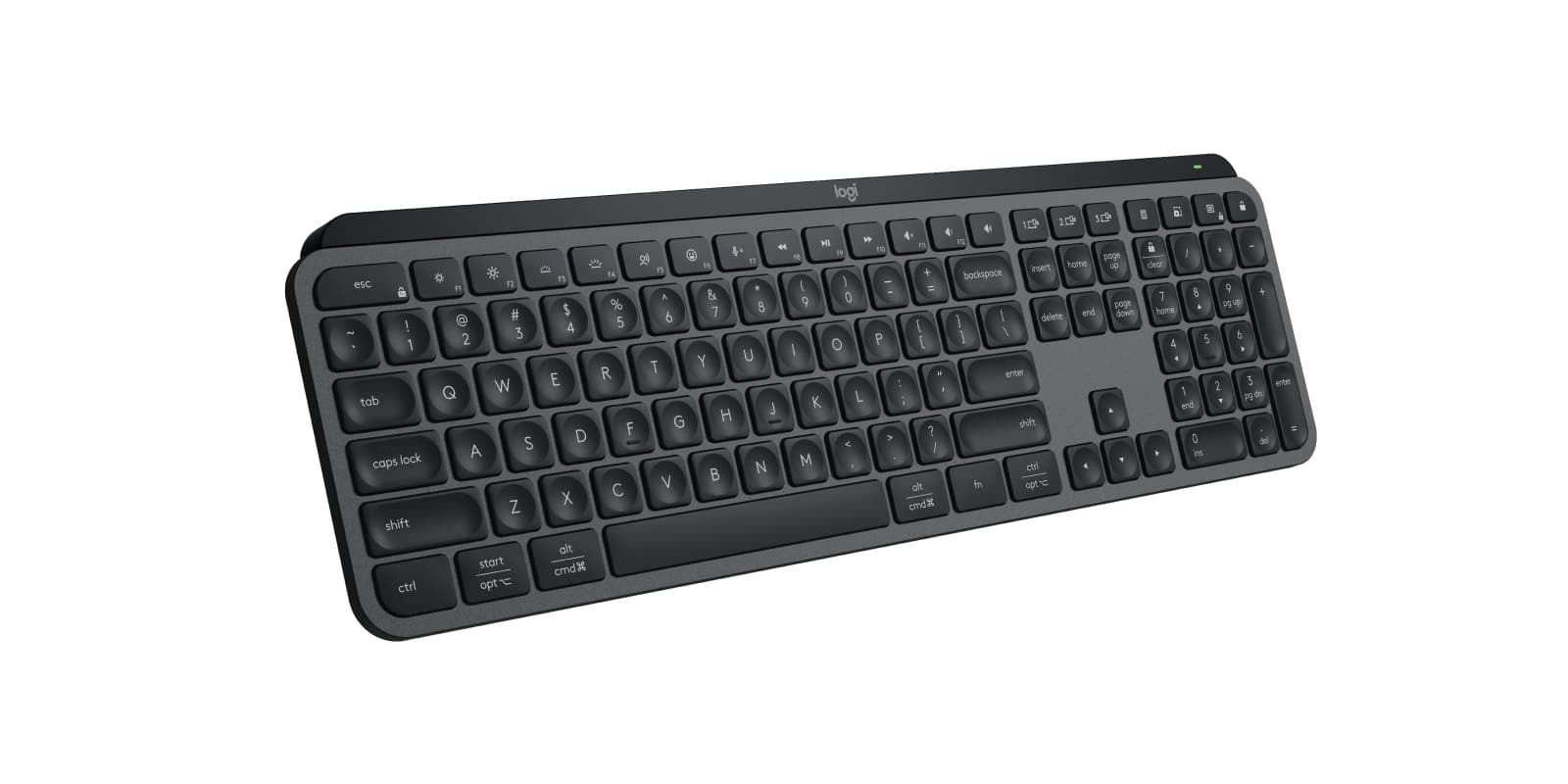
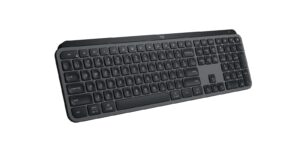
For anyone who types all day across a work laptop, a home PC and a tablet, the MX Keys S is an easy keyboard to buy. Its shallow, cupped keys stay comfortable over long sessions and quiet enough for a shared room, and Logi Options+ adds per-app shortcuts and one-key macros. The fixed typing angle is the trade-off for anyone who likes a steeper tilt. If you want a deeper mechanical press, Logitech's MX Mechanical fits better.
Pros
- Quiet, comfortable low-profile keys
- Switches between 3 devices over Bluetooth or the included Bolt receiver
- Backlight wakes as your hands approach
- Per-app shortcuts and Smart Actions macros in Logi Options+
- Full-size layout with Windows and Mac key labels
Cons
- Fixed typing angle with no flip-out feet
- No place on the keyboard to keep the Bolt receiver
- Pricey for a non-mechanical keyboard
- Short key travel next to mechanical keyboards
As an Amazon Associate I earn from qualifying purchases. Disclosure
Overview
The MX Keys S is designed for people who switch between machines all day: a work laptop, a home PC, maybe a tablet. Logitech’s full-size wireless keyboard gives them three dedicated device keys, Bluetooth plus an included Logi Bolt receiver, quiet low-profile keys, and a backlight that wakes when your hands come near. Logitech sells it in Graphite, Pale Gray and Black.
It went on sale in June 2023 as a light update of the 2019 MX Keys, and Logitech still sells it today. The praise has held up: NBC Select names it the best full-size wireless keyboard. Trusted Reviews goes further and calls it “the best office keyboard money can buy”. PCMag is cooler on it, and the reviews split on how bright the backlight is.
Key Specifications
| Price (USD) | $119.99 |
| Layout | Full size with number pad |
| Keys | Low-profile scissor switches, spherically dished keycaps |
| Backlight | White, with hand-proximity and ambient-light sensors |
| Connection | Bluetooth Low Energy or the included Logi Bolt USB receiver |
| Devices | Up to 3, switched with dedicated keys |
| Wireless range | 10 m (33 ft) |
| Battery (Logitech) | 1,500 mAh rechargeable, USB-C; up to 10 days on default settings, up to 5 months with backlighting off |
| Works with | Windows 10 and 11, macOS 10.15 or later, Linux, ChromeOS, iPadOS 14 or later, Android 8.0 or later |
| Software | Logi Options+ (Smart Actions on recent Windows and macOS) |
| Size | 430.2 × 131.6 × 20.5 mm (16.94 × 5.18 × 0.81 in) |
| Weight | 810 g (28.57 oz) |
| Warranty | 1-year limited hardware warranty |
| Model | 920-011558 (Graphite) |
Logitech MX Keys S Typing Feel and Noise
The keys are shallow, laptop-style scissor switches with a small dish in each keycap that guides your fingertip to the centre. The result is a soft, tactile press that stays comfortable over long writing sessions and is quiet enough not to bother anyone sitting nearby. RTINGS rates its typing quality as great and its keystrokes as extremely quiet, and its testers found the low profile comfortable even without a wrist rest.
The trade-off is the short travel. If you are coming from a mechanical keyboard, the press will feel shallower and less crisp. Trusted Reviews says it is not as precise and sharp as Logitech’s own MX Mechanical. For gaming, Windows Central found the travel too short. Mac typists coming from Apple’s keyboard tend to see it the other way: AppleInsider, testing the Mac-layout version, found its typing feel much better than the Magic Keyboard’s. Tom’s Guide goes further and calls it the best Magic Keyboard alternative.
Multi-Device Switching and Logi Options+
Three dedicated keys switch the keyboard between paired devices, either over Bluetooth or through the Logi Bolt receiver in the box, and the keys carry both Windows and Mac labels. Tom’s Guide points out that these switch keys are separate from F1 to F3, unlike on the MX Keys Mini. Logitech advises using the Bolt receiver with Macs that run FileVault, since a Bluetooth keyboard may not connect before you log in. A separate MX Keys S for Mac version drops the receiver and connects over Bluetooth only.
The free Logi Options+ app is where the MX Keys S pulls ahead of plain office keyboards. You can remap the function keys, set different shortcuts for each app, and build Smart Actions, Logitech’s name for macros that chain several steps, such as opening your work apps, onto one key. PCMag notes that a key given a Smart Action loses its original function, and Logitech limits Smart Actions to recent Windows and macOS. The top row also adds dictation, emoji and microphone-mute keys.
Backlighting and Battery Life
The white backlight switches on as your hands approach and sets its own brightness from the room light; Options+ lets you change how bright it gets and how long it stays on. Testers disagree on how bright it is. Tom’s Guide found it dim even at its highest level, while Trusted Reviews found it bright and even across all the keys.
Logitech rates the 1,500 mAh battery for up to 10 days on its default settings and up to 5 months with the backlight off, the same figures as the 2019 MX Keys. In use, testers found it lasts well: SlashGear went two weeks of regular use without a recharge with the backlight below full, and Trusted Reviews got a little more than Logitech’s figure with the backlight at half. Tom’s Guide used it for about 40 hours with the backlight at full and still had 45% left. Charging is over USB-C, and Logitech’s MX Mechanical is rated for longer, at up to 15 days.
Build, Size and Typing Angle
At 430 mm long and 810 g, it is built to stay on a desk, and its weight counts against it for travel. SlashGear found it fits most backpacks only just. Most testers found it solid, and Trusted Reviews found no real deck flex. Windows Central was the exception, hearing creaks when it picked the keyboard up and calling it all plastic. Logitech says the plastic parts include recycled plastic and the key-module bracket is aluminium.
The raised back sets a fixed typing angle, with no flip-out feet to change it, a gap several reviews point out. There is also nowhere on the keyboard to store the Bolt receiver, so it either stays plugged into your computer or needs keeping track of. Logitech’s MX Palm Rest is sold separately.
How Does It Stack Up Against the Competition?
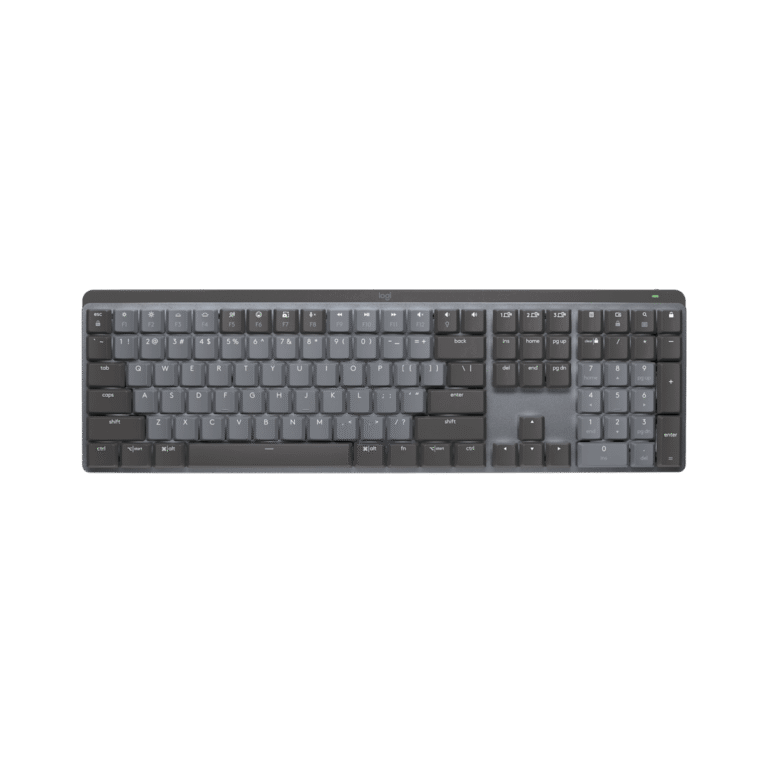
The rivals here are the keyboards reviewers name against it: Apple’s Touch ID keyboard for Mac owners, two mechanical keyboards for people who want a deeper press, and Logitech’s simpler Signature Slim K950.
| Feature | Logitech MX Keys S | Apple Magic Keyboard with Touch ID and Numeric Keypad | Logitech MX Mechanical | Razer Pro Type Ultra | Logitech Signature Slim K950 |
|---|---|---|---|---|---|
| Price (USD) | $119.99 | $179.00 | Deal $149.99 until Nov 1 | $159.99 | $79.99 |
| Layout | Full size with number pad | Extended layout with numeric keypad | Low-profile full size | Full size | Full size with number pad |
| Connection | Bluetooth or Logi Bolt receiver; 3 devices | Wireless; pairs automatically with a Mac | Bluetooth or Logi Bolt receiver; 3 devices | Bluetooth, 2.4 GHz HyperSpeed or USB-C cable; 4 devices | Wireless; 3 devices |
| Battery (maker rating) | Up to 10 days (default settings); up to 5 months, backlight off | About a month or more | Up to 15 days; up to 10 months, backlight off | About 13 hours, backlight full; about 214 hours, backlight off (Bluetooth) | Replaceable AAA batteries |
| Stand-out feature | Backlight that wakes as your hands approach | Touch ID fingerprint sensor | Low-profile mechanical switches (tactile, clicky or linear) | Silent linear mechanical switches, leatherette wrist rest | Laptop-style typing |
| TTP Review | This review ↑ | — | Read our review → | Read our review → | — |
| Amazon | View on Amazon | View on Amazon | View on Amazon | View on Amazon | View on Amazon |
Prices change frequently — always verify current pricing before purchasing.
Logitech MX Keys S: Worth It for Multi-Device Office Work
It earns its place on a desk where one keyboard serves a work laptop and a personal computer, in a room where typing noise matters, and with someone willing to set up Options+ shortcuts. As of October 2026 it costs more than the K950 and less than Apple’s Touch ID keyboard or either mechanical rival here. Most reviews found it pricey for a keyboard without mechanical switches, and Tom’s Guide suggests waiting for a sale; Trusted Reviews still rates it the best office keyboard overall. PCMag gives it 3.5 out of 5, and its verdict centres on how little changed from the 2019 MX Keys. For someone who needs multi-device switching, the typing and software findings outweigh the price and that upgrade point, which is why our score is higher. The compromise to accept is the fixed typing angle.
A few buyers are better served elsewhere. Mac owners who unlock with their fingerprint should get Apple’s keyboard, since Touch ID is the one thing AppleInsider found missing here. Anyone who wants a deeper, mechanical press should look at the MX Mechanical, which is also rated for longer battery life, or the Razer Pro Type Ultra, which pairs with four devices and comes with a wrist rest. On a tight budget, the K950 keeps the full layout but, as RTINGS notes, has flat keycaps and no backlight. Owners of the original MX Keys have little reason to upgrade.
Sources
- Logitech — MX Keys S Specifications
- Logitech MX Keys S — Amazon Product Listing
- CDRinfo — Logitech Offers First Ever MX Keyboard Combo (Logitech launch announcement)
- RTINGS — Logitech MX Keys S Keyboard Review
- Tom’s Guide — Logitech MX Keys S review
- PCMag — Logitech MX Keys S Review
- Trusted Reviews — Logitech MX Keys S Review
- Windows Central — Logitech MX Keys S review
- NBC Select — The Best Keyboards of 2026
- SlashGear — Logitech MX Keys S Review
- AppleInsider — Logitech MX Keys S review
- Apple — Magic Keyboard with Touch ID and Numeric Keypad
- Logitech — MX Mechanical Specifications
- Razer — Pro Type Ultra Tech Specs
- Logitech — Signature Slim K950
Reader Poll
What would make you pick the MX Keys S over a mechanical keyboard?
Help Our Editors Know What Matters to You
Explore on Amazon →