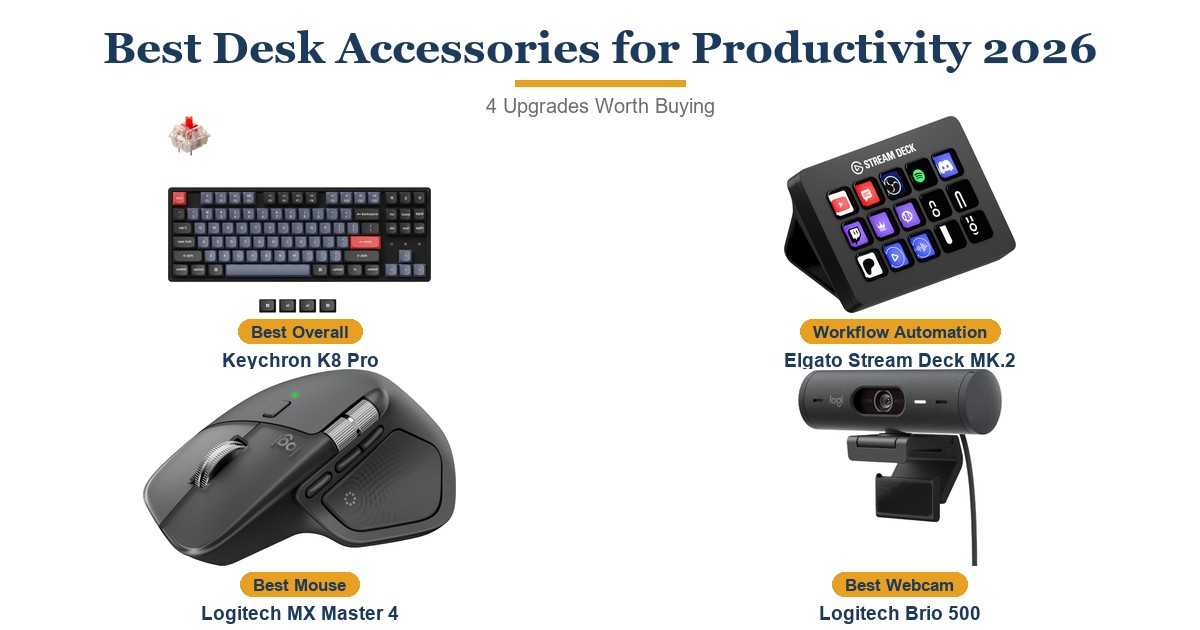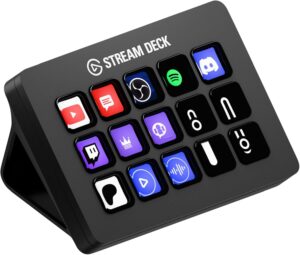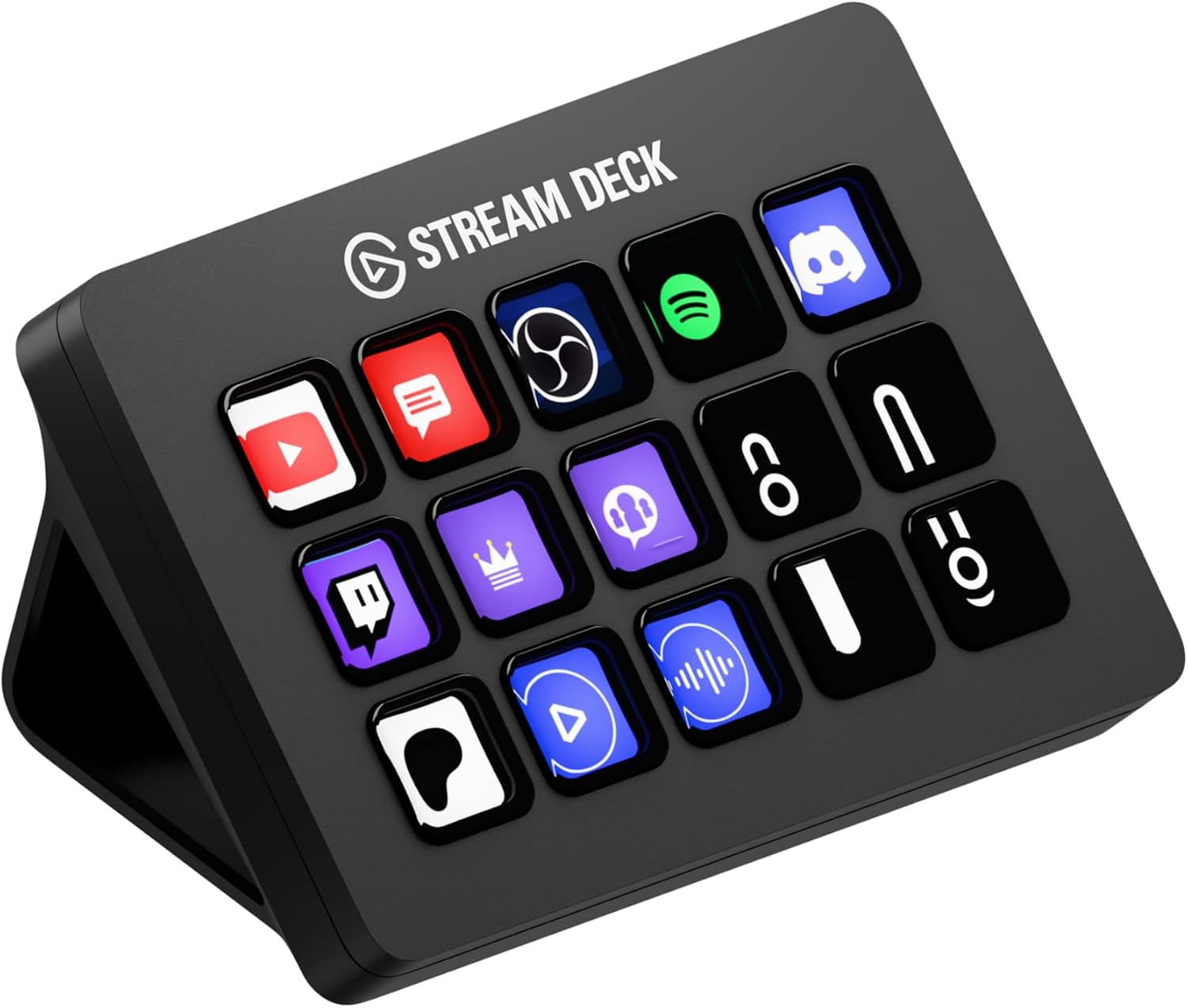
Streamers, podcasters, and hybrid workers juggling multiple apps get the most from the Elgato Stream Deck MK.2 — its 15 customizable LCD keys and folder system add real functional depth over the 8-key Neo, and the software ecosystem ships with hundreds of ready-made plugins for OBS, Twitch, and Zoom. The catch is a USB 2.0 connection that feels dated on a 2026 desk accessory, and anyone who only needs a handful of shortcuts may get by just fine with the cheaper Neo.
Pros
- 15 customizable LCD keys with clear icon feedback
- Hundreds of app integrations and plugins for OBS, Twitch, and more
- Sturdy build with a tactile press and stable stand
- Works seamlessly across Mac and Windows
- Folder system extends far beyond 15 physical actions
Cons
- USB 2.0 connection feels dated next to newer USB-C peripherals
- 15 keys is more than casual users need - the 8-key Neo may be enough
As an Amazon Associate I earn from qualifying purchases. Disclosure
Overview
A cluttered desk covered in labeled sticky notes for keyboard shortcuts is the exact problem the Stream Deck line exists to solve. The MK.2 replaces that mess with 15 physical, screen-labeled keys that trigger actions in OBS, Twitch, Zoom, Spotify, and hundreds of other apps with a single press, and it’s available on Amazon.com for both Mac and Windows setups.
What separates the MK.2 from the entry-level Neo is depth: eight keys covers the basics, but 15 keys plus a folder system gives streamers and hybrid office workers room to organize dozens of shortcuts without ever leaving the desk. Elgato’s plugin marketplace has grown into one of the largest third-party ecosystems in the category, covering everything from lighting control to spreadsheet macros.
Key Specifications
| Keys | 15 customizable LCD keys |
| Interface | USB 2.0 (USB-C to USB-C cable included) |
| Dimensions | 118 x 84 x 25mm (4.6 x 3.3 x 1.0in) without stand |
| Weight | 145g without stand / 270g with stand |
| OS Compatibility | macOS 10.15 or newer, Windows 10 64-bit or newer |
| Software | Elgato Stream Deck app (Mac/PC) |
| Price (USD) | $134.99 |
Elgato Stream Deck MK.2 Build Quality and Design
Each of the 15 keys is a small LCD screen embedded in a raised, tactile button separated by black divider bars, so every press registers as a distinct click even without haptic feedback. Tom’s Hardware’s reviewer described the redesigned stand as noticeably sturdier than the original Stream Deck’s, sitting flush and stable on a desk through repeated key presses.
At 118 x 84 x 25mm and 145 grams without the stand, the MK.2 stays compact enough to sit beside a keyboard without crowding a desk setup. The matte black finish and understated branding keep it from looking like dedicated gaming hardware, which matters for anyone using it in a shared office rather than a streaming-only rig.
Customization and the Stream Deck Software
The real value of the MK.2 lives in Elgato’s software, which organizes actions by app — OBS Studio, Twitch, YouTube, Soundboard, and general Stream Deck functions like brightness and folder navigation each get their own category. Every one of the 15 keys can also nest a folder of additional keys, so the physical 15-button limit rarely becomes a practical ceiling.
Beyond streaming tools, the action library includes generic hotkey triggers, website launches, and text-entry macros, which is why hybrid office workers use the MK.2 for tasks like inserting boilerplate email replies or switching between video call platforms with one press. Hundreds of community plugins extend that further into lighting control, home automation, and productivity apps like Notion and Slack.
Connectivity and Cross-Platform Support
The MK.2 connects over USB 2.0 with a bundled USB-C to USB-C cable, and Elgato’s software supports macOS 10.15 or newer and 64-bit Windows 10 or later. Setup is a single software install, after which the device is recognized automatically and ready to assign actions.
USB 2.0 supplies plenty of bandwidth for sending simple key-press signals, so the older interface spec doesn’t create a real performance bottleneck in practice, though it does look dated listed next to newer USB-C peripherals built around faster protocols for external storage or displays.
How Does It Stack Up Against the Competition?
Elgato’s own lineup and one rival product line cover the range from entry-level to professional, and the MK.2 sits squarely in the middle on both price and key count.
| Feature | Stream Deck MK.2 | Stream Deck Neo | Stream Deck XL | Loupedeck Live |
|---|---|---|---|---|
| Price (USD) | $134.99 | $79.99 | $224.99 | $179.00 |
| Keys / Controls | 15 LCD keys | 8 keys, 2 touch points | 32 LCD keys | 6 dials + touch screen |
| Interface | USB 2.0 | USB-C | USB 2.0 | USB-C |
| Software Ecosystem | Hundreds of plugins, native OBS/Twitch/YouTube | Same plugin ecosystem, fewer keys | Same ecosystem, largest key count | Smaller plugin library, strong Adobe integration |
| Best For | Streamers and hybrid office users needing real depth | Budget buyers and light users | Power streamers needing every action visible | Photo/video editors who want analog dials |
| Amazon | View on Amazon | View on Amazon | View on Amazon | View on Amazon |
Prices change frequently — always verify current pricing before purchasing.
Is the Elgato Stream Deck MK.2 Worth It?
For streamers, podcasters, and hybrid office workers who trigger the same handful of actions dozens of times a day — switching scenes, muting a mic, pulling up a spreadsheet — the MK.2 earns its price back in saved clicks within the first week. Its 15-key layout plus folders covers more ground than most people will ever need, and the plugin ecosystem means new integrations keep showing up long after purchase.
Buyers who only need a handful of one-touch actions, or who are on a tighter budget, should look at the 8-key Neo instead — it covers the fundamentals for roughly $40 less. Video and photo editors leaning toward Adobe-centric workflows may also prefer the Loupedeck Live’s analog dials over the MK.2’s button grid.