Best Desk Ergonomics Upgrades 2026: 3 Picks That Actually Help
A monitor arm, a monitor light, and a standing mat — three upgrades aimed at the physical strain of sitting or standing at a desk all day, not just the tech on top of it.

How We Researched
Three products reviewed individually on this site, cross-checked against manufacturer specs, Wirecutter and TechGearLab testing, and aggregated owner feedback on Amazon. No manufacturer paid for placement — badges and scores reflect editorial judgment only.
What You’ll Learn
- Ergotron LX Monitor Arm — a friction-joint arm built to outlast gas-spring competitors
- BenQ ScreenBar Plus — a monitor light that eliminates screen glare entirely
- Topo by Ergodriven — a standing mat engineered to reduce fatigue through movement
The ranking
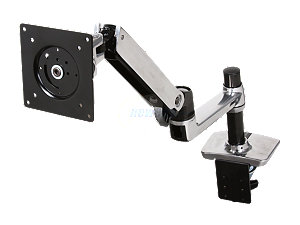
A friction-joint arm with a 10-year warranty, holding screen position without the drift of gas-spring competitors.
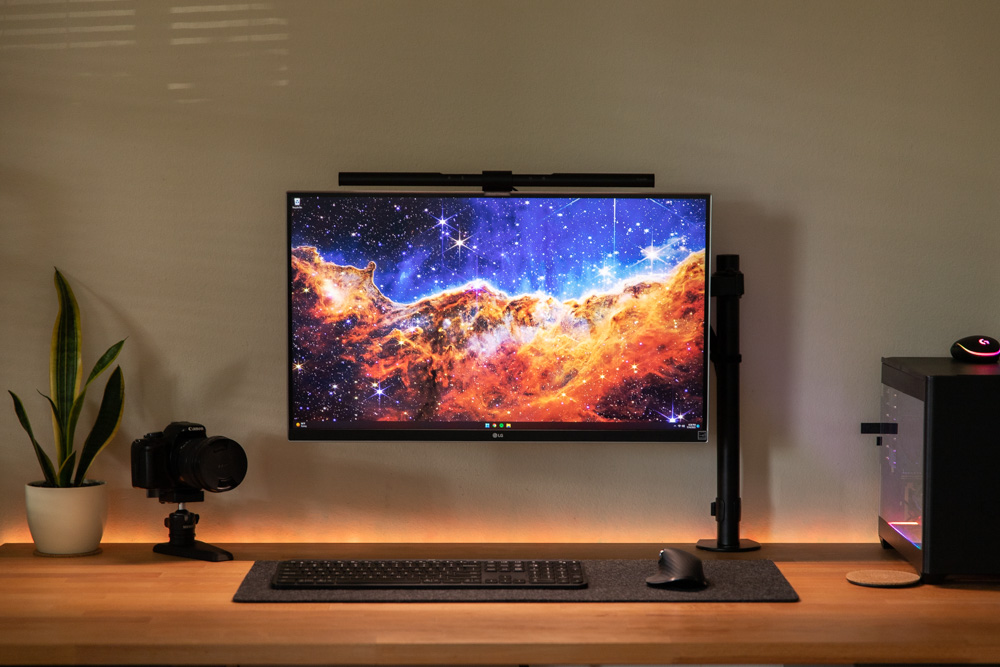
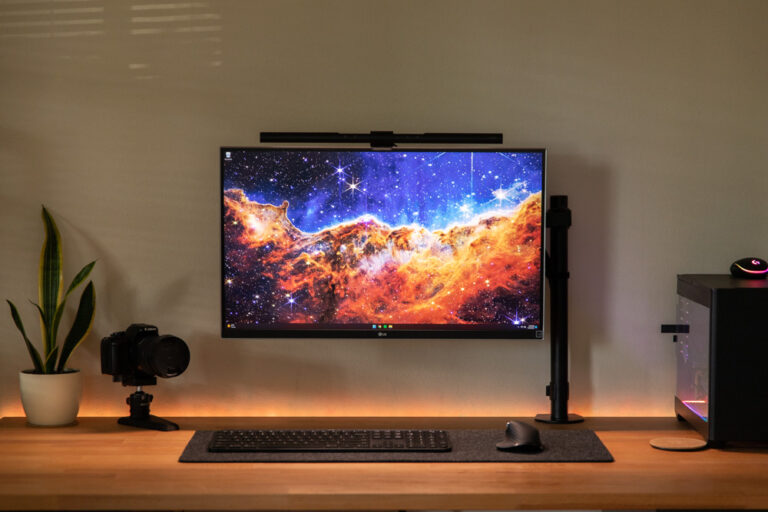
An asymmetric LED light bar that lights the desk, not the screen, eliminating glare a normal desk lamp can’t avoid.
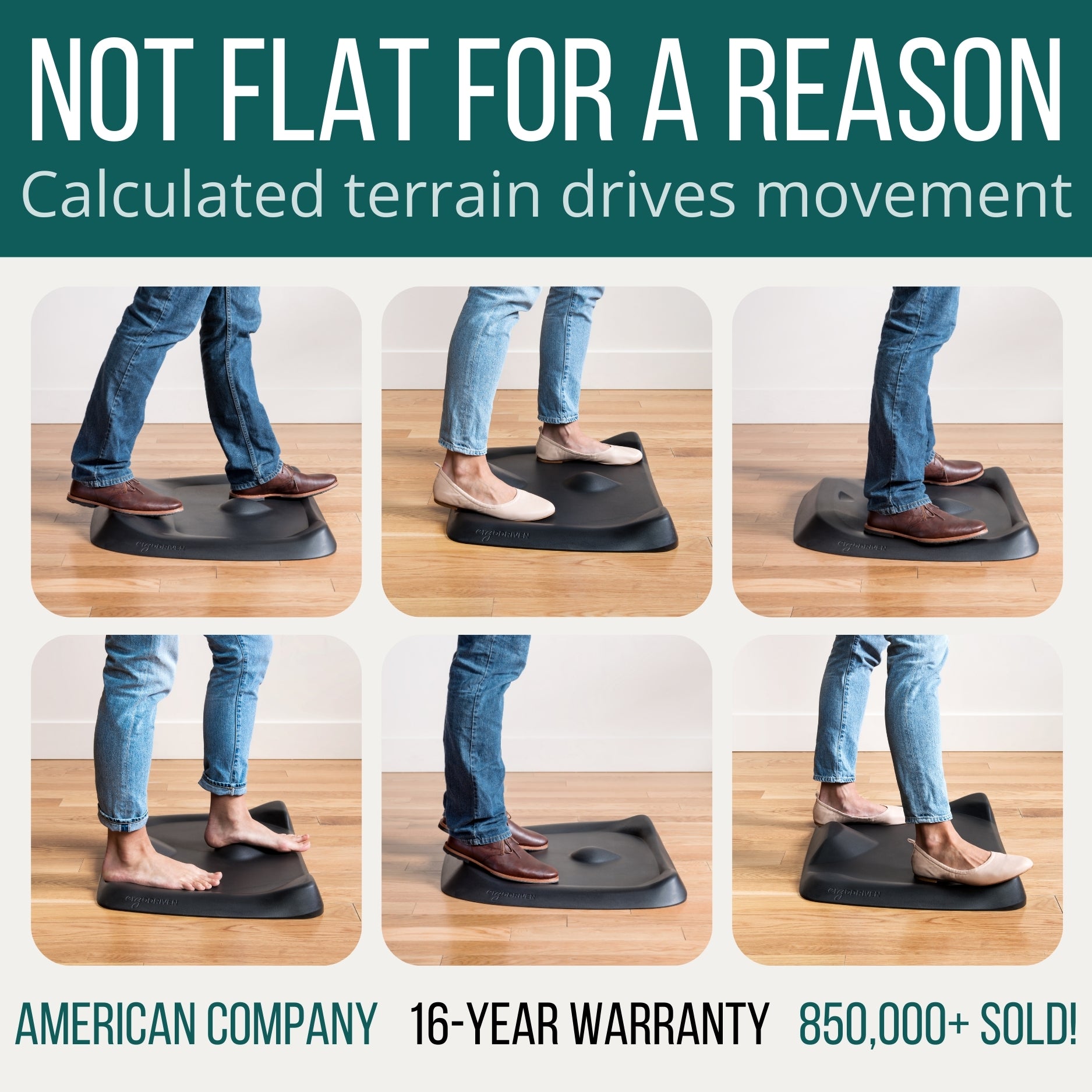
A sculpted terrain mat that forces small movement throughout the day instead of just cushioning a static stance.
A new keyboard or a faster laptop gets most of the attention in home office upgrade lists, but the strain of sitting or standing at a desk for eight hours a day comes from three quieter sources: a monitor that isn’t at the right height or angle, a screen catching glare from overhead lighting, and a floor surface that offers nothing but a flat, static stance. These three picks target exactly those problems.
1. Ergotron LX Monitor Arm — Best Overall
Most desk fatigue tied to monitor position comes from a screen sitting too low, too close, or fixed at an angle that forces the neck forward. The Ergotron LX solves that with friction joints instead of gas-spring cylinders, so the arm holds a repositioned monitor exactly where it’s set — including 75 degrees of tilt and a 25-inch horizontal reach — without slowly drifting downward the way cheaper gas-spring arms do after a year or two of use.
The 10-year warranty is the tell for how confident Ergotron is in the joint mechanism; no direct competitor offers more than five years. That backing, plus a re-tensionable hex-key adjustment instead of a cylinder that eventually loses pressure, is why it’s the arm ergonomics specialists default to recommending for anyone treating a monitor mount as a multi-year investment.
Best for: anyone who repositions their monitor multiple times a day and wants that position to actually hold.
2. BenQ ScreenBar Plus — Best Eye Strain Fix
A standard desk lamp or overhead light bounces reflections directly off a monitor, which is a bigger driver of end-of-day eye fatigue than most people realize. BenQ’s asymmetric lens geometry angles every LED downward and forward onto the desk surface instead of up toward the screen, which is why it’s one of the only monitor lights reviewers consistently describe as genuinely glare-free rather than just dimmer than an overhead fixture.
The desktop dial that comes with the “Plus” model is what makes the light practical to actually use throughout the day — adjusting brightness or color temperature takes one hand and two seconds, instead of reaching up to a touch-bar control on the fixture itself. For anyone logging eight-hour days under artificial light, that’s the difference between a feature used once and forgotten and one adjusted constantly as natural light shifts.
Best for: anyone who works long hours under artificial light and wants glare off the screen without a bulky desk lamp taking up space.
3. Topo by Ergodriven — Best Standing Mat
Most standing mats are flat foam squares that only cushion a static stance — useful, but they don’t address the real driver of standing fatigue, which is staying in one position too long. The Topo replaces the flat surface with a sculpted terrain of a balance bar, calf-raise shelf, and angled foot wedges, engineered to keep the body making small position changes throughout the day. According to Ergodriven’s published data, that terrain drives roughly 47 micro-position changes per hour versus about 18 on a flat mat.
Wirecutter has named it the top standing mat pick since 2016, and TechGearLab’s hands-on comparative testing found users could stand and work longer on it than on flat alternatives in the same test group. The 16-year warranty — the longest in the category — reflects a polyurethane build that resists the compression and flattening that cheaper EVA foam mats develop within months.
Best for: anyone standing at a height-adjustable desk for two or more hours a day who wants to actually extend how long that’s comfortable.
Quick Comparison
| Ergotron LX | BenQ ScreenBar Plus | Topo by Ergodriven | |
|---|---|---|---|
| Price | $289.99 | $109.00 | $129.00 |
| Category | Monitor arm | Monitor light | Standing mat |
| Warranty | 10 years | Standard manufacturer | 16 years |
| Our Score | 4.6/5 | 4.5/5 | 4.4/5 |
The Final Word
These three fix different points of physical strain, so the right starting point depends on which one actually bothers you during the workday. Anyone whose neck or shoulders ache from a monitor at the wrong height should start with the Ergotron LX; anyone who notices eye strain by mid-afternoon should start with the ScreenBar Plus; and anyone standing at a height-adjustable desk who dreads the last hour of a standing block should start with the Topo. None of the three depend on owning the others.
Browse all Office & Productivity reviews →Office & Productivity reviews → or check our full roundups.
Frequently Asked Questions
Why does the Ergotron LX cost more than other monitor arms?
How is the BenQ ScreenBar Plus different from a regular desk lamp?
What makes the Topo mat different from a flat standing mat?
How long do these three products typically last?
Which of the three should I buy first?