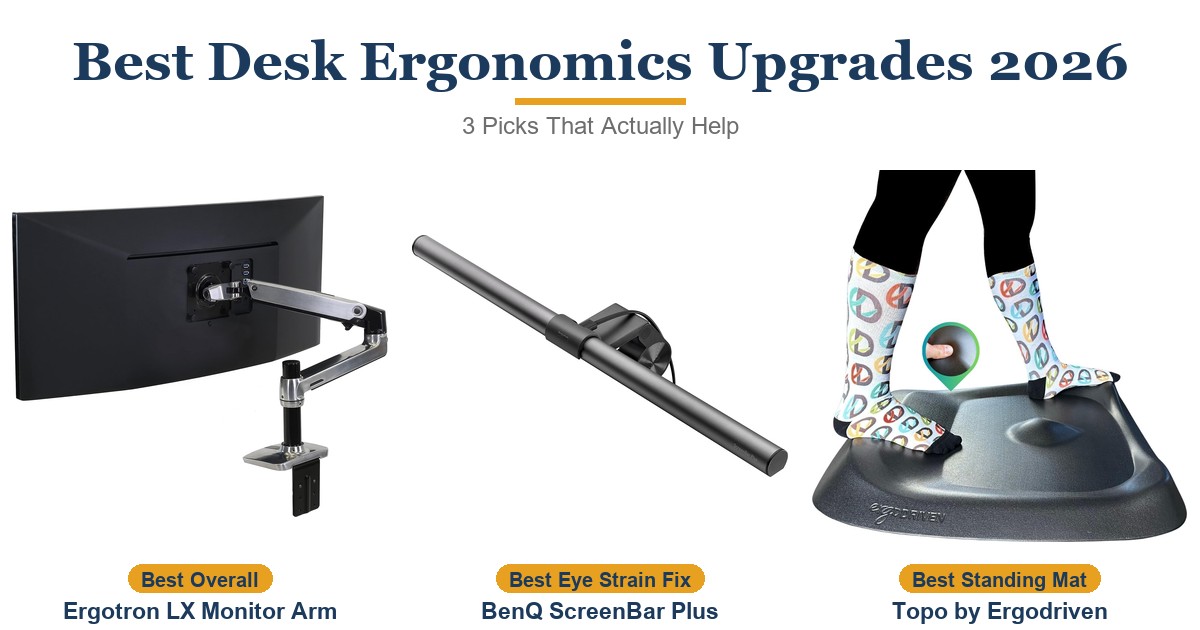
The BenQ ScreenBar Plus is the right monitor light for remote workers and office professionals who want genuinely glare-free desk illumination with one-handed control. The asymmetric optical design solves screen glare where cheaper alternatives fail, and the desktop dial makes brightness and color temperature adjustments fast enough to actually use throughout the day. For anyone logging 8-hour workdays at a desk, the reduction in eye fatigue is the kind of upgrade that pays off daily. The auto-dimming sensor can over-correct in rooms with rapidly changing natural light, the cable is short for floor-mounted PCs, and the dial consumes a second USB port.
Pros
- Asymmetric optics eliminate screen glare completely
- Desktop dial for one-handed brightness and color temp control
- 8 color temperature steps from 2700K to 6500K
- Ra > 95 CRI for accurate color rendering
- Flicker-free LED — IEEE PAR 1789 certified
- 50,000-hour LED lifespan
Cons
- Auto-dimming sensor over-corrects in rooms with changing natural light
- 60-inch USB cable too short for floor-mounted PCs
- Requires two USB ports (bar + dial)
- Incompatible with webcam on top of monitor
As an Amazon Associate I earn from qualifying purchases. Disclosure
Overview
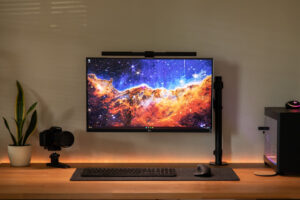
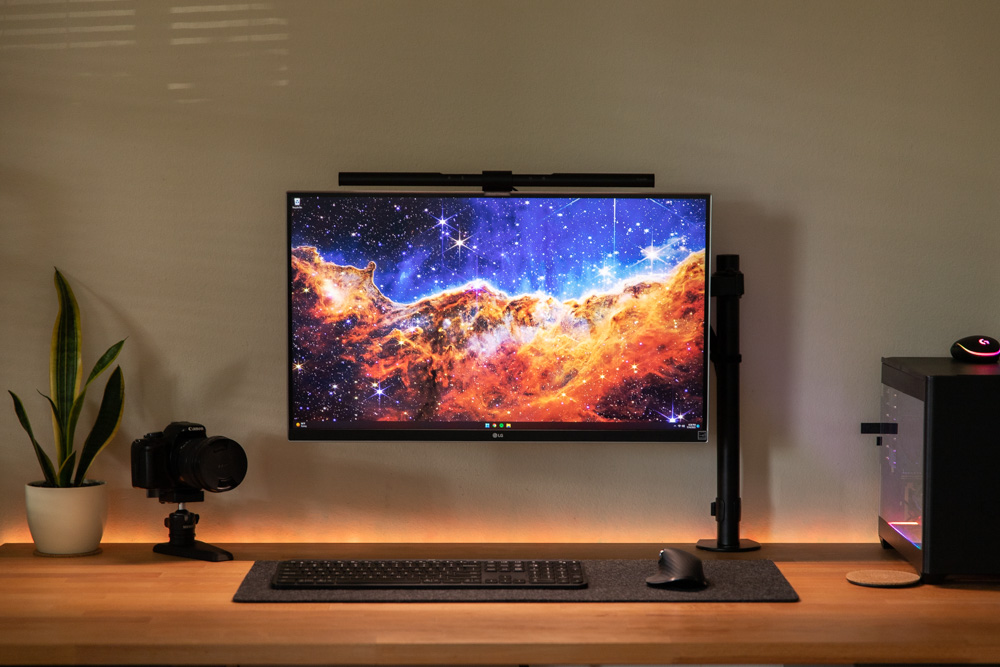
The BenQ ScreenBar Plus is an asymmetric LED monitor light bar designed for remote workers, writers, and office professionals who want to eliminate screen glare and reduce eye strain without giving up desk space to a traditional lamp. Available on Amazon.com, it mounts to the top of your monitor with a patented counterweight clamp — no desk base, no drilling — and illuminates your work surface with adjustable, flicker-free light while casting nothing onto the screen itself. It’s consistently one of the top-rated monitor lights in its category with thousands of reviews.
The “Plus” designation over the standard ScreenBar refers to the included desktop dial controller — a separate puck that sits on your desk and lets you adjust brightness and color temperature with one hand without reaching up to touch the light bar. If your workday involves frequent lighting adjustments between focused tasks and video calls, the dial is the feature that makes the upgrade worthwhile.
Key Specifications
| Lighting Coverage | 61 cm × 30 cm area at 500 lux |
| Color Temperature | 8 steps from 2700K (warm white) to 6500K (cool white) |
| Brightness Levels | 15 levels; auto-dimming targets 500 lux |
| Color Rendering Index | Ra > 95 |
| Power | USB-A (5V / 1A minimum); cable approximately 60 inches |
| LED Lifespan | 50,000 hours |
| Curved Monitor Support | 1800R curvature or flatter |
| Auto-Dimming | Built-in ambient light sensor |
| Build | Aluminum light bar; matte black or matte silver finish |
Design & Build Quality
The ScreenBar Plus has the kind of build quality you’d expect from a brand that prices its monitor lights at a premium. The aluminum bar is noticeably heavier and more solid than budget alternatives, and the counterweight clamp — which hooks over the top of your monitor — stays locked in position without loosening over months of use. The asymmetric optical design is the core engineering choice here: LEDs are angled downward and forward, illuminating the desk rather than the screen, which is why this is the only monitor light that reviewers consistently describe as truly glare-free.
The desktop dial attaches via USB and sits wherever you position it on the desk. It’s a compact puck with tactile mechanical buttons and a smooth rotation action — pressing the center toggles auto-dimming, pressing the rim selects brightness or color temp, rotating adjusts the selected parameter. After six months of daily use, reviewers at MindRemix report zero screen reflection and a mount that never loosened.
Key Features
Asymmetric Optical Design: Standard desk lamps and most budget light bars direct light both forward and upward, producing reflections on the screen. BenQ’s patented asymmetric lens geometry directs all output downward onto the work surface, eliminating screen glare without reducing desk illumination. This is the primary reason the ScreenBar costs more than budget alternatives — and the primary reason buyers say the upgrade is worth it.
Desktop Dial Controller: The physical dial controller is what separates the Plus from the standard ScreenBar. Adjusting brightness or color temperature takes one hand and two seconds without reaching up to the light bar. For users who shift between focused reading, video calls, and ambient desk work multiple times per day, this matters more than the spec sheet suggests.
Auto-Dimming with Ambient Sensor: The built-in sensor detects room light levels and automatically adjusts output to maintain 500 lux — the illuminance recommended by ANSI standards for office environments. The auto-dimming can be toggled on or off via the dial. Reviewers note the sensor can over-correct in rooms with rapidly changing natural light, and manual control often produces more consistent results in those cases.
Color Temperature Range: Eight steps from 2700K warm white to 6500K cool white support circadian-aligned lighting — warmer tones in the morning and evening, cooler tones for focused afternoon work. The Ra > 95 color rendering index means color accuracy is high enough for photo editing and design work at close range.
Flicker-Free LEDs: The ScreenBar Plus is IEEE PAR 1789 certified for flicker-free output and meets EU IEC blue light hazard standards. For users logging 8–10 hour workdays under artificial lighting, the absence of flicker correlates directly with less end-of-day headache and eye fatigue, according to hands-on testing reported by MindRemix.
Performance
The lighting coverage of 61 × 30 cm at 500 lux is sufficient for a standard desk with keyboard and notebook in front of a 27-inch monitor. Users working with ultrawide setups report the coverage extends well across the primary work zone. The Ra > 95 CRI means printed documents and physical samples look accurate under the light — more useful for designers and photographers than most monitor lights deliver.
The 60-inch USB cable is long enough for monitors on standard desktop PCs but may require an extension if your PC sits on the floor or if USB ports are located at the rear of the machine. The dial’s USB connection runs separately from the bar’s power connection, which means two USB ports are used. The mount does not accommodate a webcam sitting on the monitor top — something to factor in for users who rely on a built-in monitor webcam for video calls.
How Does It Stack Up Against the Competition?
The ScreenBar Plus sits at the upper end of the monitor light category. Here’s how it compares to the alternatives at different price points.
| Feature | BenQ ScreenBar Plus | BenQ ScreenBar | BenQ ScreenBar Halo | Quntis Monitor Light |
|---|---|---|---|---|
| Price (USD) | $321.79 (last Amazon price, Oct 17, 2026) | $109.00 | $169.00 | $39.95 |
| Desktop Dial | Yes | No (touch bar only) | Yes (wireless) | No (touch bar only) |
| Screen Glare | None | None | None | Some bleed |
| Backlighting | No | No | Yes | No |
| Auto-Dimming | Yes | Yes | Yes | No |
| Color Temp Steps | 8 | 8 | 8 | 3 |
| Build | Aluminum | Aluminum | Aluminum | Plastic |
| Amazon | View on Amazon | View on Amazon | View on Amazon | View on Amazon |
Prices change frequently — always verify current pricing before purchasing.
Is the BenQ ScreenBar Plus Worth It?
The BenQ ScreenBar Plus is the right monitor light for remote workers and office professionals who want genuinely glare-free desk illumination with the convenience of one-handed control. The asymmetric optical design solves the core problem that cheaper alternatives don’t — screen glare — and the desktop dial makes brightness and color temperature adjustments fast enough that you’ll actually use them throughout the day rather than setting a level once and forgetting it. For anyone logging 8-hour workdays at a desk, the reduction in eye fatigue is the kind of upgrade that becomes invisible once you stop noticing how tired your eyes aren’t.
It’s a harder case to make for occasional desk users or anyone already happy with a good task lamp. The auto-dimming sensor is unreliable in rooms with fast-changing natural light and works better when toggled off. The 60-inch cable limits placement flexibility, and the dial requires a second USB port. Users who want backlighting for ambient glow behind the monitor should step up to the ScreenBar Halo instead.