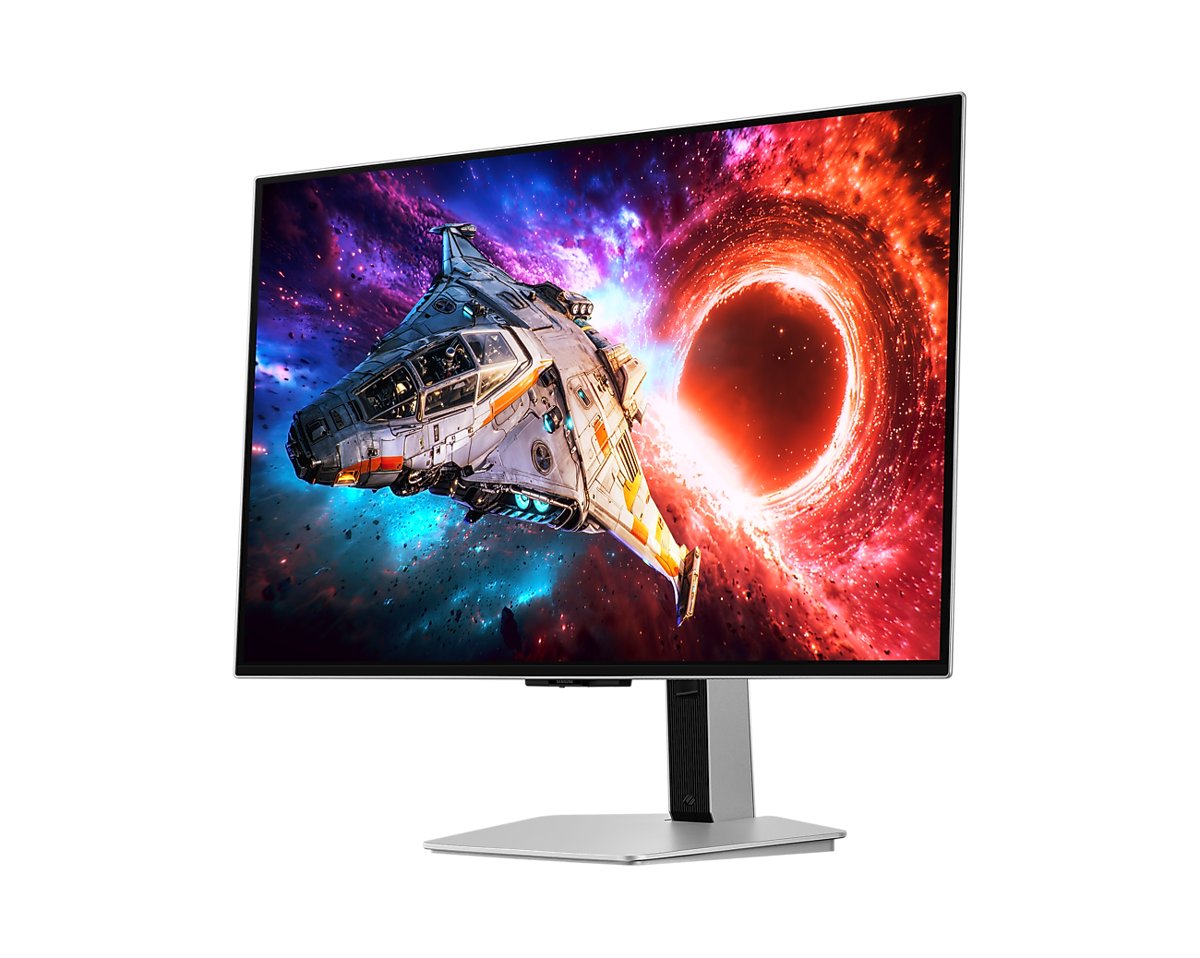
This is the 4K QD-OLED for gamers who play with the lights on: its matte screen handles reflections far better than glossy rivals, and it pairs 240Hz with low input lag. Its 98W USB-C port also makes it an easy one-cable hub for a laptop. The trade-off is that blacks look purple in a bright room and text looks hazier than on glossy panels. If you game mostly in the dark, the glossy ASUS ROG Swift OLED PG32UCDM Gen3 is the clearer-looking choice.
Pros
- Matte screen handles reflections very well
- 4K at 240Hz with low input lag
- DisplayPort 2.1 and 98W USB-C
- Deep blacks and bright HDR highlights in a dark room
- Burn-in from normal use covered
Cons
- Blacks look purple in a bright room
- Text looks hazier than on glossy rivals
- No KVM switch or built-in speakers
As an Amazon Associate I earn from qualifying purchases. Disclosure
Overview
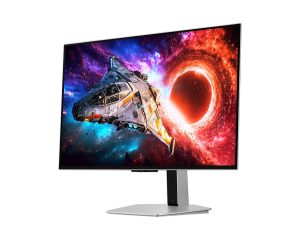
Glossy OLED screens show mirror-like reflections, and this monitor’s same-panel QD-OLED rivals, the ASUS and MSI compared below, both use glossy coatings. Samsung’s Odyssey OLED G8 G80SH takes the other route: its 2026 QD-OLED panel sits behind a matte Glare Free film, paired with a 240Hz refresh rate, DisplayPort 2.1 and a USB-C port that charges a laptop at up to 98W. It is built for PC gamers who also work and watch movies on the same screen with the lights on.
It replaces the older Odyssey OLED G8 G80SD. RTINGS found the new panel gets brighter and that this model adds full DisplayPort 2.1 bandwidth and a USB-C port with DisplayPort Alt Mode. What it drops is the G80SD’s built-in Tizen system, which let that model stream shows without a PC.
Key Specifications
| Screen | 32-inch class flat QD-OLED, Glare Free matte film |
| Resolution and refresh rate | 3840 x 2160, up to 240Hz, 0.03 ms (GtG) |
| Brightness (rated) | 300 cd/m² typical, 1,000 cd/m² peak (3% window) |
| HDR | VESA DisplayHDR True Black 500, HDR10+, HDR10+ Gaming |
| Color | 99% DCI-P3, Pantone Validated, factory calibration report |
| Adaptive sync | AMD FreeSync Premium Pro |
| Video inputs | 1x DisplayPort 2.1 (UHBR20), 2x HDMI 2.1, 1x USB-C (98W) |
| Other ports | 2x USB-A (3.2 Gen 1), headphone jack; no speakers |
| Stand | 120 mm height, tilt -2° to 25°, swivel ±30°, pivot ±92°; 100 x 100 mm VESA |
| Weight with stand | 7.8 kg (17.20 lb) |
| Power | External adapter, 240 W maximum |
| Warranty | 3 years (per the Amazon listing); burn-in from normal use covered (Samsung) |
| Model number | LS32HG802SNXZA |
| Price (USD) | $999.99 |
Samsung Odyssey OLED G8 G80SH Picture Quality and Matte Screen
In a dark room the picture is excellent: blacks are deep, highlights are bright and colors are vivid across a wide range. iXBT, testing the 32-inch model, measured about 980 nits of HDR peak brightness with the Peak Brightness setting on and about 520 nits with it off.
The matte coating is the reason to choose this model over its rivals. Samsung says its Glare Free film is 54% less glossy than conventional anti-reflection film. The screen handles reflections far better than a glossy OLED, with room reflections almost eliminated; iXBT found that only intense light shining directly onto the screen got in the way.
That coating has a cost. RTINGS found that blacks look purple in a bright room, because unlike other modern QD-OLEDs the screen lacks a coating that keeps black levels from rising, and that images and text look hazier than on the glossy ASUS rival. iXBT also noted a barely visible static noise in very dark shades, which it flagged mainly for photo and image work.
Gaming Speed and VRR Flicker
RTINGS calls it “incredible for PC gaming”, citing a near-instant response time and low input lag at any refresh rate. The high-bandwidth video ports let a current graphics card run it at full speed. iXBT measured 3 ms of output delay at 240Hz and lists 4K at 240Hz over every input type: DisplayPort, both HDMI ports and USB-C.
The testers split on flicker with variable refresh rate (VRR) turned on. RTINGS saw some distracting VRR flicker in dark games when frame rates swing, which matters most if your PC can’t hold high frame rates. iXBT measured the brightness swing at -5.5% to +8% while frame rates jumped between 30 and 240Hz, called the flicker very hard to see, and concluded that VRR can be used without annoying flicker in shadows.
Ports, Stand and Burn-In Protection
The connections suit a desk shared between gaming and work. Samsung lists one DisplayPort 2.1 (UHBR20) input, two HDMI 2.1 ports, and a USB-C port with DisplayPort Alt Mode and 98W of charging, enough to run a laptop on one cable. Two USB-A ports and a headphone jack complete the set. There are no speakers, and the headphone output sounds mediocre. Settings are reached with a joystick on the back or Samsung’s Display Manager app on a PC.
Unlike the ASUS and MSI rivals, it has no KVM switch for sharing one keyboard and mouse between two computers. If you switch between a work laptop and a gaming PC every day, that is a real difference.
The stand moves every way: Samsung lists 120 mm of height travel, tilt, ±30° swivel and a pivot into portrait, and the screen also fits a 100 x 100 mm VESA arm. Reviewers disagree on how it feels. iXBT found the 32-inch model stood firmly on a rigid stand of thick stamped steel and aluminum alloy that sets the height with a light push. PCWorld’s 27-inch unit felt flimsy instead, with stiff height adjustment and a portrait pivot that drifted out of level.
Samsung groups its burn-in measures under the OLED Safeguard+ name: a pulsating heat pipe that spreads heat, a Thermal Modulation System that lowers brightness to prevent overheating, Logo and Taskbar Detection that dims static elements, and a screen saver after 10 minutes without input. Its spec sheet says burn-in from normal use is covered within the warranty, which the Amazon listing gives as three years.
How Does It Stack Up Against the Competition?
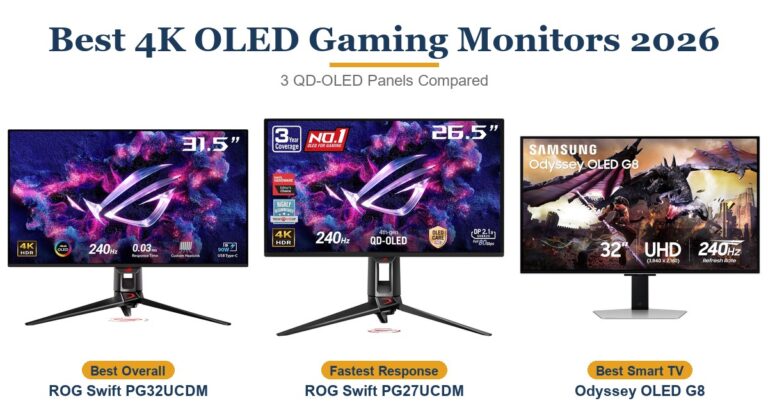
Its two closest rivals are 32-inch 4K 240Hz QD-OLED monitors with the same class of panel, so the choice comes down to the screen coating, the ports and the price.
| Feature | Samsung Odyssey OLED G8 G80SH | ASUS ROG Swift OLED PG32UCDM Gen3 | MSI MPG 322UR QD-OLED X24 |
|---|---|---|---|
| Price (USD) | $999.99 | $1,299.00 | $1,099.99 |
| Screen coating | Matte (Glare Free film) | Glossy (BlackShield film) | Glossy (Dark Armor film) |
| HDR certification | DisplayHDR True Black 500 | DisplayHDR True Black 500 | DisplayHDR True Black 500 |
| USB-C charging | 98W | 90W | 98W |
| KVM switch | No | Yes | Yes |
| TTP Review | This review ↑ | Read our review → | — |
| Amazon | View on Amazon | View on Amazon | View on Amazon |
Prices change frequently — always verify current pricing before purchasing.
Samsung Odyssey OLED G8 G80SH: Worth It for Glare-Free 4K Gaming
If your desk faces a window or you game with the lights on, this is the 4K QD-OLED to pick: the matte screen keeps reflections in check where a glossy rival would show the room, and it still pairs 240Hz with low input lag. As of October 2026 it also costs less on Amazon than both rivals here. A laptop user gets an easy one-cable setup from the 98W USB-C port.
Look elsewhere if you play mostly in a dark room and want the clearest image. Both glossy rivals keep blacks deeper when lamps are on (PC Gamer found the MSI MPG 322UR QD-OLED X24’s purple tint nearly gone), and both add a KVM switch. Tom’s Hardware found no real flaws in the ASUS ROG Swift OLED PG32UCDM Gen3, which also adds Dolby Vision. G80SD owners who rely on its built-in streaming apps will not find them here.
Sources
- Samsung — 32 Inch Odyssey OLED G8 G80SH Specifications
- Samsung Canada — 32 Inch Odyssey OLED G8 G80SH Features and Specifications
- Samsung Odyssey OLED G8 G80SH — Amazon Product Listing
- RTINGS — Samsung Odyssey OLED G80SH S32HG802S Monitor Review
- RTINGS — Odyssey OLED G80SD vs Odyssey OLED G80SH
- iXBT — Samsung Odyssey OLED G8 G80SH 32-inch review (Russian)
- PCWorld — Samsung Odyssey G80SH review (27-inch model)
- Tom’s Hardware — Asus ROG Swift PG32UCDM3 review
- ASUS — ROG Swift OLED PG32UCDM Gen3 Specifications
- PC Gamer — MSI MPG 322UR X24 review
- TFTCentral — MSI MPG 322UR X24 Review
- MSI — MPG 322UR QD-OLED X24 Specifications
Reader Poll
Where does your gaming monitor sit?
Help Our Editors Know What Matters to You
Explore on Amazon →