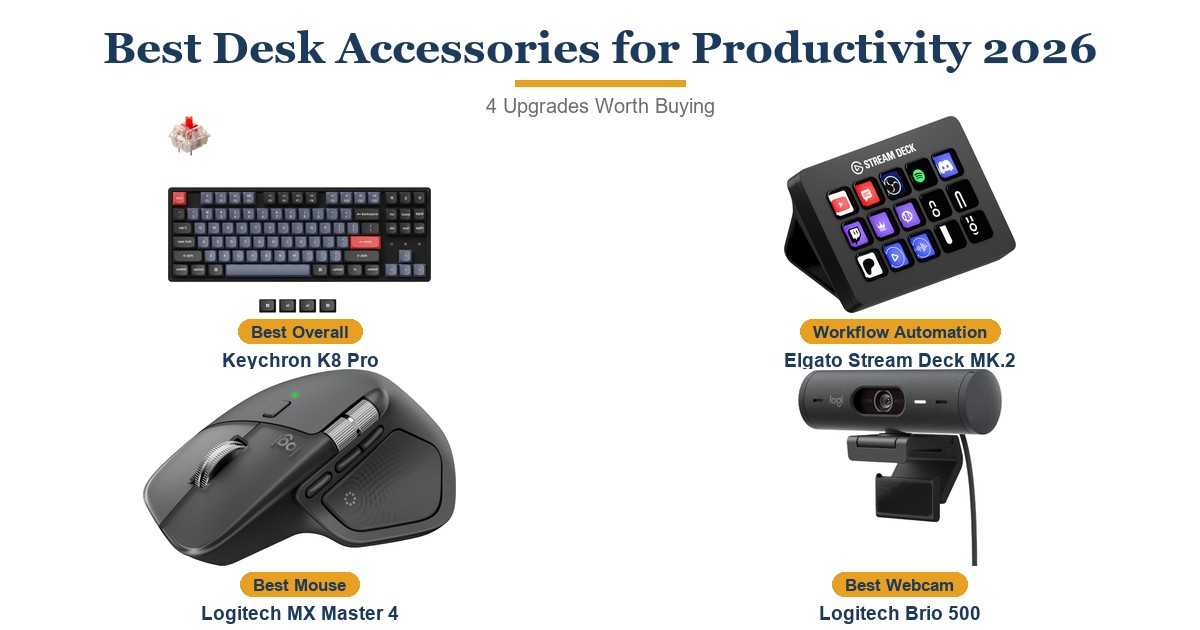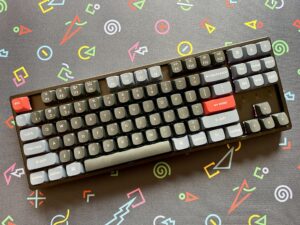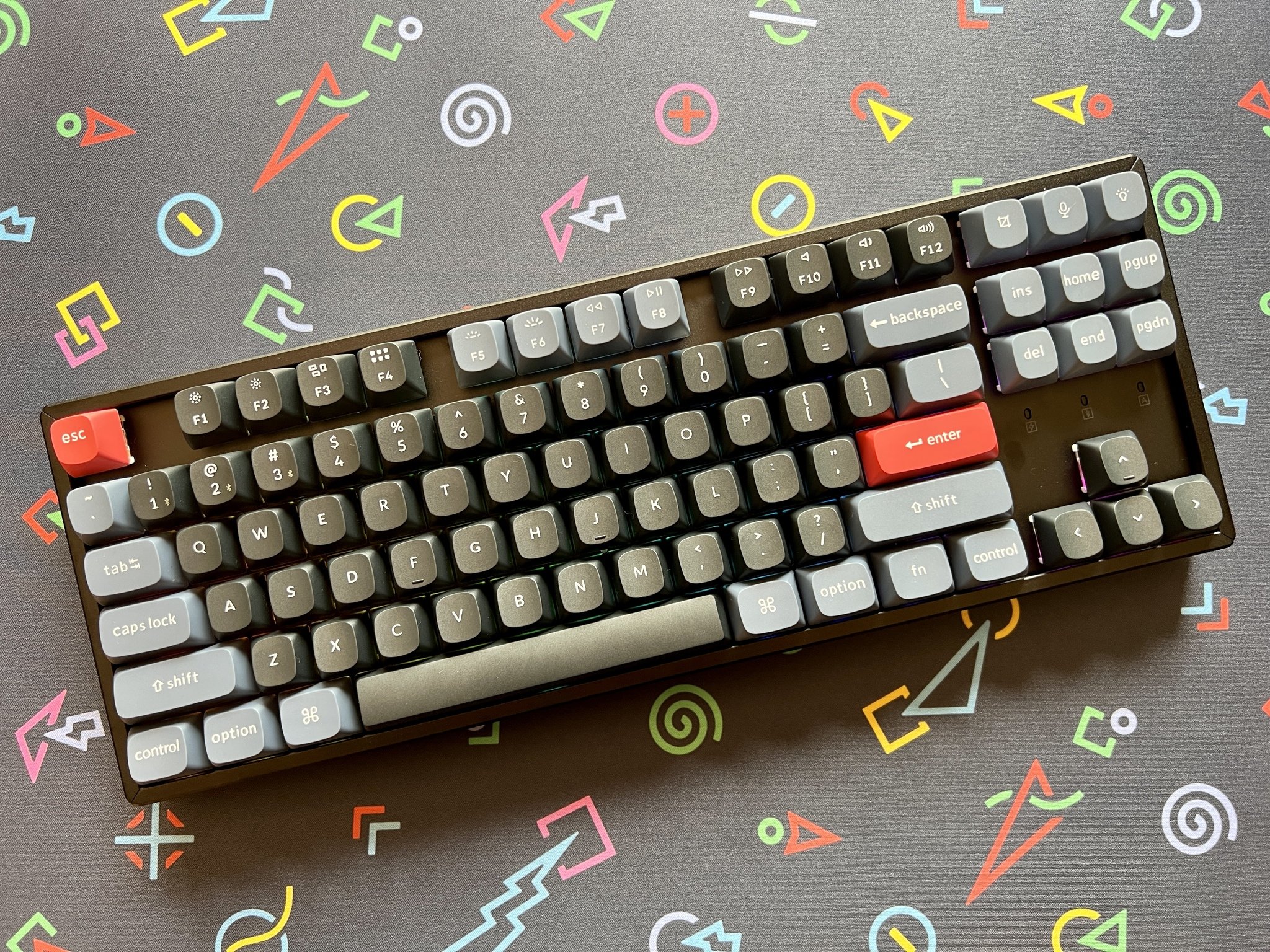
The Keychron K8 Pro is a premium tenkeyless mechanical keyboard built for typists and coders who want a fully programmable wireless board without sacrificing switch selection. Its hot-swappable PCB accepts any 3-pin or 5-pin MX-compatible switch, while Bluetooth 5.1 supports three device connections and USB-C wired mode adds zero-latency input. The main trade-offs are the limited per-key RGB in some configurations and the higher price point compared to wired-only competitors.
Pros
- Hot-swappable PCB — change switches without soldering
- Bluetooth 5.1 with 3-device multi-pairing
- QMK + VIA firmware for full key remapping
- Compatible with Mac and Windows out of the box
- Tenkeyless form factor saves desk space
Cons
- No dedicated numpad
- Pricier than wired mechanical keyboards
- Battery life varies significantly by backlight setting
As an Amazon Associate I earn from qualifying purchases. Disclosure
Overview
Membrane keyboards are quiet and cheap, but they mush every keystroke into the same flat click and offer nothing to customize when the feel gets old. The Keychron K8 Pro solves both problems at once: an 87-key tenkeyless mechanical board with full QMK programmability, hot-swappable switches, and clean Bluetooth 5.1 multi-device connectivity in a compact package. It targets writers, developers, and home office users who want a step up from membrane or scissor-switch keyboards without paying the premium of fully custom enthusiast boards. Available on Amazon.com, it supports Mac, Windows, and Linux out of the box with a physical OS-mode switch and dedicated layout keycaps for both platforms.
The hot-swappable PCB is what separates the K8 Pro from mainstream alternatives like the Logitech MX Keys S: any Kailh-compatible switch can be pulled out and replaced in seconds without soldering. Add QMK firmware support and full VIA remapping, and the K8 Pro is more customizable at its price point than anything from Logitech, Apple, or Microsoft. The Bluetooth 5.1 radio maintains three simultaneous device pairings, switchable with a three-key shortcut.
Key Specifications
| Layout | Tenkeyless (TKL), 87 keys, ~80% footprint |
| Connectivity | Bluetooth 5.1 (3 devices) + USB-C wired |
| Battery | 4000 mAh — up to 100 hours at lowest backlight |
| Switches | Hot-swappable Gateron G Pro (Red, Brown, or Blue options) |
| Keycaps | Double-shot PBT, south-facing RGB |
| Frame | Plastic (standard) or aluminum (premium version) |
| Programmability | QMK firmware + VIA remapping software |
| OS Support | Mac, Windows, Linux (dedicated layout keycaps included) |
| Typing Angle | Adjustable: 0°, 6°, or 9° via three-stage feet |
| Price (USD) | $99.00 |
Keychron K8 Pro Switch Options & Typing Experience
The hot-swappable PCB is the K8 Pro’s headline feature and its most meaningful advantage over similarly priced boards. Any Kailh MX-compatible switch can be removed and installed without a soldering iron in about 90 seconds per switch using the included switch puller. The Gadgeteer’s review describes the included Gateron G Pro switches as “very nice” and among the “nicest switches in use today,” providing smooth actuation with minimal wobble. The Red (linear) variant requires 45g of actuation force, Brown (tactile) 55g, and Blue (clicky) 60g with an audible click.
Typing sound and feel: Keychron installs sound-absorbing foam between the PCB and bottom case, plus a silicone dampening pad on the bottom of the board. According to The Gadgeteer’s hands-on assessment, this combination results in a notably quieter typing sound than comparable boards without sound dampening. The double-shot PBT keycaps are thick, resist shine, and feel premium under the fingers — a significant upgrade over ABS caps found on budget boards. The three-stage adjustable feet let you set your preferred wrist angle without a separate wrist rest.
Wireless Performance & Multi-Device Connectivity
The Bluetooth 5.1 radio manages three simultaneous pairings — Mac, Windows PC, and an iPad, for example — switchable via Fn+1, Fn+2, or Fn+3. According to The Gadgeteer’s review, pairing and device switching worked smoothly with no notable lag or dropout during normal office use. The 4000 mAh battery delivers up to 100 hours at the lowest RGB backlight setting, dropping to around 40 hours at full brightness. Wireless latency is imperceptible for typing and productivity; gamers who need sub-millisecond latency should use USB-C wired mode.
Physical mode switch: A slide switch on the side of the board (not a software toggle) flips between Mac and Windows mode, changing modifier key labels and behavior — you can never accidentally operate the keyboard in the wrong mode from a key sequence. The included braided USB-C cable connects to a recessed port that prevents accidental disconnection. The board charges via USB-C while in wired mode simultaneously, so battery is never a concern during long desk sessions.
Build Quality & Customization via QMK/VIA
The standard plastic frame version weighs approximately 900g — solid but not heavy for a desktop board. The Gadgeteer described the build as “heavy duty construction” with a “sturdy metal frame and solid feel,” noting it fits any desk comfortably. The optional aluminum frame version adds mass and a more premium desk presence, but at a noticeably higher price. The south-facing RGB backlighting is bright with a wide range of per-key color effects; the limitation is that light radiates sideways rather than directly through the keycap legends, resulting in slightly less vibrant illumination compared to north-facing setups.
QMK + VIA programmability: QMK firmware allows full key remapping, macro creation, layer programming, and RGB effect customization at the firmware level. VIA is a graphical front-end that applies changes without flashing firmware. The Gadgeteer noted VIA requires loading a JSON keymap file on first use before the K8 Pro appears in the interface — a one-time step documented in the manual but may trip up first-time VIA users. Once configured, any key can be reassigned, and up to 16 fully custom layers can be programmed.
How Does It Stack Up Against the Competition?
The Keychron K8 Pro sits at a compelling price point between budget compact keyboards and premium enthusiast boards. Here is how it compares to three popular alternatives.
| Feature | Keychron K8 Pro | Logitech MX Keys S | NuPhy Air75 V2 | Royal Kludge RK87 |
|---|---|---|---|---|
| Price (USD) | $99.00 | $119.99 | $134.00 | $49.99 |
| Switch Type | Mechanical (hot-swap) | Low-profile scissor | Mechanical (hot-swap) | Mechanical |
| Hot-Swappable | Yes | No | Yes | No |
| QMK/VIA Support | Yes (full) | No | No | Limited |
| Bluetooth Devices | 3 | 3 | 3 | 3 |
| Mac/Windows Layout | Both (physical switch) | Auto-detects | Both | Windows-primary |
| Amazon | View on Amazon | View on Amazon | View on Amazon | View on Amazon |
Prices change frequently — always verify current pricing before purchasing.
Is the Keychron K8 Pro Worth It?
For home office workers, developers, and Mac/Windows users looking to upgrade from a stock keyboard, the Keychron K8 Pro at $94.99 is one of the strongest choices at its price. Hot-swappable switches mean you can customize the typing feel without voiding a warranty or picking up a soldering iron, and QMK+VIA support puts the board in a different customization league from anything Logitech or Apple offers. RTINGS.com’s keyboard reviews consistently rank Keychron boards highly for build quality and multi-device wireless performance among boards under $150.
Buyers who prefer near-silent typing for open-plan offices will find the Logitech MX Keys S or a board with heavily dampened linear switches more appropriate. The VIA software’s one-time JSON setup also means this is not a fully plug-and-play experience for users unfamiliar with QMK firmware. But for anyone who wants a genuinely customizable, wireless mechanical keyboard with excellent build quality at a fair price, the K8 Pro delivers without compromise.