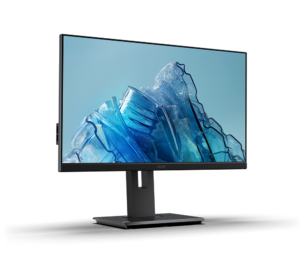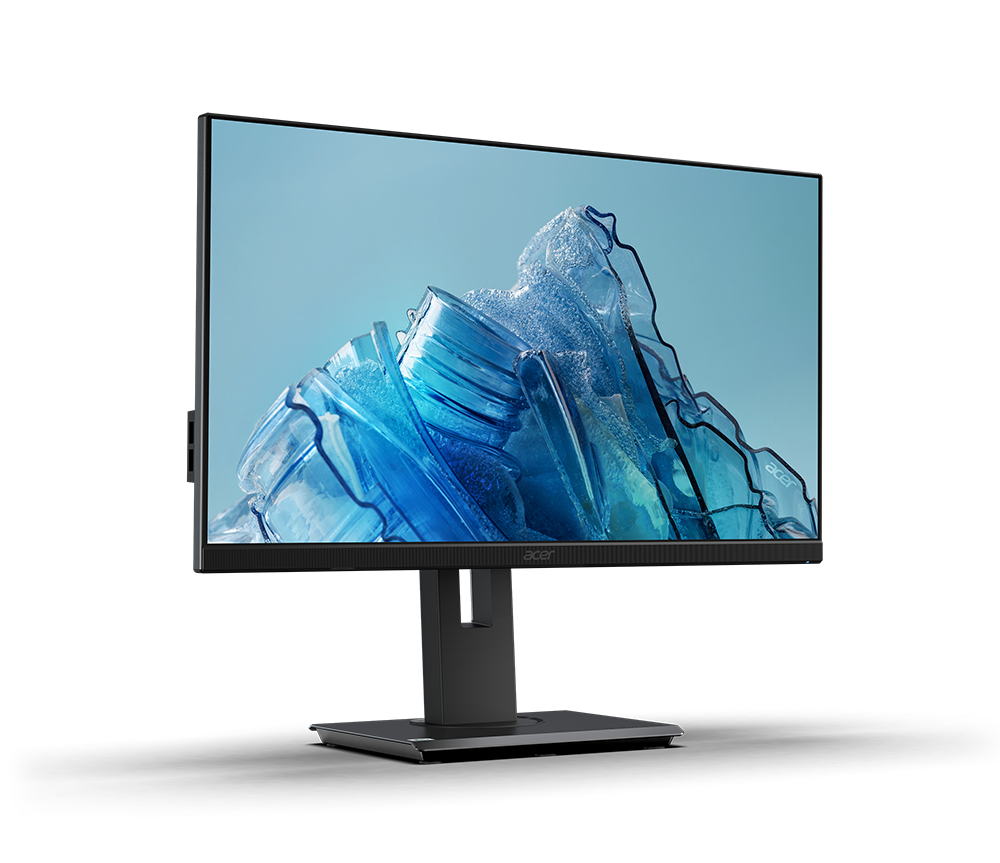
The Acer Vero B247Y G is the pick for Canadian home-office buyers who want strong image quality and a fully adjustable stand without paying premium-monitor money, and who care that the panel is built from majority-recycled plastic. Independent lab testing measured brightness and contrast well above what's typical at this price, and the tilt/swivel/pivot/height stand plus 100mm VESA mount make it easy to dial in a healthy desk setup. Acer backs the eco claims with EPEAT Silver and ENERGY STAR certification rather than just marketing language, and the monitor is readily available on Amazon.ca. The trade-off: there's no USB port anywhere on the panel, so KVM switching and single-cable laptop docking aren't options here.
Pros
- Independently measured 305-nit brightness and 1530:1 contrast, well above typical budget IPS panels
- 85% post-consumer recycled and ocean-bound plastic construction with EPEAT Silver and ENERGY STAR certification
- Full tilt, swivel, pivot, and height-adjustable stand plus 100mm VESA mount
- 120Hz refresh rate with Adaptive Sync, uncommon at this price for a productivity monitor
- Unique 1 inch tripod mount for webcams, ring lights, or accessories
Cons
- No USB ports at all, so KVM switching and single-cable laptop docking aren't possible
- Color accuracy is average for the class, with visible gamma and color-temperature deviation from target
- Cable management around the stand is an afterthought
As an Amazon Associate I earn from qualifying purchases. Disclosure
Overview
A 24-inch monitor with a fully adjustable stand, a 120Hz panel, and independently tested brightness above 300 nits usually costs $340 CAD or more. The Acer Vero B247Y G undercuts that by roughly $170 CAD, and it does so while building the chassis from a majority-recycled-plastic shell that most budget monitors don’t bother with.
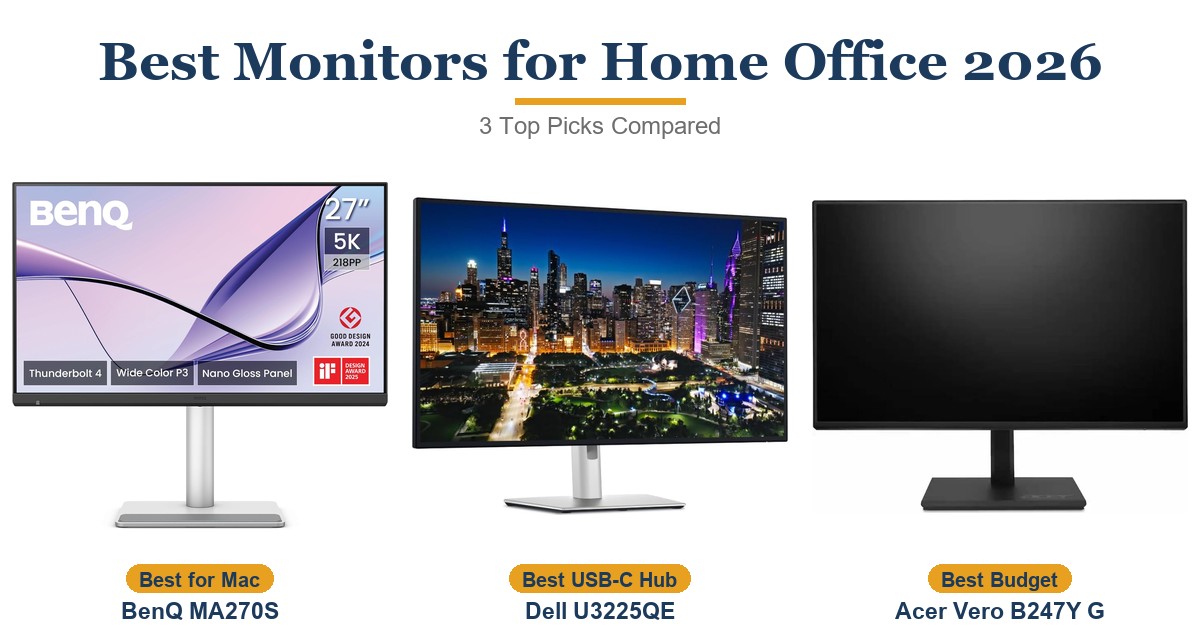
Acer’s Vero line already covers laptops and all-in-ones with the same post-consumer-recycled-plastic pitch, and the B247Y G brings that approach to a plain 1080p office display available on Amazon.ca. It isn’t competing with 4K creator monitors like Dell’s UltraSharp U3225QE or color-critical panels like BenQ’s MA270S — it’s aimed at the Canadian home office that just needs a second screen that looks good, adjusts properly, and doesn’t cost a paycheck.
Key Specifications
| Panel Size / Type | 23.8 in viewable (24 in class), IPS |
| Resolution | 1920 x 1080 (FHD) |
| Refresh Rate | 120Hz with Adaptive Sync |
| Brightness / Contrast (tested) | 305 nits sustained, 1530:1 contrast (PCWorld) |
| Color Coverage (tested) | 99% sRGB, 84% DCI-P3, 77% AdobeRGB (PCWorld) |
| Ports | 1x HDMI, 1x DisplayPort, 1x VGA, no USB |
| Stand Adjustability | Tilt, swivel, pivot, height; 100mm VESA mount |
| Eco Materials / Certification | 85% PCR + 5% ocean-bound plastic, EPEAT Silver, ENERGY STAR |
| Weight (panel) | approx. 3.6 kg (7.9 lb) |
| Price (CAD) | $169.64 |
Acer Vero B247Y G Display Quality & Color Accuracy
In PCWorld’s lab testing, the panel sustained 305 nits of brightness — well above its 250-nit spec and unusually bright for a monitor in this price range — and measured a 1530:1 contrast ratio, which the reviewer called “much better than usual for an IPS LCD monitor.” That contrast figure matters more than the resolution spec on a sheet: it’s what keeps dark UI elements and video content from looking washed out during a full workday.
Color coverage lands at 99% sRGB, 84% DCI-P3, and 77% AdobeRGB per PCWorld’s measurements — enough for everyday office work, web browsing, and casual photo editing, though not accurate enough for color-critical print or video work. The same testing found gamma tracking at 2.3 against a 2.2 target and color temperature measured at 6600K versus a 6500K target — both minor, visible-if-you-look deviations rather than dealbreakers. Tom’s Hardware’s separate review of the panel highlighted the 120Hz refresh rate with Adaptive Sync (DisplayPort VRR) as unusual for a monitor marketed at office buyers, giving it more motion clarity than a typical 60Hz productivity panel for fast-scrolling documents or the occasional lunch-break game.
Eco-Conscious Materials & Certifications
The chassis is built from 85% post-consumer recycled (PCR) plastic plus another 5% ocean-bound plastic, according to Acer’s published specifications for the Vero B7 series — a genuine departure from the virgin-plastic shells most budget monitors ship in. The B247Y G carries EPEAT Silver certification and meets ENERGY STAR requirements, two independent standards that verify environmental claims rather than taking a manufacturer’s word for it.
Acer extends the same approach to packaging: Vero-series products ship in fully recyclable packaging that skips the plastic bags and protective films most monitors arrive wrapped in, part of a packaging redesign Acer says cuts packaging and printed materials by more than 63% across the product line. None of this changes how the screen looks, but for a home office trying to buy fewer disposable-plastic products, it’s a real point of difference from other monitors on the market that don’t market recycled-content claims at all.
Ergonomics & Stand Adjustability
The included stand covers tilt, swivel, pivot, and height adjustment, and PCWorld’s reviewer specifically called out the pivot function — rotating to portrait orientation is a feature most sub-$200 monitors skip entirely. A 100 x 100mm VESA mount pattern is also present for anyone who’d rather run it on a monitor arm instead of the stock stand.
A small but genuinely useful extra: the stand includes a 1/4-inch tripod mount, letting it double as a stand for a webcam, ring light, or small camera without buying a separate clamp. PCWorld’s one complaint here was cable management — routing cables through the stand column feels like an afterthought compared to monitors with a dedicated cable channel.
Connectivity & Compatibility
Video input is limited to one HDMI port, one DisplayPort, and a legacy VGA port — enough for a single desktop or laptop connection, but there’s no USB port anywhere on the panel. That rules out KVM switching between two computers and single-cable USB-C laptop docking, both of which a pricier hub-equipped monitor handles natively.
Built-in speakers are included, which covers basic system sounds and video calls without a separate desk speaker, though they won’t replace a dedicated speaker or headset for daily use. For most single-PC home office setups the port selection is enough; anyone juggling two computers at one desk should look at a monitor with a USB hub or KVM switch instead.
How Does It Stack Up Against the Competition?
The B247Y G isn’t trying to be a creator display — it’s competing with a handful of budget IPS monitors built for the same desk job. Here’s how it stacks up on the specs that matter most for everyday office use.
| Feature | Acer Vero B247Y G | Dell SE2422H | ASUS VA24EHE | HP M24fw |
|---|---|---|---|---|
| Price (CAD) | $169.64 | $688.01 | $179.00 | $327.10 |
| Panel Type | IPS | VA | IPS | IPS |
| Refresh Rate | 120Hz + Adaptive Sync | 75Hz + FreeSync | 75Hz + Adaptive-Sync | 75Hz + FreeSync |
| Stand Adjustability | Tilt, swivel, pivot, height | Tilt only | Tilt only | Tilt only |
| Recycled Materials / Eco Cert | 85% PCR + EPEAT Silver + ENERGY STAR | Not advertised | Not advertised | Not advertised |
| Amazon | View on Amazon | View on Amazon | View on Amazon | View on Amazon |
Prices change frequently — always verify current pricing before purchasing.
Is the Acer Vero B247Y G Worth It?
For a Canadian home office that needs a second monitor that looks good, adjusts to a comfortable height, and doesn’t come from a landfill’s worth of new plastic, the Acer Vero B247Y G is one of the stronger budget picks available on Amazon.ca. Independently tested brightness and contrast beat what most monitors in this price bracket deliver, and the full tilt/swivel/pivot/height stand is a genuine upgrade over the tilt-only stands that ship with nearly every direct competitor.
Buyers who need to switch between two computers at one desk, or who want single-cable USB-C laptop docking, should look elsewhere — this panel has no USB ports at all, so KVM switching and hub functionality aren’t on the table.