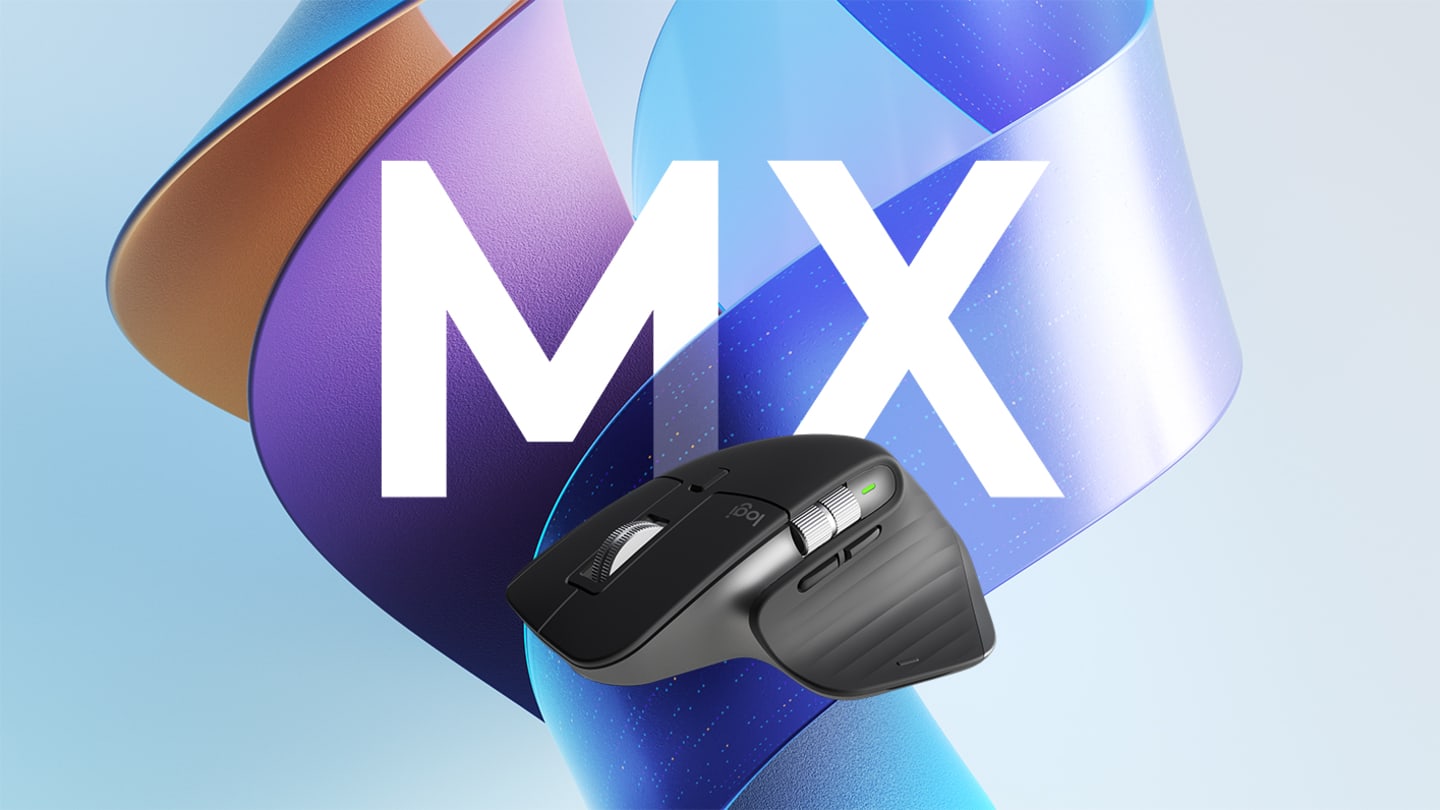
The Logitech MX Master 3S is built for Canadian professionals spending most of the workday moving a cursor around — its 8,000 DPI Darkfield sensor tracks reliably on glass and other surfaces that defeat cheaper mice, and the ergonomic shape holds up over long sessions. RTINGS.com's independent testing found real-world battery life of 28–35 days, well short of Logitech's advertised 70-day claim — still solid, just not what the box promises. Worth it for detailed daily work on Amazon.ca; overkill for casual use.
Pros
- Darkfield 8K sensor tracks accurately on glass and other surfaces that defeat standard optical mice
- Ergonomic shape and quiet clicks hold up well across full workdays
- MagSpeed scroll wheel free-spins for fast document navigation
- Pairs with up to 3 devices via Bluetooth, with easy switching
Cons
- Real-world battery life runs 28-35 days per independent testing, well short of Logitech's advertised 70-day claim
- Large form factor is less comfortable for smaller hands
- Logi Options+ software is more fully featured on macOS than Windows
As an Amazon Associate I earn from qualifying purchases. Disclosure
Overview
Canadian buyers paying $129.99 CAD for a mouse want to know it’s actually different from a $30 wireless mouse, and the MX Master 3S’s answer is its sensor: an 8,000 DPI Darkfield optical sensor Logitech says tracks on virtually any surface, including glass — a real advantage in offices with tempered-glass desks, which are common in newer Canadian office builds.
Independent testing backs the glass claim: Tom’s Hardware tried it on a glass tablet screen and found navigation “just as accurate as it was on a mousepad.” Battery life is where the marketing outruns reality — Logitech advertises up to 70 days per charge, but RTINGS.com’s testing measured real-world battery life closer to 28–35 days under regular use. Still a solid month between charges, just not the number on the box.
Key Specifications
The Logitech MX Master 3S delivers 8,000 DPI tracking via a Darkfield optical sensor, enabling fluid navigation across high-resolution displays common in Canadian design and development environments. Bluetooth connectivity supports stable wireless operation and pairs with up to three devices simultaneously — useful for Canadian professionals switching between a work laptop, a personal Mac, and a tablet. The MagSpeed scroll wheel free-spins for fast document navigation and switches to ratcheted mode for precise scrolling. It is available through Amazon.ca and Best Buy Canada.
Design & Build Quality
The contoured shape is built for a relaxed grip rather than a tight one — the palm rests on a sculpted curve instead of gripping the sides, which is the main reason it holds up over long sessions better than a flat, symmetrical mouse. The textured thumb rest supports the hand during extended use, and the scroll wheel’s non-slip finish avoids the stiff, plasticky feel common on cheaper mice.
The size is tuned for medium-to-large hands; anyone with a small hand should try it in person — Best Buy Canada locations typically have a display unit — before buying online. Build quality holds up well over time, with no significant wear typical after a year of daily use.
Scroll Wheel, Multi-Device Pairing & Quiet Clicks
The MagSpeed scroll wheel is the standout feature for anyone working through long documents or spreadsheets — flick it and it free-spins through dozens of pages, then switches back to a ratcheted, click-by-click mode for precise scrolling. Multi-device pairing lets you switch between up to three paired devices with the press of a button, useful for Canadian professionals using both Windows and Apple ecosystems across work and personal devices. Quiet clicks (Logitech claims 90% quieter than the standard MX Master 3) make it noticeably less disruptive in open-plan Canadian offices than most mice in this category. The customizable side button, programmable via Logi Options+, can be mapped to app-specific shortcuts.
Sensor Tracking & Real-World Battery Life
The Darkfield sensor is the mouse’s strongest asset: it tracks reliably on glass, dark wood, and other surfaces that defeat standard optical sensors, which Tom’s Hardware’s glass-surface test confirmed directly. At 8,000 DPI, cursor movement stays smooth and precise across multiple monitors, and Bluetooth range comfortably covers a typical desk setup without dropouts.
Battery performance is good but not quite what the spec sheet promises — RTINGS’ real-world testing landed at 28–35 days per charge rather than Logitech’s advertised 70, worth knowing going in so the actual number doesn’t feel like a letdown. A 1-minute quick charge buys about 3 hours of use.
How Does It Stack Up Against the Competition?
If the Logitech MX Master doesn’t quite fit your needs, here are the closest alternatives worth considering.
| Feature | Logitech MX Master 3S | Anker Vertical Ergonomic | Microsoft Sculpt Ergonomic |
|---|---|---|---|
| Price (CAD, approx.) | $109.99 | $45.99 | $76.99 |
| Sensor | 8,000 DPI, tracks on glass | 6,400 DPI | 4,000 DPI |
| Real-World Battery Life | 28–35 days (RTINGS tested) | Not independently tested | Not independently tested |
| Multi-Device Bluetooth | Yes, up to 3 | No | No |
| TTP Review | This review ↑ | — | — |
Prices change frequently — always verify current pricing before purchasing.
Is the Logitech MX Master 3S Wireless Mouse Worth It?
For Canadian professionals spending most of the workday moving a cursor around, the MX Master 3S earns its price with a sensor that genuinely works on surfaces that defeat cheaper mice, an ergonomic shape that holds up over long sessions, and multi-device switching that removes a real daily friction point.
The battery life gap between marketing (70 days) and independent testing (28–35 days) is worth going in aware of, and anyone with small hands should try the shape before buying. For casual browsing or gaming, the premium features go mostly unused — this is a mouse built for sustained, detailed work.

Check the latest price for the Logitech MX Master 3S
Check Current Price on Amazon.ca