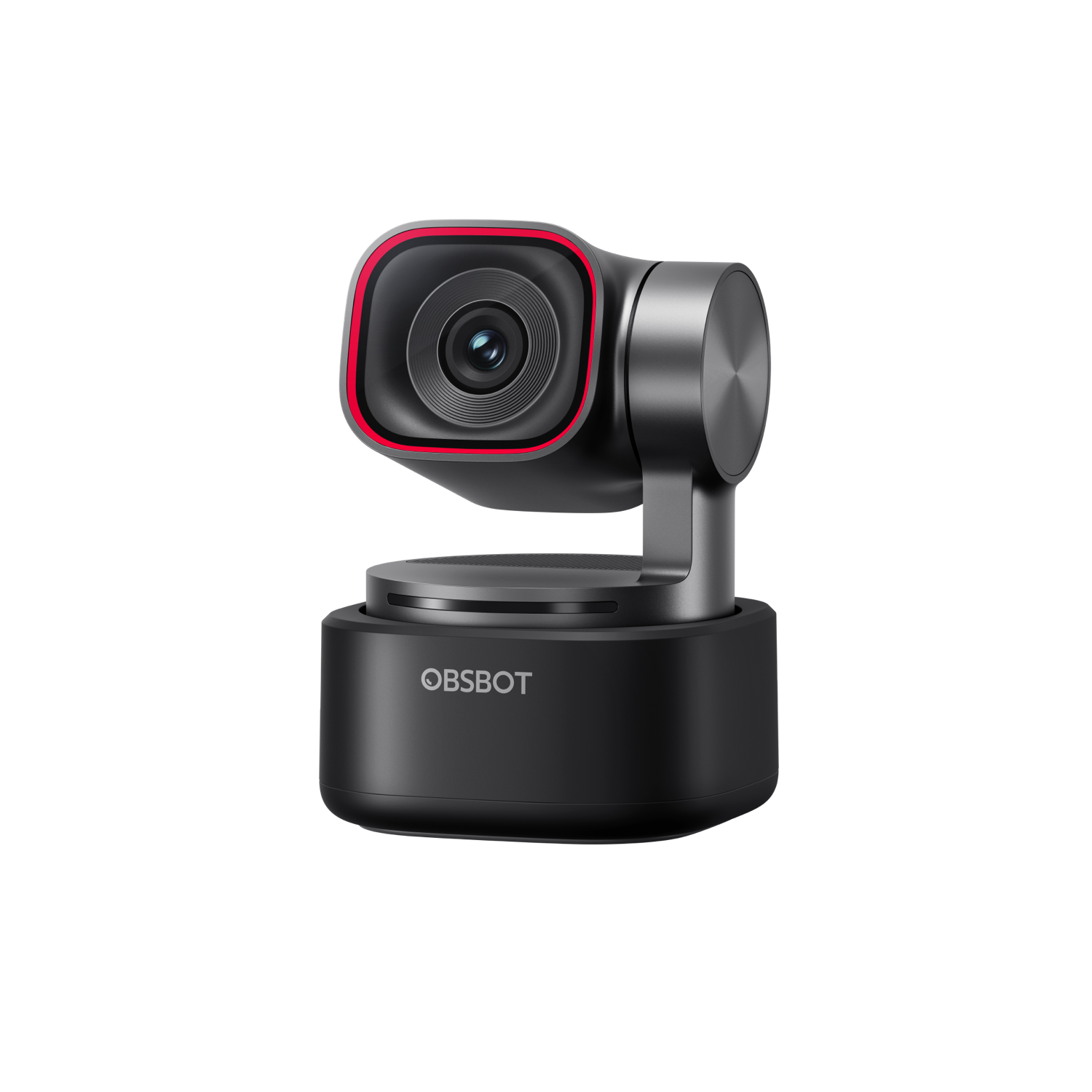
Buy the OBSBOT Tiny 3 if you stream, record tutorials or present on your feet and want a webcam that stays sharp when the room gets dark; it is available on Amazon.ca. Its gimbal tracking keeps you framed as you move, and the three-mic array is good enough for meetings without a separate microphone. The control app takes real time to learn, which matters most if you want plug-and-play. If your calls happen in a bright room, the Tiny 3 Lite covers the same audio and nearly all the tracking.
Pros
- Clean, detailed video in dim rooms
- Smooth, reliable gimbal tracking
- Three-mic array good enough for meetings
- Smallest Tiny yet, with a hard carry case
- Deep manual image controls
Cons
- Control app takes time to learn
- Voice commands respond inconsistently
- Premium price for a webcam
As an Amazon Associate I earn from qualifying purchases. Disclosure
Overview
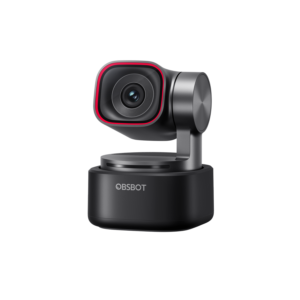
Sixty-three grams is all the OBSBOT Tiny 3 weighs, yet that small aluminum body holds a 1/1.28-inch 50-megapixel sensor on a two-axis motorized gimbal that turns to follow you. It is built for streamers, YouTubers, teachers and presenters who move around while they talk and want camera-like image quality without a camera rig. OBSBOT launched it in January 2026 alongside the cheaper Tiny 3 Lite, and it is sold on Amazon.
In Canada the Tiny 3 is listed on Amazon.ca at $424 CAD from a third-party seller rather than Amazon itself, against $269 CAD for the Tiny 3 Lite (November 2026). What the extra money buys over the Lite is the bigger 1/1.28-inch sensor with a higher ISO ceiling (12,800 against 6,400), plus the Desk and Whiteboard tracking modes. Against the older Tiny 2, CGMagazine notes the sensor grew from 1/1.5 inch and the camera shrank from 95.6 g to 63 g. One detail matters in bilingual homes and offices: OBSBOT lists voice commands in English and Mandarin only, so French speakers will be steering it with gestures or the app.
Key Specifications
| Price (CAD) | $424.00 |
| Sensor | 1/1.28-inch CMOS, 50 MP effective, f/1.8 |
| Video | 4K at 30 fps, 1080p at 120 fps |
| Field of view (diagonal) | 82.4° (4:3), 74° (16:9) |
| ISO range | 100 to 12,800, dual native (6,400 with HDR on) |
| Focus and zoom | All-pixel PDAF autofocus, 14 cm minimum focus, 1-4x digital zoom |
| Gimbal | 2-axis, pan ±130°, tilt 32° down to 60° up, up to 120°/s |
| Microphones | 1 omnidirectional + 2 directional, 5 audio modes |
| Voice commands | English and Mandarin |
| Size and weight | 37 x 37 x 49 mm, 63 g |
| Power | USB-C, 5V/0.6A |
| Warranty | 1 year on the camera and gimbal, 6 months on the cable (official or authorized sellers) |
OBSBOT Tiny 3 Video and Low-Light Performance
Image quality is where the Tiny 3 earns its price. The test sites agree that it holds detail and stays clean when the light drops, and that it copes with harsh or shifting light too. In a genuinely dark room Tech4Gamers did see some grain, though the detail didn’t vanish completely. Digital Camera World’s main test space had difficult, rapidly changing backlight, and the exposure kept up. Out of the box the picture looks finished, so you don’t need to touch the settings to look good on a call.
Against the Tiny 3 Lite, the bigger sensor earns its keep mainly in dim light. That was the deciding difference in PC Gamer’s three-way comparison with the Lite and the older Tiny 2 Lite, which trailed both new models. If you film in a bright room, the Lite gives up very little.
Two smaller caveats came up in testing. PCWorld found that under ordinary office lighting the image looked a bit yellow and washed out, though its dim-room and daylight shots looked great. Digital Camera World found the digital zoom usable up to about 2x without serious issues, with 4x there if you choose, and Tech4Gamers found the picture still presentable at 4x. Keep in mind that 4K mostly pays off when you record or stream it: PC Gamer points out that most video-call platforms, such as Google Meet and Zoom, don’t support 4K and scale your video down.
AI Tracking, Gestures and Voice Control
The gimbal is the reason to buy a Tiny over a fixed webcam. It pans up to ±130° and moves at up to 120° per second, so the camera physically turns to keep you in frame instead of cropping a fixed view. Testers found the tracking smooth and reliable, and Tech4Gamers saw it follow its tester walking, turning, leaning and sitting back down without overcorrecting. It can lock onto one person, frame a group, follow a hand or an object, and switch to Desk Mode or Whiteboard Mode, both of which OBSBOT lists as exclusive to the Tiny 3. With two people in the shot, Digital Camera World found the subject tracking didn’t get mixed up.
Voice tracking turns the camera toward whoever is speaking, which GameRevolution singled out as a highlight, though Digital Camera World found it could be slower than you’d want, even at the fastest setting, when speakers sit on opposite sides of a table. The voice commands are the least polished part. PC Gamer found them inconsistent across several sessions, even after a factory reset, and its gesture recognition sometimes failed against a white wall. Digital Camera World found the gestures generally detected well, but talking about them made the camera start and stop tracking, because it also responds to voice commands. PC Gamer’s only tracking hiccup came with the tracking speed set too low, when the camera couldn’t quite keep up. Both the gesture and voice features can be switched off in the app.
OBSBOT Tiny 3 Built-In Microphones
OBSBOT pitches the Tiny 3 as an audio-first webcam. It pairs one omnidirectional microphone with two directional ones and offers five modes, from Pure Audio with no processing to Directional, which focuses on the voice in front, and Dual-Directional for two people facing each other. OBSBOT’s Vox SE wireless lavalier can also connect to the camera. One catch from PC Gamer’s testing: when recording or streaming at 1080p or higher, Smart Omni was the only audio mode available. Tech4Gamers describes the restriction differently, tying Smart Omni to 1080p at 120 fps.
How far that goes depends on who tested it. Digital Camera World brought in a recording artist with a keyboard and judged the audio “close to flawless given the size”, enough that the camera could stand in for a separate microphone. GameRevolution was more cautious: fine for meetings, but for anything more it would add a cheap dedicated microphone. Noise rejection is where the tests split. Tech4Gamers found Directional mode pushed side chatter and room noise into the background, but PCWorld played music and white noise around its tester’s head, and the webcam couldn’t filter them out until the laptop’s own noise filtering was switched on. PC Gamer heard a little more background sound than it liked, even in the modes meant to reduce noise.
OBSBOT Center Software and Setup
Plug it in over USB-C and it works as an ordinary webcam in Zoom, Teams or Google Meet with no software installed. The tracking modes, audio modes and image controls live in the OBSBOT Center app, which takes real time to learn. PCWorld called the interface overly confusing, with settings such as resolution, gesture control and audio tucked behind a small “More” menu, and noted that switching to the Pro layout restarts the app. PCWorld also objected that some features, such as avatars, require an OBSBOT account. Other testers found the software clean and easy to use, so how much this matters depends on how much you want to change.
Beyond the basics, the controls go deep. Tech4Gamers singled out the manual exposure curves, which adjust shadows, midtones and highlights separately, and the separate red and blue white-balance gains that brought skin tones back under mixed lighting. The app also includes background blur and replacement, NVIDIA’s eye-contact effect, beauty filters, overlays and a teleprompter. OBSBOT notes that using the Beauty and Background Effects features at 4K requires an NVIDIA RTX 2060 or better on Windows, or an Apple M1 or later on a Mac.
Size, Mount and Travel
At 37 x 37 x 49 mm, the Tiny 3 is small enough to sit on a thin laptop lid. Everything packs into the included hard case: camera, magnetic clip, USB-C cable and USB-A adapter, so it is an easy webcam to travel with. The mount folds on hinges to raise or angle the camera, and there’s a standard 1/4-inch thread underneath for a tripod or arm.
How well the small mount holds depends on the screen. Tech4Gamers had no trouble on its monitor or a laptop, but PCWorld found it perched precariously on a thick home monitor while it sat fine on a thinner display, and Digital Camera World knocked it off once during testing, though the camera survived. If your monitor has a deep back, plan on the tripod thread.
How Does It Stack Up Against the Competition?
All four are 4K webcams on a two-axis gimbal with AI tracking. As of November 2026 the Tiny 3 is the most expensive of them, and what it adds is the widest ISO range; it shares 1080p at 120 fps with the Lite, while both Insta360s top out at 60.
| Feature | OBSBOT Tiny 3 | OBSBOT Tiny 3 Lite | Insta360 Link 2 Pro | Insta360 Link 2 |
|---|---|---|---|---|
| Price (CAD) | $424.00 | Deal $269.00 | $393.48 | $269.99 |
| Sensor | 1/1.28-inch | 1/2-inch | 1/1.3-inch | 1/2-inch |
| Top video modes | 4K/30, 1080p/120 | 4K/30, 1080p/120 | 4K/30, 1080p/60 | 4K/30, 1080p/60 |
| ISO range | 100-12,800 (dual native) | 100-6,400 | 100-3,200 (dual native) | 100-3,200 |
| Built-in microphones | 3 mics, 5 audio modes | 3 mics, 5 audio modes | 2 mics, 4 audio modes | AI noise-canceling mic |
| Closest focus | 14 cm | 10 cm | 12 cm | 10 cm |
| Weight | 63 g (88 g with mount) | 73 g (built-in stand) | 102.5 g (167.5 g with mount) | 101.5 g (166.5 g with mount) |
| Amazon | View on Amazon | View on Amazon | View on Amazon | View on Amazon |
Prices change frequently — always verify current pricing before purchasing.
OBSBOT Tiny 3: Worth It for Creators Who Film in Dim Rooms
The Tiny 3 is the one to buy if you stream, record tutorials or product demos, or present on your feet, and you often work in less-than-ideal light, which is where its larger sensor pulls clear of the Lite. On Amazon.ca it costs more than every other webcam in the table as of November 2026, so the case for it in Canadian dollars rests on low light and a camera small enough to pack in its own case. For units bought through OBSBOT’s official or authorized sellers, its warranty covers the camera and gimbal for one year, or longer where local law requires it, and the cable for six months; returns go through the seller. PC Gamer scored it 70 out of 100, citing the price, inconsistent voice control and a feature set it sees as overkill for most buyers. We count the price in value and the voice control as a usability flaw, and since this review is aimed at the creators PC Gamer itself recommends it to, we give more weight to the image and tracking that the tests consistently praised.
If your camera time is mostly video calls in a lit room, the Tiny 3 Lite keeps the same microphone system and nearly all the tracking (it lacks Desk and Whiteboard modes), and the gap in picture quality is small there. On paper the Insta360 Link 2 Pro is the closest rival, with a 1/1.3-inch sensor of nearly the same size and, like the Tiny 3, dual native ISO. As of November 2026 it costs less on Amazon, so it is the pick if you want a big sensor for less money. The Insta360 Link 2 supports HDR in every resolution and frame rate, while the Tiny 3’s HDR tops out at 60 fps. If you’d rather never open a settings app, take PCWorld’s view: its reviewer, a self-described “set it and forget it” user, leaned toward simpler 4K webcams.
Sources
- OBSBOT — Tiny 3 Series Tech Specs
- OBSBOT — Tiny 3 Series launch announcement
- OBSBOT — Warranty & Refund
- OBSBOT Tiny 3 — Amazon.ca Product Listing
- PC Gamer — Obsbot Tiny 3 review
- PCWorld — Obsbot Tiny 3 webcam review: Powerful, but too much for most people
- Digital Camera World — Obsbot Tiny 3 review
- CGMagazine — OBSBOT Tiny 3 Webcam Review
- Tech4Gamers — Obsbot Tiny 3 Review: When A Webcam Starts Acting Like A Camera
- GameRevolution — OBSBOT Tiny 3 Webcam Review
- Insta360 — Link 2 Pro & Link 2C Pro Product Specs
- Insta360 — Link 2 & Link 2C Product Specs
Reader Poll
What would you mostly use a tracking webcam like the Tiny 3 for?
Help Our Editors Know What Matters to You
Explore on Amazon →