Best 4K OLED Gaming Monitors 2026: 3 QD-OLED Panels Compared
We compared three 4K QD-OLED gaming monitors on measured speed, price, and features to find which one actually earns its premium.

How We Researched
We evaluated 3 published 4K QD-OLED gaming monitor reviews on this site, cross-checked against independent lab measurements from TFTCentral, RTINGS, and PCWorld, plus manufacturer spec sheets. No manufacturer paid for placement — prices verified August 2026.
What You’ll Learn
- Which 4K OLED monitor delivers the best price-to-performance
- Which panel has the fastest measured response time and lowest input lag
- Which monitor skips a separate streaming box entirely
- How much a built-in smart platform costs you elsewhere
- Whether the smaller 27-inch panel is worth the size trade-off
- Which one has the strongest burn-in protection
The ranking
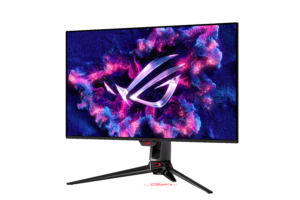
32" 4K QD-OLED, 240Hz, TFTCentral’s fastest-measured OLED, undercuts flagship pricing
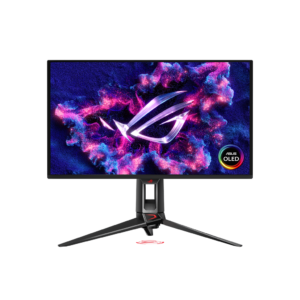
27" 4K QD-OLED, DisplayPort 2.1a uncompressed 240Hz, Neo Proximity Sensor burn-in guard
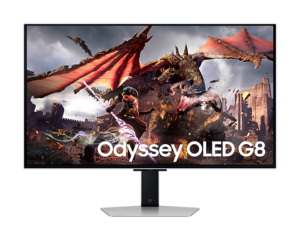
32" 4K QD-OLED with built-in TizenOS, Gaming Hub, and cloud streaming apps
Every 4K QD-OLED gaming monitor promises the same headline numbers — 240Hz, near-instant response, deep OLED contrast — so the real differences show up in the fine print: how fast a panel actually measures in independent lab testing, whether it needs a separate streaming box, and how much you pay for the extras. We compared three of the most-discussed 4K OLED gaming monitors of 2026 against TFTCentral, RTINGS, and PCWorld’s own measurements to find where each one actually pulls ahead.
1. ASUS ROG Swift OLED PG32UCDM — Best Overall
TFTCentral called it “the best OLED monitor we’ve tested to date,” measuring a 0.49ms average gray-to-gray response time and 0.50ms input lag — figures that put its 240Hz motion clarity roughly on par with a good 360Hz LCD panel. At a street price that regularly dips under $859, well below its $1,199 list, it undercuts the flagship pricing that used to be the entry fee for a 32-inch 4K QD-OLED panel with real per-pixel contrast.
PCWorld’s factory-calibration testing recorded 100% sRGB and 98% DCI-P3 coverage with color error under 1, and the 90W USB-C port with DisplayPort Alt Mode drives the monitor and charges a compatible laptop over one cable — a feature neither of the other two panels here offers. The one real trade-off, per PCWorld, is HDR brightness: at 355 nits in a 10% window it trails pricier rivals like the Dell Alienware AW3225QF.
Best for: PC gamers who want genuinely fast, accurate 4K OLED motion without paying flagship pricing to get it.
2. ASUS ROG Swift OLED PG27UCDM — Fastest Response
The PG27UCDM packs the same 4K resolution into a tighter 27-inch panel and adds DisplayPort 2.1a at UHBR20 bandwidth — enough to carry a full 4K 240Hz signal uncompressed, something the DisplayPort 1.4-based panels in this comparison can’t do natively. TFTCentral measured a 0.93ms average response time and roughly 2ms of input lag, numbers the outlet noted were beaten by only one other 4K OLED monitor it had tested at the time.
A Neo Proximity Sensor is the standout extra: it detects when nobody’s sitting in front of the screen and blacks it out after a set delay, adding a layer of burn-in protection beyond the pixel-shifting and screensaver routines most rivals rely on alone. The trade-off is price — at approx. $1,099 it costs more than the PG32UCDM for a smaller screen, and PC Gamer’s own testing suggested rival Alienware AW2725Q delivers a similar overall experience for less.
Best for: Competitive and single-player gamers who want the smallest, fastest 4K OLED panel and don’t mind paying for it.
3. Samsung Odyssey OLED G8 — Best Smart TV
None of the ASUS, Alienware, or LG panels in this class include any onboard smart platform — the Odyssey OLED G8 does. A full TizenOS interface with Samsung’s Gaming Hub streams Xbox Cloud Gaming, GeForce NOW, and Netflix directly, letting it double as a genuine smart TV with nothing plugged in. It pairs that with a matte anti-glare coating, a choice most rivals skip in favor of glossy finishes that reflect more of a bright room back at the viewer.
TFTCentral measured input lag close to 4ms at 240Hz on the G80SD — noticeably higher than the sub-2ms figures it recorded on rival QD-OLED panels the same generation — and there’s no USB-C port at all, just a dual USB 3.0 hub. DisplayNinja flagged that connectivity gap directly against competitors now offering 90W USB-C laptop charging.
Best for: Gamers who want one screen for PC gaming, console gaming, and everyday streaming without a separate box.
Quick Comparison
| ASUS PG32UCDM | ASUS PG27UCDM | Samsung Odyssey OLED G8 | |
|---|---|---|---|
| Price | $859 | $1,099 | $996 |
| Panel Size | 32" | 27" | 32" |
| Input Lag (measured) | 0.50ms | ~2ms | ~4ms |
| USB-C Power Delivery | 90W | 90W | No USB-C |
| Built-In Smart TV | No | No | Yes — TizenOS |
| Burn-In Warranty | 3 years | 3 years | 3 years |
| Our Score | 4.5/5 | 4.4/5 | 4.3/5 |
The Final Word
All three of these panels deliver genuinely excellent 4K OLED gaming — the differences that matter come down to what you’re willing to trade for what. The PG32UCDM is the easiest recommendation for most desks: independently verified speed and color accuracy at a price that undercuts flagship 4K OLED gaming monitors by a wide margin. Step up to the PG27UCDM if uncompressed 4K at 240Hz and the fastest measured response time in this class matter more to you than saving a few hundred dollars, or grab the Odyssey OLED G8 if you’d rather retire a separate streaming box for good.
Browse all Office & Productivity reviews →Office & Productivity reviews → or check our full roundups.
Frequently Asked Questions
Which of these 4K OLED gaming monitors offers the best value?
Is the ASUS PG27UCDM worth paying more for over the PG32UCDM?
Does the Samsung Odyssey OLED G8 need a PC or console connected to use?
Which of these monitors has the best burn-in protection?
Do any of these monitors have a USB-C port for charging a laptop?