Dog Home Alone All Day? How to Choose a Pet Camera in 2026
The right pet camera does more than watch — it lets you interact, toss treats, and get notified when your dog is in trouble. Here’s what to look for before you buy.

How We Researched
We evaluated 8 pet cameras across three product tiers, cross-referencing manufacturer specs, aggregated Amazon owner feedback, and expert reviews from security.org and Dogster. No paid placement — badges reflect editorial judgment only.
What You’ll Learn
- Which video specs actually matter for pet monitoring
- When 360° coverage is worth it (and when it isn’t)
- How treat tossing works — and when to skip it
- What smart alerts to expect at different price points
- The hidden subscription cost most buyers miss
2 cameras in this guide
Pet cameras have split into two camps: cameras that monitor, and cameras that interact. If you’ve searched for a pet camera in 2026, you’ve probably found models ranging from $35 to over $200 — and the differences go far deeper than price. This guide breaks down the five specifications that actually determine whether a pet camera works for your dog’s specific situation, so you’re not left with a $200 gadget that misses half the room.
Video Quality: What the Numbers Actually Mean
Most pet cameras in 2026 advertise “1080p HD,” but resolution alone doesn’t tell the whole story. What matters more is image quality in low light (night vision), optical zoom capability, and frame rate under motion. A camera with solid 1080p, good night vision, and 4x zoom will show you your dog’s face clearly from across the room — while a cheap 1080p camera with poor optics produces blurry, washed-out footage the moment the lights go down.
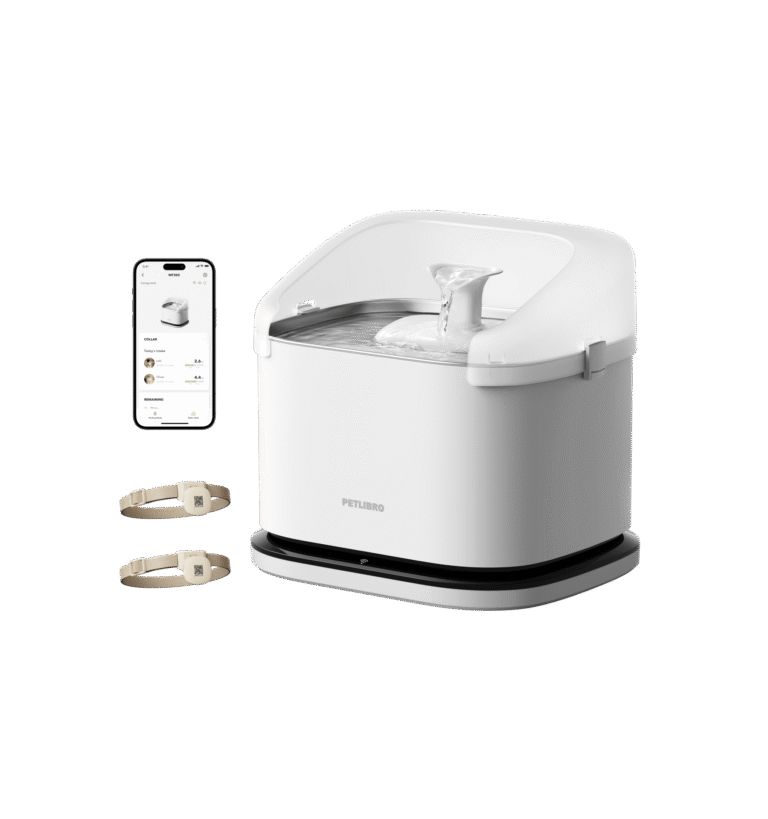
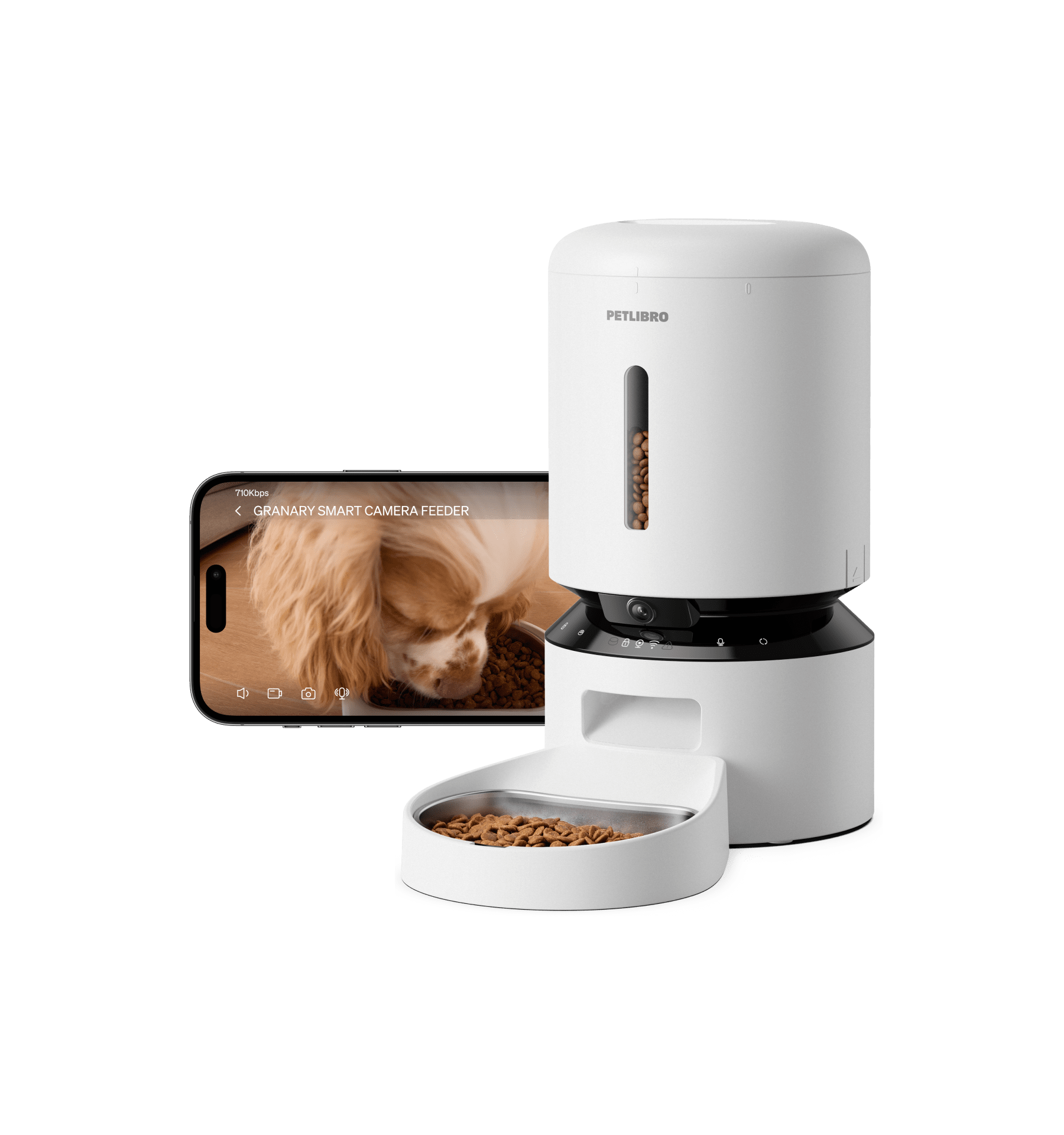
The Furbo 360° pairs 1080p video with 4x optical zoom and infrared night vision that reviewers consistently praise for clarity. The PETLIBRO Granary delivers clean 1080p with night vision as well — solid for its price tier. If your home has low ambient light overnight, prioritize the night vision quality over headline resolution figures.
When it matters: If your dog stays in a dimly lit room, or you want to zoom in to check on a specific behavior (is that spot on the floor food or something worse?), sharper optics pay off every day.
When it doesn’t: If your dog is in a well-lit living room and you just want to confirm they’re napping safely, most 1080p cameras — including budget picks like the Wyze Cam v4 (~$35) — deliver perfectly acceptable video for basic peace of mind.
Look for “infrared night vision” specifically — not just “night mode.” The former uses invisible IR LEDs; the latter is often just brightness boosting.
Field of View: 360° vs. Fixed Wide-Angle
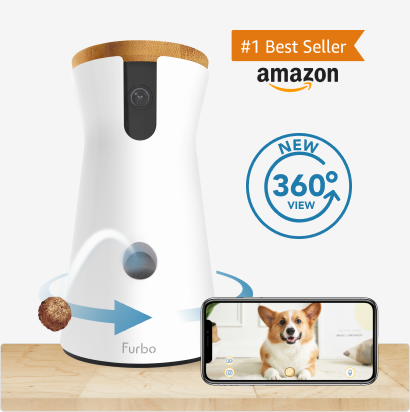
Fixed wide-angle pet cameras typically cover a 130°–160° horizontal arc — enough to see most of a living room if placed in a corner. Pan-tilt-zoom (PTZ) cameras like the Furbo 360° go further: the entire room, wall to wall, because the camera physically rotates up to 360° horizontally and tilts vertically. The Furbo also includes automatic dog tracking — it moves the camera to follow your dog as they move around the room.
For dogs that roam, 360° coverage eliminates the guessing game of whether you’ve aimed the camera at the right spot. The PETLIBRO Granary uses a fixed wide-angle lens — excellent for monitoring a feeding station or a dog crate, but it won’t follow your dog to the other end of the room.
When it matters: Large open-plan spaces, dogs that roam, or multi-room setups where you want one camera to cover more than a single corner.
When it doesn’t: If your dog stays in a specific spot — near a crate, by a food bowl, in a small bedroom — a fixed wide-angle camera positioned correctly gives you the same practical coverage at a lower price.
360° coverage matters most when your dog is mobile. For a crate or feeding station, a fixed camera aimed correctly is equally effective.
Treat Tossing and Two-Way Audio
Two-way audio — the ability to talk to your dog through the camera’s speaker while hearing them through the microphone — is available on most mid-range pet cameras. Treat tossing is rarer, and the quality varies significantly. The Furbo 360° uses a windmill-style treat launcher (improved from the older slingshot design) with two selectable sizes to prevent jamming, controllable through the app. Reviewers on Amazon consistently cite it as the most reliable treat launcher available in 2026.
The PETLIBRO Granary approaches interactivity differently: as a smart feeder with a camera, it lets you schedule timed meals, manually dispense food remotely, and watch the feeding through the live camera. This is genuinely useful for multi-pet households or dogs with strict feeding schedules — it combines a premium automatic feeder with monitoring, rather than being a camera that happens to toss snacks.
When it matters: Anxious dogs respond well to hearing your voice and receiving a treat on cue. Dogs on meal schedules benefit from an automated feeder that also lets you watch the meal happen remotely.
When it doesn’t: If your dog is food-motivated and tends to bark at the treat launcher, interactive cameras can backfire — training associations around a treat machine require some management.
Treat tossing for play and snacks → Furbo. Scheduled meal feeding with monitoring → PETLIBRO Granary.
Smart Alerts: What to Expect at Different Price Points
Basic pet cameras send a push alert when motion is detected — useful, but exhausting if your dog is active. Better cameras differentiate between types of motion: person vs. pet vs. background movement. At the top tier, the Furbo 360° (with subscription) adds barking alerts that trigger on sound specifically, person detection, and emergency sound alerts for smoke alarms or security systems. The base no-subscription tier still delivers motion alerts and live view.
The PETLIBRO Granary’s alert system is purpose-built for a feeder: it notifies you when the food level is low, when a blockage occurs in the dispenser, and when your feeding schedule executes. These aren’t alerts you typically find on a dedicated pet camera, and they’re genuinely useful for multi-pet households where you can’t be sure who ate what.
When it matters: Barking alerts are valuable if you have neighbors or are monitoring a dog with separation anxiety. Feeding alerts matter if you’re managing a specific diet or can’t see the food bowl from the camera angle.
When it doesn’t: If your dog rarely barks and eats at will, the advanced alert tier adds little practical value. Motion alerts from basic cameras are usually sufficient for routine checking.
Barking and person alerts → need Furbo with subscription. Feeding and blockage alerts → PETLIBRO covers these with no paid tier required.
The Subscription Question: What You Get for Free vs. What You Pay For
Furbo’s biggest drawback is that its most useful features — video recording, auto-tracking, smart barking alerts — sit behind a monthly subscription. Without a plan, the Furbo 360° still delivers live view, manual treat tossing, and basic motion alerts. That’s a useful camera on its own, but owners expecting the full smart-home experience will likely end up on a paid plan. Furbo’s subscription starts at approximately $6.99/month with a 3-month minimum, per their pricing as of June 2026.
The PETLIBRO Granary requires no subscription for any of its core functions — feeding scheduling, remote dispensing, live video, and all alert types work without a monthly fee. If you want to avoid recurring costs, this is a meaningful practical advantage. Amazon reviewers consistently cite the no-subscription model as one of the Granary’s strongest selling points in 2026.
When it matters: If you’re monitoring a single dog in a managed way (occasional check-ins, treat tossing on demand), the Furbo’s base tier may be enough. If you want continuous recording and smart detection, factor in $84+/year for the subscription.
When it doesn’t: The subscription cost isn’t significant if you’d pay $100+/year for pet care peace of mind anyway — context matters. For users with existing smart home subscriptions (Arlo, Ring), the Furbo adds another monthly line item.
Add $84+/year to the Furbo’s sticker price if you want the full smart-camera experience. The PETLIBRO Granary’s full feature set costs nothing extra.
Quick Comparison
| Furbo 360° Dog Camera | PETLIBRO Granary | |
|---|---|---|
| Price (USD) | ~$169.99 approx. | ~$139.99 approx. |
| Video Quality | 1080p + 4x zoom | 1080p |
| Night Vision | Yes (infrared) | Yes (infrared) |
| Field of View | 360° PTZ + auto-tracking | Fixed wide-angle |
| Treat Dispensing | Yes — windmill launcher, 2 sizes | Yes — scheduled meal dispensing |
| Two-Way Audio | Yes | Yes |
| Smart Barking Alert | Yes (with subscription) | No |
| Feeding Alerts | No | Yes — low food, blockage |
| Subscription Required | Optional ($6.99+/mo for full features) | No subscription |
| Our Score | 4.6/5 | 4.4/5 |
Prices current as of June 2026 — verify before purchasing.
Our Verdict
If you have a dog that spends long stretches home alone — and you want to interact, toss treats, and get notified if they’re distressed — the Furbo 360° is the right call. Its 360° motorized coverage, treat launcher, and barking alerts (with subscription) are purpose-built for that exact situation. Factor in the subscription cost before buying.
If your priority is managed feeding — knowing your dog or cat ate at the right time, in the right amount, without you home — the PETLIBRO Granary makes more sense. It’s the only camera here that functions as a full smart feeder, and it does everything with no monthly fees.
For budget monitoring only, the Wyze Cam v4 (~$35 USD) delivers adequate 1080p live view with motion alerts — no treat tossing, no feeder, but a capable standalone camera for occasional check-ins.
Read Our Furbo 360° Review → Read Our Furbo 360° Review → Read Our PETLIBRO Granary Review → Read Our PETLIBRO Granary Review →
Which One Is Right for You?
Best for Dog Owners
Bottom line: The best dog camera for active monitoring and interactive treat tossing — pairs best with the subscription for full smart-alert coverage.
Best No-Subscription Option
Bottom line: The best option for pet owners who want a camera and a smart feeder in one — no subscription fees, full app control over scheduled meals and live monitoring.
Frequently Asked Questions
Which pet camera is best for dogs with separation anxiety?
Do I need to pay a subscription for a pet camera to work?
Can these cameras work for cats too?
What’s the difference between a pet camera and a regular security camera?
How much Wi-Fi bandwidth do pet cameras need?