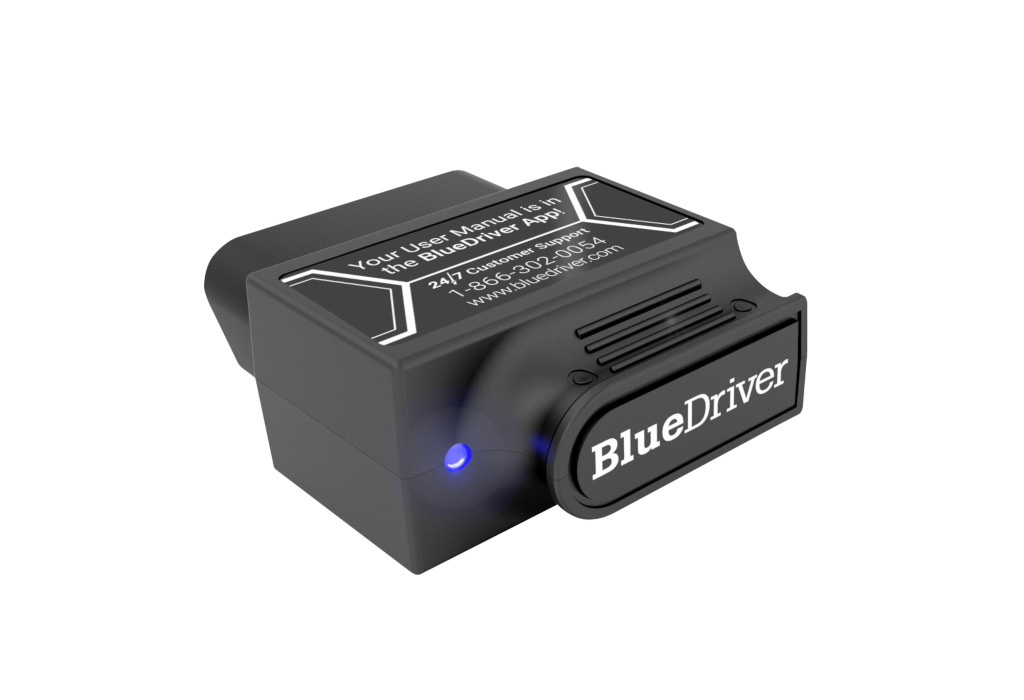
The BlueDriver Bluetooth Pro is a strong scanner for drivers who want to know what a warning light means before paying a shop, with no subscription to keep it working. It reads ABS, airbag, transmission and TPMS codes on 13 makes and pairs each code with a Repair Report of likely fixes. At current prices, though, BlueDriver's own Pro Next-Gen costs less with the same app, and the original's live data updates slowly, with no bidirectional tests.
Pros
- ABS, airbag, transmission and TPMS codes on 13 makes
- Repair Reports with likely causes and reported fixes
- No subscription or in-app fees
- Well-organized app with gauges and CSV export
- Mode 6 and freeze-frame data
Cons
- Costs more than BlueDriver's newer Pro Next-Gen
- Slow live-data refresh, about every 5 seconds
- No bidirectional tests or service resets
- Enhanced codes limited to 13 makes
As an Amazon Associate I earn from qualifying purchases. Disclosure
Overview
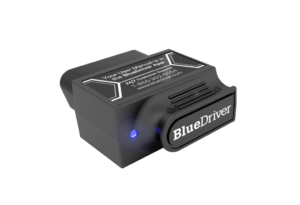
A lit check-engine light tells you something is wrong and nothing about what. The BlueDriver Bluetooth Pro is a small dongle that plugs into the OBD2 port under your dashboard and answers that question on your phone through the free BlueDriver app, for any car, SUV or light truck sold in North America from 1996 on. It is for the owner who does some of their own repairs, or who just wants to walk into a shop already knowing what the code says.
Cheap code readers stop at engine codes. This one also reads ABS, airbag, transmission and tire-pressure codes on 13 makes, and it pairs each code with a Repair Report listing likely causes and fixes others have reported. None of that sits behind a subscription. BlueDriver charges once for the hardware and has no in-app fees, while several rivals now unlock their best features with a yearly plan. BlueDriver also sells a newer Pro Next-Gen alongside it, and at current prices that matters; the comparison below explains why.
Key Specifications
| Price (USD) | $139.95 |
| Model | LSB2 |
| Connection | Bluetooth to an iPhone or Android phone or tablet (free BlueDriver app) |
| Vehicle coverage | 1996 and newer cars, SUVs and light trucks sold in North America; most gas, diesel and hybrid models |
| Codes read and cleared | Check-engine codes on all covered vehicles; ABS, airbag (SRS), transmission and TPMS codes on supported makes |
| Enhanced-code makes | GM, Ford, Chrysler, Toyota, Nissan, Mazda, Subaru, Mitsubishi, Hyundai, Mercedes, BMW, Honda, Volkswagen |
| Other functions | Repair Reports, freeze frame, Mode 6 test results, smog-check readiness, live data with CSV export |
| Subscription | None; no in-app fees |
| Warranty | 1-year limited |
BlueDriver Bluetooth Pro Code Reading and Repair Reports
Reading codes is the job most buyers have in mind, and this is where the BlueDriver earns its price. BlueDriver says the app reads more than 9,000 diagnostic codes. In Your Best Digs’ testing on a 2007 Toyota Corolla, it found and reset every code the testers deliberately triggered, including airbag codes, which the outlet called notoriously difficult. The same review says it picked up manufacturer-specific codes that competing scanners missed. Tom’s Guide lists the enhanced-code reading and the repair suggestions among its main strengths.
Repair Reports: each code comes with a report built for your specific vehicle, listing possible causes and the fixes others have reported. That is the difference between learning you have a P0420 and learning which part most often turns out to be the culprit on your model. Freeze frame and Mode 6: freeze frame shows the engine’s state at the moment a code was stored, and Mode 6 exposes the car’s own test results, such as misfire counts, which can catch a problem before it sets a code.
Live Data and the App
The app is a big part of why reviewers rate the BlueDriver highly. Tom’s Guide found it well organized and liked its car-style gauges for live data. AutomoBlog, testing on a 2017 Ford Fusion Hybrid, gave it 4.5 out of 5 for ease of use and noted that it can stay connected while you drive. Live data can be graphed, shown as gauges or exported as a CSV file. Your Best Digs found the app ran smoothly in its testing, and a full report took about 33 seconds to generate.
The weak spot is how fast that live data updates. AutomoBlog reports a refresh of about once every five seconds, and lists it among the BlueDriver’s cons. That is fine for checking coolant temperature or fuel trim, but too slow to watch an oxygen sensor switch or catch a brief stumble while you drive. Tom’s Guide also notes that the dongle is on the large side, and that some specialty monitors don’t work on every vehicle.
Vehicle Coverage and What It Won’t Do
Every OBD2 vehicle gets check-engine codes, Repair Reports and live data. The enhanced ABS, airbag, transmission and TPMS codes depend on the make, and BlueDriver supports 13 of them. AutomoBlog points out that it can’t read codes on brands such as Porsche and Ferrari, and that Subaru, Honda and Volkswagen coverage applies to North American models. If your car is from a make outside the list, the BlueDriver works as a strong engine-code reader with repair advice, not a full-system scanner.
It is also a reader rather than a workshop tool. Mac’s Motor City Garage notes that it does no module flashing or programming and isn’t built for tuners. OBDAdvisor adds that it has no bidirectional controls, the feature that lets a scanner command a part such as a fan or an ABS pump to run so you can test it, and that its oil and TPMS reset functions are step-by-step instructions rather than commands sent to the car. Your Best Digs found it can’t trigger the Mode $08 evaporative-system tests. For reading codes, understanding them and clearing them after a repair, none of this matters. For bleeding ABS brakes or resetting an electronic parking brake, you need a different tool.
How Does It Stack Up Against the Competition?
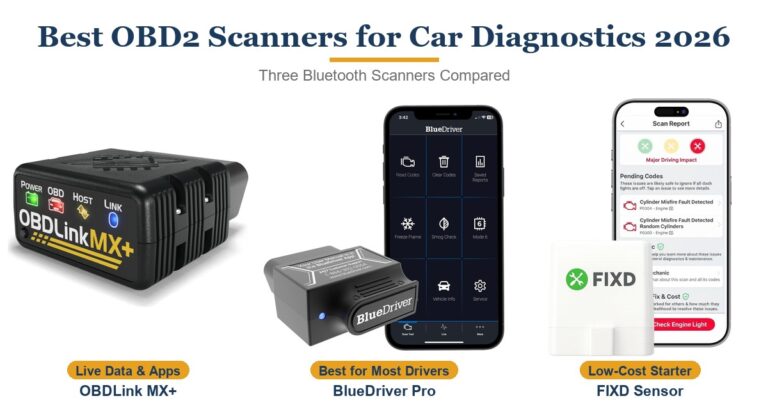
At current US prices the BlueDriver sits at the top of this group with the OBDLink MX+, while its own successor, the Pro Next-Gen, costs a tier less and runs the same app with the same 13 enhanced-code makes, according to BlueDriver’s product pages. FIXD costs far less but keeps its extras in a paid plan, and the TopScan Pro adds bidirectional tests and service resets for less up front, with a yearly renewal to keep its updates.
| Feature | BlueDriver Bluetooth Pro | BlueDriver Pro Next-Gen | FIXD Bluetooth OBD2 Scanner | TOPDON TopScan Pro | OBDLink MX+ |
|---|---|---|---|---|---|
| Price (USD) | $139.95 | $94.95 | $39.99 | $129.99 | $139.95 |
| Ongoing fees | None | None | Free app; optional yearly Premium plan | 1 year of updates included, then a yearly renewal | None; OEM add-ons free |
| Enhanced codes | ABS, airbag, transmission, TPMS on 13 makes | ABS, airbag, TPMS on the same 13 makes | ABS on select makes | All major systems, 120+ makes | Free OEM-specific add-ons for supported makes |
| Repair guidance | Repair Reports with likely causes and reported fixes | Repair Reports (same BlueDriver app) | Plain-English codes; repair cost estimates with Premium | Repair guides and service bulletins | Code definitions; built around live data and logging |
| Works with | iPhone, Android | iPhone, Android | iPhone, Android | iPhone, Android | iPhone, Android, Windows; dozens of third-party apps |
| TTP Review | This review ↑ | — | Read our review → | — | Read our review → |
Prices change frequently — always verify current pricing before purchasing.
Is the BlueDriver Bluetooth Pro Worth It?
Buy it if your goal is to understand a warning light before paying anyone to look at it, and your car comes from one of the 13 supported makes. Picture an ABS light on a ten-year-old Ford: a basic reader shows nothing, while the BlueDriver reads the module’s code and its Repair Report points to the parts most often at fault. Owner feedback is strongly positive too, in line with the reviewers’ praise for the app and the Repair Reports. What holds the score back is price. On Amazon.com the original now costs a tier more than the Pro Next-Gen, which BlueDriver lists with the same app, Repair Reports and enhanced-code makes, so buy the original only if it drops to the Next-Gen’s level or below.
Look elsewhere if you need the scanner to do work, not just read. The TopScan Pro adds bidirectional tests and service resets for less up front, as long as you accept a yearly renewal to keep its updates. The OBDLink MX+ costs about the same as the original BlueDriver and fits enthusiasts who want fast data in third-party apps rather than repair advice. And if you only ever need to know why the check-engine light is on, FIXD’s free app covers that for well under half the price.
Check the latest price for the BlueDriver Bluetooth Pro
Check Current Price on AmazonSources
- BlueDriver — Bluetooth Pro Official Product Page
- BlueDriver Bluetooth Pro — Amazon Product Listing
- Your Best Digs — The Best OBD2 Scanners
- AutomoBlog — BlueDriver OBD2 Scanner Review
- Tom’s Guide — BlueDriver Pro Scan Tool Review
- Mac’s Motor City Garage — Tested: BlueDriver Vehicle Scan Tool
- OBDAdvisor — BlueDriver OBD2 Scanner Review
- BlueDriver — Pro Next-Gen Official Product Page
- FIXD — Frequently Asked Questions
- TOPDON — TopScan Pro Product Page
- OBDLink — MX+ Product Page
Reader Poll
What would you mostly use a scanner like the BlueDriver for?
Help Our Editors Know What Matters to You
Explore on Amazon →