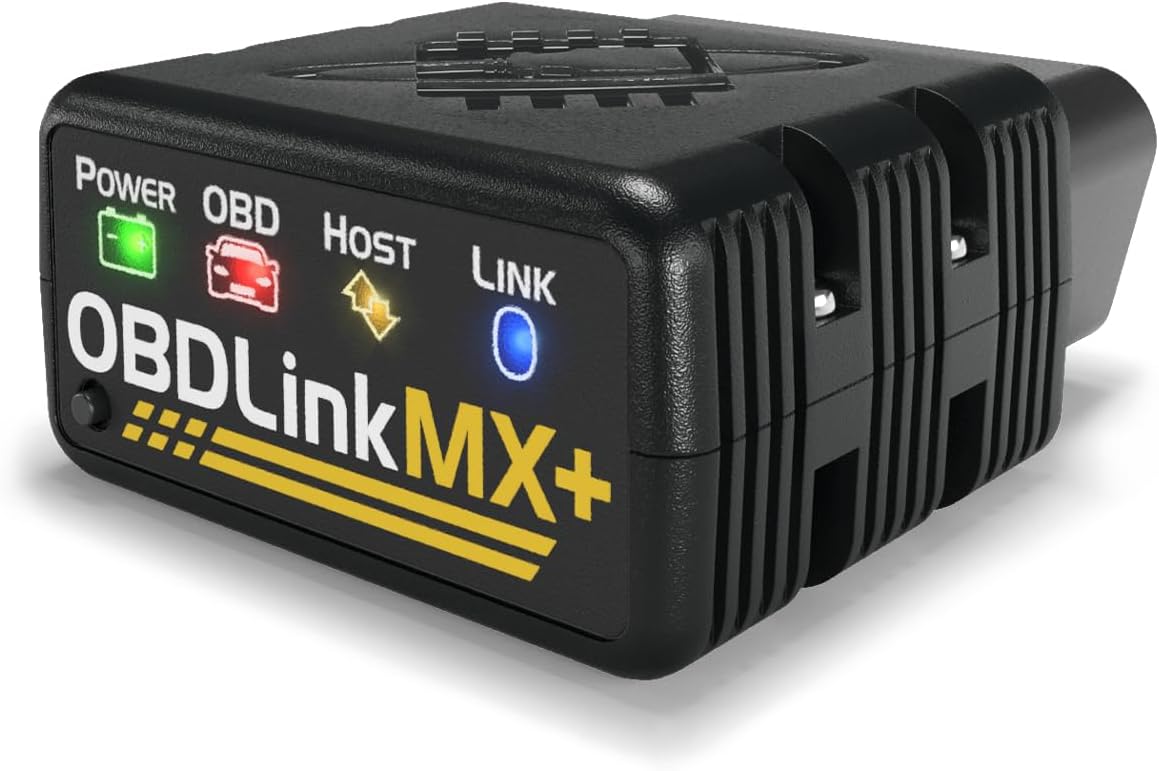
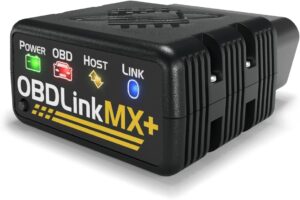
The OBDLink MX+ is a subscription-free Bluetooth adapter for owners who want fast live data and the freedom to use apps such as Torque, FORScan Lite and DashCommand on iPhone, Android or Windows. It adds Ford and GM network access, a physical pairing button with 128-bit encryption, and a 3-year warranty. It costs more than most rivals, though, and its ABS and airbag coverage depends on the vehicle and the app, so a driver who only wants a code explained pays for speed they may never use.
Pros
- Very fast live data refresh
- Works with Torque, FORScan Lite and other third-party apps
- iPhone, Android and Windows support
- No subscription
- Ford and GM network access
- 3-year warranty and 180-day return window
Cons
- Highest price in this group
- No bi-directional service functions without third-party apps
- Official app can overwhelm beginners
- ABS and SRS access depends on vehicle and app
As an Amazon Associate I earn from qualifying purchases. Disclosure
Overview
Most Bluetooth OBD2 adapters are sold as the front end of a single app. The OBDLink MX+ works more like a general-purpose radio: it talks to OBDLink’s own free app and to third-party software such as Torque, FORScan Lite, DashCommand, RealDash and AlfaOBD, on iPhone, Android or Windows, according to OBDAdvisor and the manufacturer. It plugs into the OBD-II port under the dash and works with 1996-and-newer cars and light trucks sold in the U.S.
OBDAdvisor gives it five stars, and the openness is the clearest difference from cheaper readers built around one app. The trade is price: OBDLink lists the adapter at a real premium over entry-level sensors, and its ABS and airbag coverage depends on the vehicle and the app rather than arriving as a fixed feature list.
Key Specifications
| Connection | Class 2 Bluetooth v3.0 to iPhone, Android or Windows |
| Protocols | All OBD-II protocols plus Ford MS-CAN and GM SW-CAN networks |
| Compatible apps | OBDLink app, FORScan Lite, Torque, DashCommand, RealDash, AlfaOBD |
| Security | 128-bit encryption; physical Connect button; does not continuously broadcast its presence |
| Subscription | None; OEM-specific data add-ons are free, per OBDLink |
| Size / weight | 1.97 x 1.77 x 0.91 in / 3 oz |
| Warranty / returns | 3-year warranty; 180-day money-back guarantee |
| Price (USD) | $139.95 |
OBDLink MX+ Live Data Speed & Third-Party App Support
Speed is the MX+’s headline. OBDLink calls it the fastest Bluetooth OBD-II adapter, and OBDAdvisor says its live data refresh rates are consistently rated among the fastest, though it adds that the advantage matters mainly for data logging and graphing several parameters at once. The Drive’s Tony Markovich tested the MX+ on a 2003 Acura RSX with an iPhone and found it responsive, with real-time gauges updating right away as he accelerated and no freezing.
The app freedom is the second half of the argument. Torque, FORScan Lite, DashCommand, RealDash and AlfaOBD all work with the adapter per OBDAdvisor, which means a buyer is not locked to one vendor’s interface. OBDAdvisor’s roundup makes the contrast explicit with BlueDriver, which only runs in its own dedicated app.
OBDLink MX+ Enhanced Coverage & Where It Stops
Beyond generic engine codes, the adapter reaches Ford MS-CAN and GM SW-CAN networks, which OBDLink says opens dozens of additional control modules and manufacturer-specific codes on those makes. OBDAdvisor says ABS and SRS access works when the app supports it and depends on the vehicle, and that TPMS-related data shows up if the vehicle exposes it. The Drive also found that manufacturer-specific advanced diagnostics did not cover its 2003 test car and called the compatibility picture confusing.
Two limits are worth knowing before buying. The Drive reports that the MX+ lacks true bi-directional control for service functions such as ABS bleeding unless a third-party app adds it, and OBDAdvisor lists no key programming and no maintenance-light reset on Honda. A buyer expecting a shop-style tablet should look at a tool that lists active tests.
Setup, Security & App Experience
Pairing is deliberately physical: OBDLink says a Connect button requires hands-on access to enable Bluetooth pairing, the adapter does not continuously broadcast its presence, and traffic uses 128-bit encryption. A 3-year warranty and a 180-day money-back guarantee back it. Markovich noted there is no USB port for a computer connection, and that certain diagnostic functions need the vehicle off.
The official OBDLink app is the rougher edge. Markovich called it overwhelming for the number of menus and layers, even though the interface stayed clean and straightforward, and he described the adapter as a great tool for people obsessed with knowing every detail of their cars. That framing fits: it rewards curiosity and does little extra for a driver who only wants a light explained.
How Does It Stack Up Against the Competition?
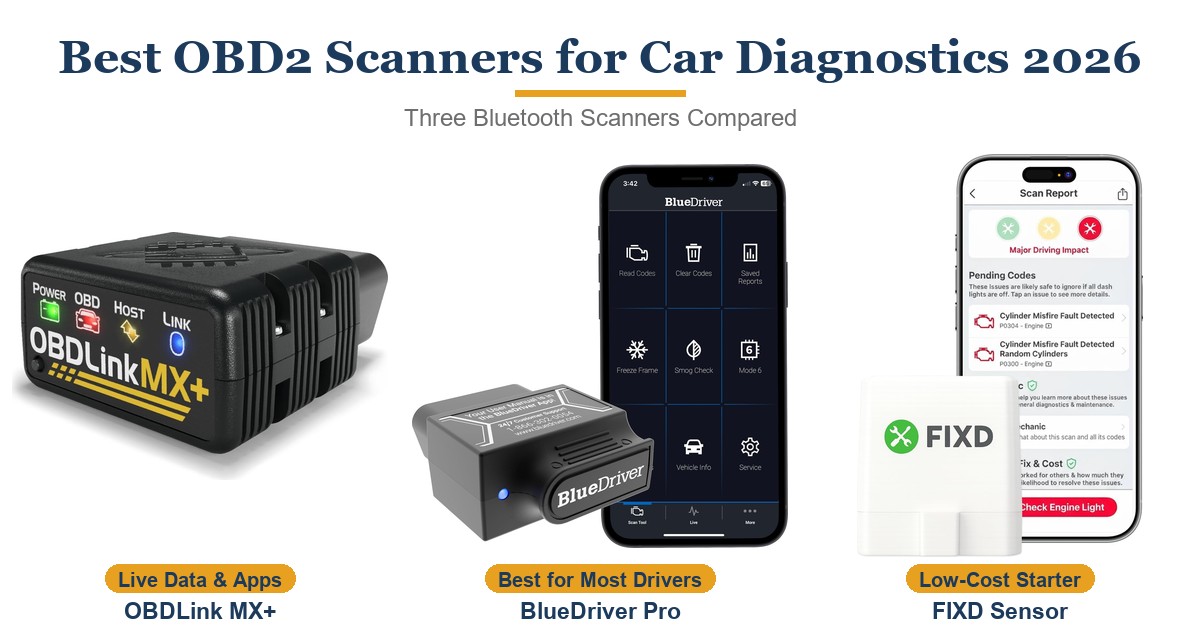
The OBDLink MX+ sits at the top of the price ladder here, and the extra cost buys speed and app freedom rather than a simpler experience; FIXD is far cheaper but ties its best features to a plan.
| Feature | OBDLink MX+ | BlueDriver Bluetooth Pro | FIXD Bluetooth OBD2 Scanner | ANCEL AD310 |
|---|---|---|---|---|
| Price (USD) | $139.95 | $139.95 | $39.99 | $23.99 |
| Ongoing cost | None | None | Optional Premium plan | None |
| Apps | OBDLink app plus Torque, FORScan Lite, DashCommand and others | Its own app only | FIXD app | Built-in screen, no app |
| Beyond engine codes | ABS, SRS via app and vehicle support; Ford and GM networks | ABS, SRS, TPMS on 13 make groups | None (engine codes only) | None (engine codes, live data, EVAP test) |
| Platforms | iPhone, Android, Windows | iPhone, Android | iPhone, Android | Standalone handheld |
| TTP Review | This review ↑ | Read our review → | Read our review → | — |
Prices change frequently — always verify current pricing before purchasing.
Is the OBDLink MX+ Worth It?
It fits an owner who plans to log data, graph several parameters at once, or run Torque or FORScan Lite alongside the OBDLink app, and it suits Ford and GM drivers who want the extra network access. The subscription-free model and the 3-year warranty make the higher price easier to defend over several years of ownership than a plan-based sensor, and app freedom means the hardware keeps working if any one vendor’s software changes.
A driver who only wants a warning light explained will not use most of this, and FIXD or BlueDriver’s plain-language reports are gentler starting points. Someone who needs active tests, ABS bleeding or key work should look past this adapter to a tablet-style tool with bi-directional control, since The Drive and OBDAdvisor both list limits there. The measured reception is warm rather than universal: OBDAdvisor gives it five stars, while The Drive’s verdict calls it a little on the pricier side compared with basic alternatives.
Reader Poll
What would you mainly use an OBD2 adapter for?
Help Our Editors Know What Matters to You
Explore on Amazon →