Keep the PG32UCDM if you own one, and buy a remaining unit if you find it at a clear discount to its successor: its 32-inch 4K QD-OLED panel delivers deep blacks, accurate colour and very low input lag at 240Hz, and it adds Dolby Vision, a KVM switch with 90W USB-C, and ASUS Canada's three-year warranty that covers burn-in. Its age is the trade-off: the PG32UCDM Gen3 keeps those extras with a brighter panel and DisplayPort 2.1, and in October 2026 Amazon.ca was selling the Gen3 new but not the original, so for Canadian buyers the Gen3 is the one to get.
Pros
- Deep blacks and accurate colour out of the box
- Very low input lag at 240Hz
- Dolby Vision for consoles and streaming boxes
- KVM switch and 90W USB-C
- Three-year warranty covers burn-in
Cons
- Replaced by the brighter PG32UCDM Gen3
- Room light lifts black levels
- VRR flicker when frame rates change
- Not sold new on Amazon.ca (October 2026)
As an Amazon Associate I earn from qualifying purchases. Disclosure
Overview
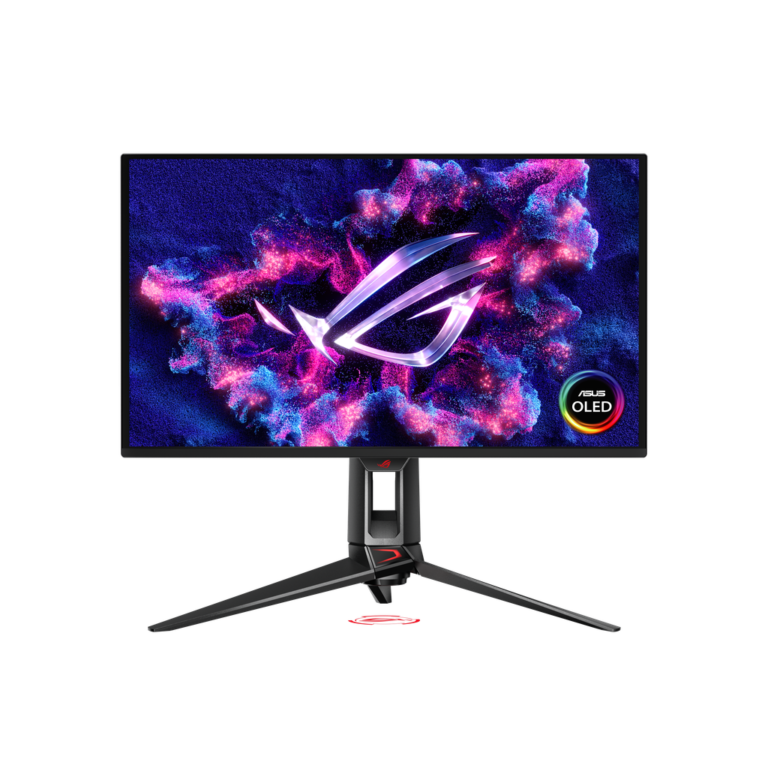
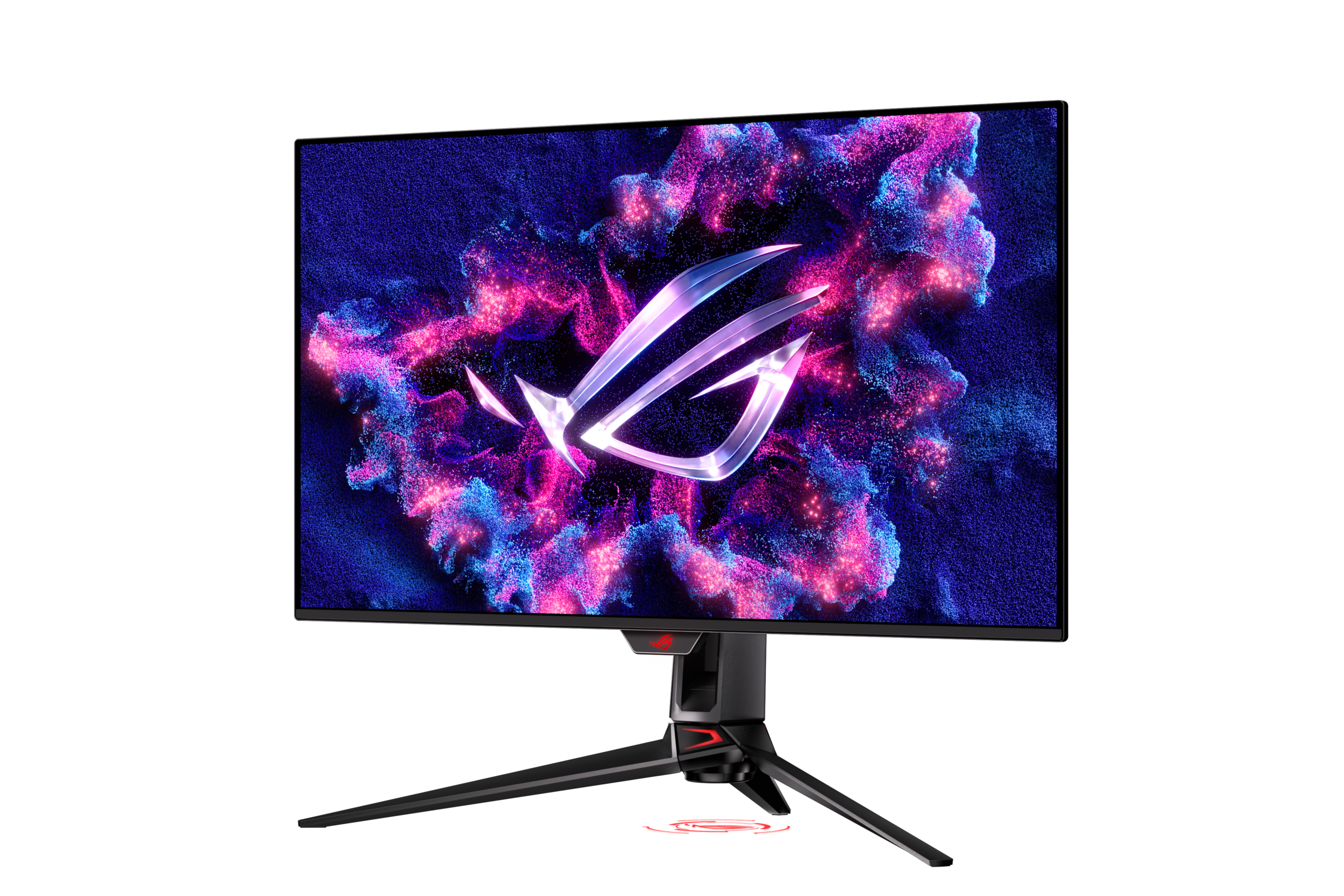
Launched in early 2024, the ASUS ROG Swift OLED PG32UCDM put a 4K QD-OLED panel running at 240Hz into a 32-inch screen, and PCMag gave it an Editors’ Choice award. It suits a PC gamer with a high-end graphics card who also works at the same desk, and it wraps a panel shared with monitors from MSI, Dell and Gigabyte in more extras than most, including Dolby Vision, a KVM switch and a 90W USB-C port.
ASUS has since moved on. An interim PG32UCDMR added DisplayPort 2.1, and the PG32UCDM Gen3, shown at CES 2026, brings a newer, brighter panel with a coating that keeps blacks deeper in a lit room. In October 2026 Amazon.ca wasn’t selling the original new, so this review shows no Canadian price for it, although ASUS Canada still lists the model. It’s written for Canadian owners deciding whether to upgrade, and for anyone weighing a remaining unit against the newer models sold here.
Key Specifications
| Price (CAD) | $1,195.00 |
| Screen | 31.5-inch viewable (32-inch class), flat, 16:9 |
| Panel and resolution | QD-OLED, 3840 x 2160 (about 140 pixels per inch) |
| Refresh rate and response time | 240Hz; 0.03 ms (GtG, rated) |
| HDR | HDR10 and Dolby Vision; VESA DisplayHDR 400 True Black; 1,000 nits peak (rated) |
| Colour gamut (rated) | 99% DCI-P3 |
| Variable refresh | FreeSync Premium Pro, G-Sync Compatible |
| Video inputs | 1x DisplayPort 1.4 (DSC), 2x HDMI 2.1, 1x USB-C (DisplayPort Alt Mode) |
| USB and extras | 90W USB-C power delivery, 3x USB-A 3.2 Gen 1, KVM switch, headphone jack, optical (S/PDIF) out, no speakers |
| Stand | Tilt +20° to -5°, swivel ±15°, height 0-80 mm, no pivot; 100 x 100 mm VESA |
| Weight | 8.8 kg (19.4 lb) with stand; 6.0 kg (13.2 lb) without |
| Warranty | 3 years, including panel burn-in |
ASUS ROG Swift OLED PG32UCDM Picture Quality and HDR
The picture is the reason this monitor earned its reputation. Each pixel switches off for true black, so dark game scenes show no blooming around bright objects, and colours are vivid without needing adjustment. TFTCentral called it the best OLED monitor it had tested at the time. In PCMag’s tests it covered 97% of the DCI-P3 colour space with an average colour error (Delta E) of 1.5, below the 2 that PCMag treats as ideal.
Text is sharp enough for a full working day. At about 140 pixels per inch, a 32-inch 4K screen hides most of the colour fringing that older QD-OLEDs showed around text because of their triangular sub-pixels; TFTCentral used it for office work, including writing its review, and found fringing very hard to spot at 100% to 150% scaling. RTINGS lists sharp text among this model’s strengths, though in its review of the Gen3, which keeps the same sub-pixel layout, it still noted colour fringing from that layout and suggested that buyers who mainly want text clarity wait for RGB-stripe OLEDs.
Brightness depends on one setting. With Uniform Brightness on, TFTCentral measured up to about 265 nits that held steady whatever was on screen, and as low as 14 nits for a dark room. Switching it off allowed up to 477 nits, at the cost of the automatic dimming OLEDs apply when much of the screen is bright.
Plan where the light falls. With the room dim, or the lamps behind the monitor, the blacks stay deep; a window or lamp facing the screen turns them grey or purple, because QD-OLED panels lack the polarizer that would absorb that light. Buyers with a bright room and little control over it get better blacks from a WOLED panel.
HDR is a strength, and it arrives well set up. PCMag measured 457 nits on a 10% window in the True Black 400 mode and a 1,018-nit peak on a small 2% patch. TFTCentral found the True Black 400 mode itself peaks at about 473 nits, against 1,065 in the Console, Gaming and Cinema modes, so those modes give the brighter highlights. Dolby Vision arrived later through the MCM105 firmware update, which mainly helps consoles and streaming boxes connected over HDMI. Igor’s Lab found that update capped Dolby Vision at about 450 nits, well below the 1,000-nit HDR peak ASUS rates the panel for.
Gaming Performance and Motion
Motion is very clear at 240Hz thanks to the near-instant pixel response, and the lag is negligible: TFTCentral measured 0.50 ms of total display lag at 240Hz, and PCMag’s own test measured less than 1 millisecond. TFTCentral measured 10.1 ms with a fixed 60Hz signal, still low. Both HDMI 2.1 ports run at full bandwidth, and TFTCentral confirmed 4K at 120Hz with HDR from an Xbox Series X. On a PC, running modern games at 4K and high frame rates takes a very powerful graphics card.
Variable refresh covers FreeSync Premium Pro and G-Sync Compatible. RTINGS found noticeable flicker when the frame rate changes, and less of it on the MSI MPG 321URX, a same-panel rival.
ELMB, ASUS’s black frame insertion, sharpens motion at 120Hz for systems or consoles that can’t reach 240 frames per second. TFTCentral found it awkward to use: it works only at 120Hz with variable refresh off, so switching takes several manual steps, and it limited brightness to between about 7 and 96 nits, which TFTCentral says may not be bright enough for many users outside a very dark room.
Ports, OLED Care and Daily Use
The inputs cover a gaming PC, two consoles and a laptop. The single DisplayPort is version 1.4, so 4K at 240Hz relies on Display Stream Compression; TFTCentral found that Nvidia’s DSR and DLDSR scaling features aren’t available while it’s on, and turning it off limits the screen to 120Hz with reduced colour detail. The USB-C port carries video and charging, and with the KVM switch and three USB-A ports, a work laptop can share the screen, keyboard and mouse with a gaming PC. USB-C power defaults to 65W; TFTCentral found that enabling the full 90W caps the brightness setting, holding Uniform Brightness to about 180 nits.
Burn-in, the main long-term risk with OLED, gets more attention than usual. A custom heatsink and a graphene film behind the panel spread the heat, so the monitor runs without a fan and makes no noise, and a motion sensor dims the screen or puts it to standby when you leave the desk. RTINGS notes that the burn-in cover can change from country to country; ASUS Canada’s own spec page lists the same three-year warranty, including panel burn-in.
The power supply is a large, heavy external brick, which the Gen3 builds into the monitor. The stand adjusts for height, tilt and swivel but doesn’t rotate to portrait, and in TFTCentral’s use it held the screen steady with hardly any wobble. There are no speakers, only a headphone jack and an optical audio output, and the ROG lighting, including a logo projected onto the desk, can be turned off in the menu.
Should You Get the Gen3 Instead?
The PG32UCDM Gen3 keeps the 32-inch 4K, 240Hz format and changes several things. Its newer panel is brighter: TFTCentral measured 297 nits in Uniform Brightness against 265 on the original, about 12% more, and roughly 8% more peak brightness in HDR. Its BlackShield coating removes the purple tint and keeps blacks darker in a lit room, though they still turn a darker grey in bright light, so a dim room remains best. It adds a full-bandwidth DisplayPort 2.1 input, improved USB-C power delivery and ASUS’s Neo Proximity Sensor for OLED care, and it builds the power supply in, though it drops the optical audio output. It keeps the extras the original is bought for: Dolby Vision, the KVM switch and 90W USB-C.
For current owners, TFTCentral’s advice is that the newer versions aren’t worth paying for all over again. For new buyers, TechSpot rates the newer panel better, but not by enough to justify a large premium, and suggests the newer model whenever the two cost the same. In Canada the choice is simpler: in October 2026 Amazon.ca was selling the Gen3 new and not the original.
How Does It Stack Up Against the Competition?
All four are 32-inch 4K, 240Hz OLED monitors, so the differences are the panel, the ports and the extras:
| Feature | ASUS ROG Swift OLED PG32UCDM | MSI MAG 321UPX QD-OLED | ASUS ROG Strix OLED XG32UCWMG | Samsung Odyssey OLED G8 G80SH |
|---|---|---|---|---|
| Price (CAD) | $1,195.00 | $1,266.99 (last Amazon price, Oct 13, 2026) | $1,499.00 | $1,899.99 |
| Panel and HDR certification | QD-OLED, DisplayHDR True Black 400 | QD-OLED, DisplayHDR True Black 400 | WOLED, DisplayHDR True Black 400 | QD-OLED, DisplayHDR True Black 500 |
| DisplayPort | 1.4 with DSC | 1.4a | 1.4 with DSC | 2.1 (UHBR20) |
| USB-C charging | 90W | 15W | 15W | 98W |
| KVM switch | Yes | Not listed by MSI | Yes | Not listed by Samsung |
| Dolby Vision (maker’s HDR list) | Yes | Not listed by MSI | No (HDR10) | No (HDR10+) |
| Screen surface (maker’s term) | Anti-Reflection | Anti-Reflection | Glossy (TrueBlack Glossy) | Glare Free |
| Height adjustment | 80 mm | 100 mm | 110 mm | 120 mm |
| Burn-in warranty | 3 years, burn-in included | 3 years, burn-in included | 3 years, burn-in included | Burn-in from normal use covered |
| Amazon | View on Amazon | View on Amazon | View on Amazon | View on Amazon |
Prices change frequently — always verify current pricing before purchasing.
ASUS ROG Swift OLED PG32UCDM: Worth It for Owners and Discounted Units
If you already own a PG32UCDM, keep it: Dolby Vision for an Xbox or streaming box over HDMI, and USB-C with a KVM switch so a work laptop and a gaming PC share one screen, keyboard and mouse, are extras many rivals lack. Canadians shopping for a new one will mostly end up with the Gen3 instead, since Amazon.ca wasn’t selling the original new in October 2026. The Gen3 keeps those extras, and in October 2026 it cost $1,199.99 CAD on Amazon.ca, less than the MSI MAG 321UPX, which uses the original’s older panel, at $1,385.17 CAD the same day.
If the picture is what you’re paying for, the rivals deserve a look first. The MSI MAG 321UPX uses the same 2024 panel as the PG32UCDM, though MSI lists only 15W USB-C charging and doesn’t list a KVM switch. For a bright room, ASUS’s own ROG Strix XG32UCWMG uses a glossy WOLED panel that TechSpot prefers for keeping blacks deep in a lit room, and it adds a 1080p mode at 480Hz for competitive games, though ASUS lists only HDR10, not Dolby Vision. Dell’s Alienware AW3225QF, a slightly curved monitor on the same panel, was the PG32UCDM’s main rival at launch, but we couldn’t find it sold new on Amazon in October 2026.
Sources
- ASUS — ROG Swift OLED PG32UCDM Specifications
- ASUS — ROG Swift OLED PG32UCDM Product Page
- ASUS ROG Swift OLED PG32UCDM — Amazon.ca Product Listing
- TFTCentral — Asus ROG Swift PG32UCDM Review
- PCMag — Asus ROG Swift OLED PG32UCDM Review
- RTINGS — ASUS ROG Swift OLED PG32UCDM Review
- Igor’s Lab — ASUS ROG Swift PG32UCDM Retest with MCM105 Firmware
- TFTCentral — Asus ROG Swift PG32UCDM3 Review
- RTINGS — ASUS ROG Swift OLED PG32UCDM Gen3 Review
- Notebookcheck — ROG Swift OLED PG32UCDM3 Pricing Revealed
- TechSpot — The Best 4K Gaming Monitors
- MSI — MAG 321UPX QD-OLED Specifications
- ASUS — ROG Strix OLED XG32UCWMG Specifications
- Samsung — 32-inch Odyssey OLED G8 G80SH
- TFTCentral — Samsung Odyssey G80SH Launched
- ASUS Canada — ROG Swift OLED PG32UCDM Specifications
Reader Poll
What would make you pick the original PG32UCDM over the newer Gen3?
Help Our Editors Know What Matters to You
Explore on Amazon →