Laptop users who want the monitor to double as their dock should buy this one: a single Thunderbolt 4 cable charges at up to 140W and connects a 120Hz 4K screen, a USB hub, 2.5GbE Ethernet and a KVM switch for a second computer. Its IPS Black panel shows more than double the contrast of most monitors Wirecutter tested, and color is accurate out of the box. The stand wobbles on its small base, so heavy typists may want an arm. Competitive gamers are better served by a dedicated gaming monitor.
Pros
- 140W laptop charging over one Thunderbolt 4 cable
- Built-in KVM switch, 2.5GbE Ethernet and pop-out USB ports
- High contrast for an IPS panel
- Accurate factory color calibration
- 120Hz makes scrolling smoother
Cons
- Wobbly stand on a small base
- Some smearing and ghosting in fast games
- Uneven backlight on Expert Reviews' unit
- Edge-lit HDR with limited dimming zones
As an Amazon Associate I earn from qualifying purchases. Disclosure
Overview
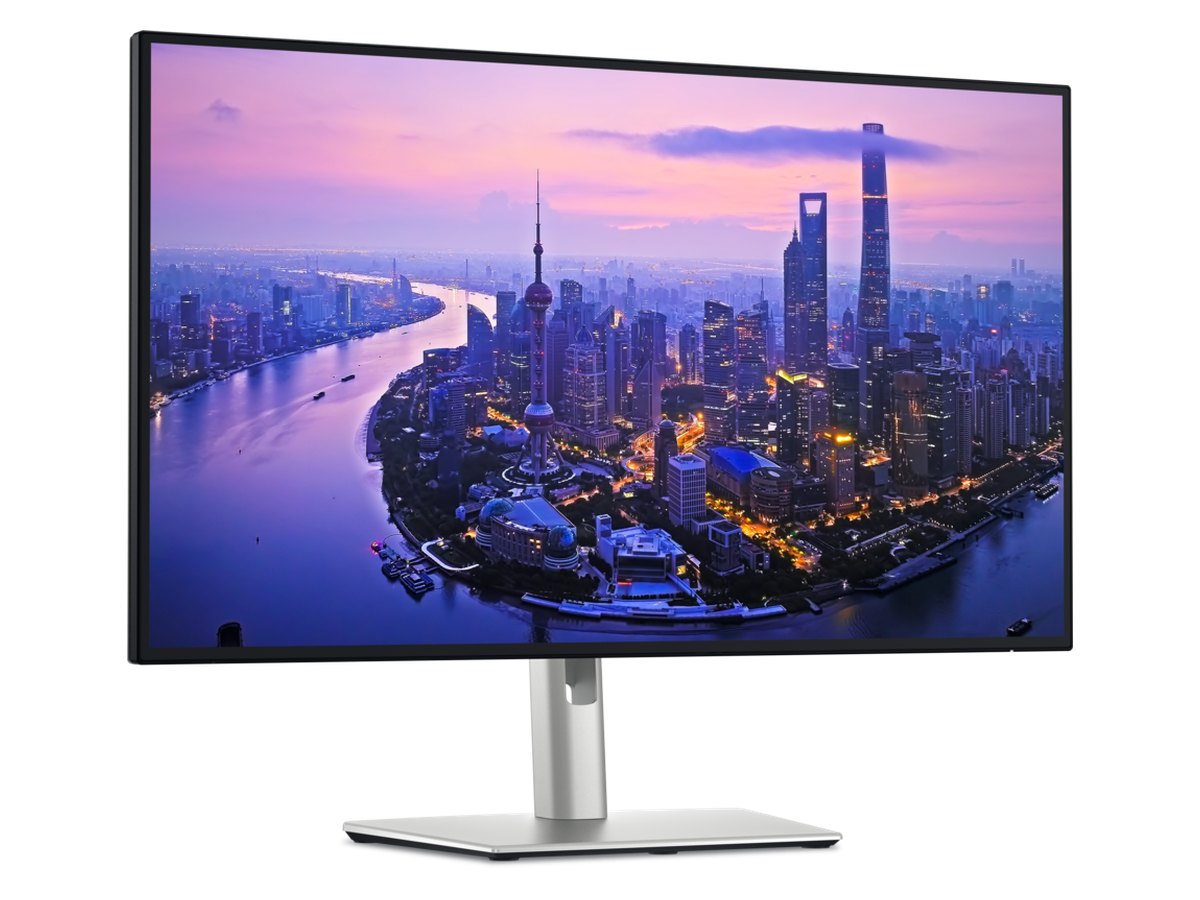
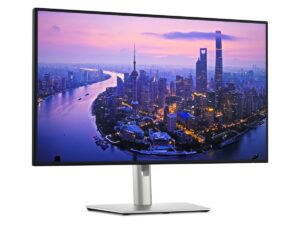
The Dell UltraSharp U2725QE is Wirecutter’s top pick among 4K monitors, and it earns the spot by doing two jobs at once. It’s a 27-inch 4K screen with far more contrast than a typical IPS panel, and it’s a dock: one Thunderbolt 4 cable from a laptop carries the picture, up to 140W of charging, a USB hub, 2.5GbE Ethernet and a second screen. It suits anyone who plugs a laptop in at the same desk every day, especially a desk shared with a second computer.
Think of it as two older Dells rolled into one: Expert Reviews describes it as the U2723QE’s 4K resolution paired with the 120Hz refresh rate and Thunderbolt 4 of the U2724DE. Dell also moved to what it calls an enhanced IPS Black panel, rated at 3,000:1 contrast, and raised the HDR certification from the U2723QE’s DisplayHDR 400 to DisplayHDR 600.
Key Specifications
| Price (USD) | $619.00 |
| Screen | 27 inches, 3840 x 2160 (4K), IPS Black, 163 pixels per inch |
| Refresh rate | 120Hz (48Hz to 120Hz variable) |
| Contrast ratio (Dell spec) | 3,000:1 |
| Brightness (Dell spec) | 450 nits; 600 nits peak |
| Color gamut (Dell spec) | 100% sRGB, 99% DCI-P3, 99% Display P3 |
| HDR and backlight | VESA DisplayHDR 600; edge-lit LED backlight |
| Response time (Dell spec) | 5 ms GTG (Fast), 8 ms GTG |
| Laptop charging | Up to 140W over the Thunderbolt 4 upstream port |
| Video inputs | Thunderbolt 4, HDMI 2.1, DisplayPort 1.4 |
| Other ports | Thunderbolt 4 downstream (daisy chain, 15W), DisplayPort 1.4 out, USB-C 10Gbps upstream (KVM), 2x USB-C 10Gbps, 5x USB-A 10Gbps, RJ45 2.5GbE, audio line-out |
| Speakers | None |
| Stand | 150mm height, tilt -5° to 21°, swivel ±45°, pivot ±90°; 100 x 100mm VESA mount |
| Weight | 15.56 lb with stand; 11.51 lb without |
| Warranty | 3-year limited hardware warranty with Advanced Exchange Service |
Dell UltraSharp U2725QE Picture Quality and Contrast
Contrast is the reason to choose this over an ordinary IPS office monitor. Wirecutter measured 2,239:1, more than double most of the competition it tested, and Expert Reviews’ unit hovered around 2,000:1; both land below Dell’s 3,000:1 rating. You see the difference in daily use: text on white pages looks crisper, dark-mode apps look richer, and films keep more detail in their shadows.
Color is ready to use straight away. Expert Reviews checked the factory-calibrated sRGB, Display P3 and DCI-P3 presets and found an average Delta E error under 0.6 in all three, with 97% DCI-P3, 100% sRGB and 94% Adobe RGB coverage. Its one quibble was a white point near 6,280K instead of the 6,500K target, which gave whites a faint warm, yellowish cast.
Brightness suits any indoor room short of direct sunlight: Wirecutter measured a maximum of 415 nits. Expert Reviews got a similar 408 nits in its Display P3 mode. A matte anti-glare finish keeps reflections soft and muted rather than mirror-sharp.
Uniformity results differ between testers. Expert Reviews measured brightness varying by as much as 15% across its panel, with 10 of the 24 areas it tested 10% dimmer than the center; the unevenness showed most on a solid-color desktop and less in normal use, but the reviewer called it a deal breaker if color accuracy is crucial to you. The AU Review saw only mild corner dimming on full-white test screens and nothing it noticed in everyday use.
Thunderbolt 4 Hub, KVM and Ports
The single-cable setup is what you’re paying for. The Thunderbolt 4 upstream port carries video and data and charges at up to 140W, which Wirecutter says covers even the most demanding USB-C laptops.
Behind that cable sits a full hub: five USB-A ports and two USB-C ports for accessories, a 2.5GbE Ethernet jack and an audio line-out. Three of those ports, two USB-C and one USB-A, sit in a spring-loaded block that pops out from under the left edge, so a flash drive or phone cable doesn’t mean reaching around the back. Connect a second computer to the USB-C upstream port and the built-in KVM switch moves your keyboard, mouse and webcam to whichever computer is on screen; Expert Reviews found Dell’s new setup wizard for it a big improvement over earlier models.
A second monitor can be chained from the Thunderbolt 4 downstream port or the DisplayPort output, so a laptop with one video output can still run two screens. There are two small catches. Expert Reviews notes that the Ethernet connection serves only one connected computer at a time, so a second machine needs Wi-Fi for background downloads. The AU Review also found the bundled USB cable short; Dell lists the included Thunderbolt 4 and USB cables at 1 meter.
120Hz Motion, HDR and Gaming
For work, 120Hz is a modest upgrade you notice all day: scrolling, opening windows and dragging them around look smoother than on a 60Hz office screen. Variable refresh works too, and Expert Reviews saw a 48Hz to 120Hz adaptive sync range with an AMD Radeon RX 9070 XT.
Fast games show its limits. Wirecutter noticed some smearing and ghosting in faster-paced games at higher frame rates, and Expert Reviews’ reviewer had to switch off the High overdrive mode mid-game because its inverse ghosting was so distracting. Slower and casual games are fine; competitive players will want a dedicated gaming monitor.
HDR is better than on the U2723QE but limited by its edge-lit backlight. Expert Reviews measured 659 nits in its DisplayHDR 600 mode, giving a punchier image than earlier UltraSharps, but the backlight dims in only 8 vertical zones, so you can see sections of the screen brighten as highlights move around; that reviewer mostly preferred games and films with HDR turned off. The AU Review was kinder, finding HDR solid for a productivity monitor with noticeable pop, though not on par with high-end Mini LED displays.
Stand, Controls and Everyday Use
The stand covers every adjustment: 150mm of height travel, tilt from -5 to 21 degrees, 45 degrees of swivel each way and a 90-degree pivot into portrait in either direction, plus a 100 x 100mm VESA mount. Its weak point is stability: two testers found the small base lets the screen wobble when nudged, so heavy typists and anyone with an unsteady desk may want a monitor arm, though The AU Review found its movement well-damped and stable when repositioning it.
Dell enlarged the on-screen menu, which Expert Reviews found far more usable than the cramped one on the previous model, and each direction of the rear joystick can be set as a shortcut for input, brightness or picture-in-picture. Dell’s own app for Windows and Mac changes the same settings from the desktop. An ambient light sensor adjusts brightness and color temperature to the room; Wirecutter found it worked until a video-call key light fooled it into dimming, though the sensor’s range can be adjusted.
There are no speakers, so calls need headphones or desk speakers. Dell’s 3-year limited hardware warranty includes Advanced Exchange Service, and Wirecutter counts it among the better monitor warranties: Premium Panel Exchange replaces the monitor for even one bright subpixel, or more than six dark ones, within three years of purchase.
How Does It Stack Up Against the Competition?
The other 27-inch 4K monitors worth weighing are ASUS’s ProArt PA279CRV and BenQ’s MA270U, and Dell builds the same design as a 32-inch screen.
| Feature | Dell UltraSharp U2725QE | ASUS ProArt PA279CRV | BenQ MA270U | Dell UltraSharp U3225QE |
|---|---|---|---|---|
| Price (USD) | $619.00 | $399.00 | $549.99 | $826.04 |
| Screen | 27″ 3840 x 2160, IPS Black | 27″ 3840 x 2160, IPS | 27″ 3840 x 2160, IPS | 31.5″ 3840 x 2160, IPS Black |
| Refresh rate | 120Hz | 60Hz | 60Hz | 120Hz |
| Rated contrast (maker spec) | 3,000:1 | 1,000:1 (typical) | 1,200:1 | 3,000:1 |
| Laptop connection | Thunderbolt 4 | USB-C (DP Alt Mode) | USB-C (DP Alt Mode) | Thunderbolt 4 |
| Laptop charging (max.) | 140W | 96W | 90W | 140W |
| Ethernet port | 2.5GbE | Not listed | Not listed | 2.5GbE |
| TTP Review | This review ↑ | — | — | Read our review → |
| Amazon | View on Amazon | View on Amazon | View on Amazon | View on Amazon |
Prices change frequently — always verify current pricing before purchasing.
The ASUS ProArt PA279CRV is the one to look at on a tighter budget. Wirecutter praises its color accuracy in sRGB mode, its true 10-bit color and its 96W charging, yet still preferred the Dell’s richer blacks and extra features. The ASUS runs at 60Hz, connects over USB-C rather than Thunderbolt, and its spec sheet lists no Ethernet port. The BenQ MA270U is designed around MacBooks and adds a pair of 3W speakers, which the Dell lacks, but it’s also a 60Hz panel, and Wirecutter measured its contrast at around 1,096:1 against the Dell’s 2,239:1.
If you’d rather have a bigger screen, the Dell UltraSharp U3225QE we reviewed uses the same 4K, 120Hz, 140W Thunderbolt 4 design at 31.5 inches, trading some sharpness for size: 140 pixels per inch against this model’s 163. Mac owners who want sharper text can look at the 27-inch 5K BenQ MA270S we reviewed, which Wirecutter calls the closest competitor it has seen to Apple’s Studio Display.
Dell UltraSharp U2725QE: Worth It for Two-Computer Desks
It pays off most where a work laptop and a personal computer share one desk. The KVM switch saves a second keyboard and mouse, and the single Thunderbolt cable stands in for a dock, a charger and an Ethernet adapter, so packing up the laptop at night means unplugging one cable. At $629.00 on Amazon in October 2026 it costs more than the 60Hz ASUS and BenQ in the table; the extra buys the contrast, the 120Hz panel and the full hub. For owners of a U2723QE, the reasons to upgrade are the 120Hz panel, Thunderbolt 4 and the stronger HDR rating.
Look elsewhere if you mainly play fast games or watch HDR films, where a dedicated gaming monitor or a Mini LED or OLED display does better, or if you do color-critical work that can’t tolerate uneven backlighting, where Expert Reviews would steer you to a professional display. For 4K and accurate color on a smaller budget, the ASUS ProArt PA279CRV covers the basics at 60Hz.

Sources
- Dell — UltraSharp 27 4K Thunderbolt Hub Monitor (U2725QE) Specifications
- Dell UltraSharp U2725QE — Amazon Product Listing
- Wirecutter — The Best 4K Monitors
- Wirecutter — The Best Monitors
- Expert Reviews — Dell UltraSharp U2725QE review
- Techaeris — Dell UltraSharp 27 U2725QE review
- The AU Review — Dell UltraSharp U2725QE monitor review
- PCWorld — Best 4K monitors
- ASUS — ProArt Display PA279CRV Tech Specs
- BenQ — MA270U Specifications
- Dell — UltraSharp 32 4K Thunderbolt Hub Monitor (U3225QE) Specifications
Reader Poll
What would the U2725QE replace on your desk?
Help Our Editors Know What Matters to You
Explore on Amazon →