Buy the XPS 13 if you want a light, genuinely premium-feeling Windows laptop for browsing, writing, calls and streaming, with a French (Canadian) keyboard option from Dell Canada: its 1 kg aluminum body is built like a flagship, and it ran past 14 hours in four outlets' main battery tests. The trade-off is the 8GB base model, which bogs down under heavy multitasking, so tab-heavy users should pay for 16GB. Reviewers praised it at a price level with the MacBook Neo, and Amazon.ca had no price for it as of October 2026, so check that it lands near the Neo before buying. If you'd rather have single-core speed and a headphone jack than Windows, the Neo fits better.
Pros
- 1 kg all-aluminum build
- 14+ hours in browsing battery tests
- Sharp 2.5K 120Hz touchscreen
- Wi-Fi 7 and two 10Gbps USB-C ports
- Clean Windows install with little bloat
Cons
- 8GB base model bogs down under heavy multitasking
- Only two ports and no headphone jack
- Weak graphics for games and video work
As an Amazon Associate I earn from qualifying purchases. Disclosure
Overview
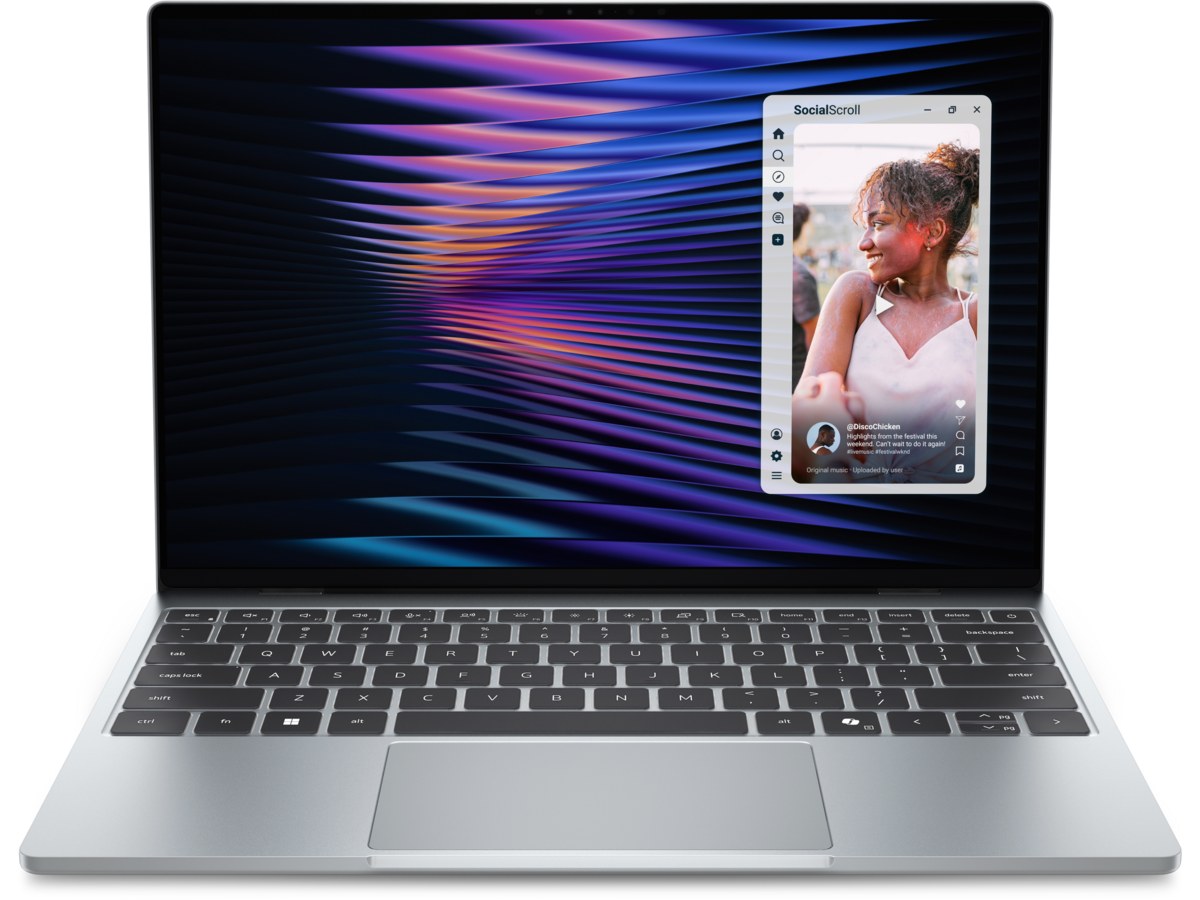
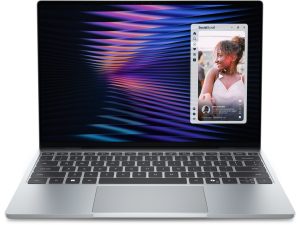
XPS laptops have often sold for two to three times this one’s price. The 2026 XPS 13 breaks that habit: it is a 1 kg (2.2 lb) all-aluminum machine with a 13.4-inch 2.5K touchscreen, built around Intel’s low-power Core 5 320 “Wildcat Lake” chip and aimed squarely at Apple’s MacBook Neo. It is meant for students, travelers and anyone whose day is browser tabs, documents, video calls and streaming, not video editing or games. This review covers the 8GB, 512GB configuration.
In Canada, the catch is availability rather than the laptop. The XPS 13’s own Amazon.ca listing (model DX13260, the Windows 11 Pro version) showed no price and couldn’t be bought new in October 2026, so the price cells here point to Amazon.ca until stock returns. Buying from Dell Canada, you can choose a French (Canadian) backlit keyboard at no extra cost, and Dell Canada’s page points Quebec buyers to the warranty and repair details set out under the province’s consumer protection law. Against the MacBook Neo, the XPS 13 is lighter and adds a touchscreen, a backlit keyboard and two 10Gbps USB-C ports, while the Neo keeps a headphone jack and is quicker in single-core work.
Key Specifications
| Model | Dell XPS 13 (2026), DX13260 |
| Processor | Intel Core 5 320 (6 cores, up to 4.6GHz) |
| Memory | 8GB LPDDR5X (soldered; 16GB and 32GB at purchase) |
| Storage | 512GB M.2 2230 SSD |
| Display | 13.4-inch 2560 x 1600 touchscreen, 30-120Hz |
| Graphics | Intel Graphics (2 Xe cores) |
| Ports | 2x USB-C (10Gbps, DisplayPort, charging); no headphone jack, no card reader |
| Wireless | Wi-Fi 7, Bluetooth 6.0 |
| Battery | 52Wh; Dell rates up to 17 hours of video streaming (16GB model) |
| Charger | 65W USB-C |
| Camera | 1080p with IR (Windows Hello face sign-in) |
| Weight | 1 kg (2.2 lb) |
| Operating system | Windows 11 Home (reviewed configuration) |
| Price (CAD) | See price on Amazon |
Dell XPS 13 (2026) Battery Life
Battery life is the strongest result across the test reports, and it holds up under very different methods. In Tom’s Guide’s web-surfing test at 150 nits, the 8GB model ran 14 hours and 26 minutes, an hour longer than the MacBook Neo’s 13 hours and 26 minutes in the same test. Notebookcheck recorded over 18 hours of real-world web browsing. HotHardware’s slightly higher-end review unit lasted about 23 hours, which it says made the XPS 13 the most energy-efficient laptop it has tested when measured per watt-hour of battery.
That point matters because the battery is a modest 52Wh: the long runtimes come from efficiency, not from a big cell. Dell’s own rating is up to 17 hours of video streaming, measured on the 16GB model; Notebookcheck’s video-playback test ran 13.6 hours. The charger is also worth a mention: Tom’s Hardware singled out the small 65W USB-C adapter with folding prongs and a removable cable, closer in size to a phone charger than a laptop brick.
Everyday Speed and the 8GB Limit
The Core 5 320 pairs two performance cores that boost to 4.6GHz with four efficient cores, and it is built for light work. For web apps, documents, spreadsheets and streaming, the reviews agree it is quick enough. In Tom’s Guide’s Geekbench 6 run it scored 2,684 single-core and 7,952 multi-core, behind the MacBook Neo’s 3,535 and 8,920, and it took 10 minutes 38 seconds to convert a 4K video, about 40 seconds slower than the Neo. Its SSD was far quicker than the Neo’s in the same site’s Blackmagic test (a read score of 5,026 against 1,585). HotHardware’s results were closer: the XPS 13 edged ahead of the Neo in Cinebench’s multi-threaded test, though the Neo led on single-thread speed, and against Lenovo’s IdeaPad Slim 3i, which has the higher-clocked Core 7 350, it won HotHardware’s office and video-editing tests but trailed in its browser test and Cinebench multi-threaded run.
Memory is where the testers split. Tom’s Guide’s 8GB unit handled up to 15 Chrome tabs plus a YouTube video without trouble. Tom’s Hardware ran the same kind of 15-tab load and found the 8GB model often flashed a white page when switching tabs, while its 16GB model ran smoother, and Notebookcheck recommends the 16GB version because 8GB struggles once you leave the browser and office apps. Our read: the 8GB model bogs down under heavy multitasking, and because the memory is soldered, the choice is made at checkout. Dell sells 16GB as an extra-cost option.
Graphics are basic, with two Xe graphics cores. It isn’t a gaming laptop: Tom’s Guide measured 8.7 frames per second in Borderlands 3 at 1080p, though HotHardware got a somewhat playable 28 fps in F1 25 at medium settings, so light, older or 2D games at low settings are the realistic limit. Regular video editing or rendering calls for a more powerful laptop.
Display and Speakers
The 13.4-inch 2560 x 1600 touchscreen is one of the clearest upgrades over typical laptops at this price, though measurements differ. Tom’s Guide measured 398 nits in SDR and 74.7% of DCI-P3, below the MacBook Neo’s 452 nits in the same test. Tom’s Hardware’s unit topped out just under 400 nits with roughly 75% of DCI-P3. Notebookcheck, by contrast, measured an average of 502.8 nits and 98.2% of Display P3, in line with Dell’s 500-nit rating. Tom’s Guide’s Delta-E of 0.23 means accurate colour. Tom’s Hardware notes that Dell uses panels from more than one maker; its two units showed clear differences side by side (deeper blacks but some edge glow on one, weaker viewing angles on the other), though they measured much the same. The 30-120Hz refresh keeps scrolling smooth, and T3 found the anti-reflective coating made a real difference in bright rooms. Notebookcheck’s complaints are weak HDR support and relatively slow black-to-white response times, which it says should matter little to office users and students.
The quad speakers, rated at 8W peak, split opinion more than the screen. Tom’s Hardware called them excellent for a system this slim, with no noticeable distortion even at full volume. Tom’s Guide found them good for podcasts but light on bass for music.
Build, Keyboard, Ports and Webcam
The CNC aluminum chassis is the reason to pick this over plastic budget laptops, and every reviewer praises how it looks and feels. They differ on stiffness: Tom’s Guide found the frame doesn’t flex easily, Tom’s Hardware noticed only slight flex, while Notebookcheck says it feels more fragile than older XPS 13 designs. Tom’s Hardware also pointed to a somewhat sharp metal edge at the bottom rear behind the vents. Fans stay quiet: HotHardware measured about 40 dBA under a sustained graphics load and nothing above its lab’s noise floor at idle.
Typing is comfortable rather than exceptional. The backlit keys are spaced conventionally, unlike the lattice-free layout of the XPS 14 and 16, and Tom’s Hardware, which found the travel shallow and the keys a little stiff, could still see itself typing on them for hours a day. Below sits a mechanical touchpad that only clicks toward its lower edge, so anyone used to a haptic pad will notice. Ports are the main practical compromise: two USB-C ports, one on each side, both 10Gbps with display output and charging, but no headphone jack, no USB-A and no card reader, so wired headphones and older accessories need an adapter.
The 1080p webcam with IR supports Windows Hello face sign-in. Tom’s Guide found its image generally blurry and a little washed out; Tom’s Hardware judged it fine for meetings and classes. Software is refreshingly clean, with only a few Dell utilities and Windows’ usual shortcuts. Upgrades are few: the memory is soldered, but the M.2 2230 SSD and the Wi-Fi card can be swapped and the battery looks replaceable; HotHardware expects it to score fairly high for repairability, though Tom’s Hardware found the bottom panel hard to pry off.
How Does It Stack Up Against the Competition?
The XPS 13’s closest rival is Apple’s MacBook Neo, the laptop every review compared it with; the MacBook Air (M5) is the step-up Mac with 16GB of memory and Thunderbolt ports.
| Feature | Dell XPS 13 (2026) | Apple MacBook Neo | Apple MacBook Air 13-inch (M5) |
|---|---|---|---|
| Price (CAD) | See price on Amazon | $939.99 (8GB/256GB) (Oct 26) | $1,789.99 (16GB/512GB) |
| Processor | Intel Core 5 320 | Apple A18 Pro | Apple M5 |
| Display | 13.4″ 2560 x 1600 | 13″ 2408 x 1506 | 13.6″ 2560 x 1664 |
| Touchscreen | Yes | No | No |
| Weight | 1 kg (2.2 lb) | 1.23 kg (2.7 lb) | 1.23 kg (2.7 lb) |
| Battery capacity | 52Wh | 36.5Wh | 53.8Wh |
| Ports | 2x USB-C (10Gbps) | 1x USB-C (10Gb/s), 1x USB-C (USB 2), headphone jack | 2x Thunderbolt 4, MagSafe 3, headphone jack |
| TTP Review | This review ↑ | Read our review → | — |
| Amazon | View on Amazon | View on Amazon | View on Amazon |
Are some of these out of stock? Get an email when they’re back with our free Stock Check
Prices change frequently — always verify current pricing before purchasing.
Dell XPS 13 (2026): Worth It for Light Work on the Go
Picture a student or a frequent traveler who lives in a browser, a word processor and video calls, and carries the laptop all day. That is exactly where the XPS 13 shines: it weighs less than either MacBook here, lasts past 14 hours in every web-browsing battery test we found, and its sharp touchscreen and metal body feel like a flagship’s. Tom’s Guide called it “the best budget Windows laptop right now,” and Notebookcheck scored it 85.7%. For Canadian buyers the hitch is stock: until the Amazon.ca listing has a price again, compare it with the MacBook Neo, which Amazon.ca sold for $939.99 CAD with 256GB of storage in October 2026, half the SSD space of this configuration.
Look elsewhere if your work is heavier: tab-heavy multitaskers should step up to the 16GB version or, if macOS suits you, the MacBook Air (M5) with its M5 chip and Thunderbolt ports. Price is the other condition. The reviews praised it at a price level with the MacBook Neo, and with no Amazon.ca price for the XPS 13 as of October 2026, it is worth it mainly if the touchscreen, lighter body and battery life matter to you and its Canadian price lands near the Neo’s. If you don’t need Windows, the Neo is quicker in single-core work and keeps a headphone jack. T3, judging the XPS 13’s UK price, loved the design but called it “overpriced and underpowered.”
Sources
- Dell — XPS 13 Laptop (DX13260) Official Product Page and Specifications
- Dell XPS 13 (2026) — Amazon.ca Product Listing
- Tom’s Guide — Dell XPS 13 (2026) review
- Tom’s Hardware — Dell XPS 13 (2026) review
- Notebookcheck — Dell XPS 13 Wildcat Lake review
- HotHardware — Dell XPS 13 (2026) Review: Intel Wildcat Lake Challenges Apple Efficiency
- T3 — Dell XPS 13 (2026) review
- Apple — MacBook Neo Tech Specs
- Apple — MacBook Air Tech Specs
- Dell Canada — XPS 13 Laptop (DX13260) Configurations and Pricing
Reader Poll
What would you mostly use the Dell XPS 13 (2026) for?
Help Our Editors Know What Matters to You
Explore on Amazon →