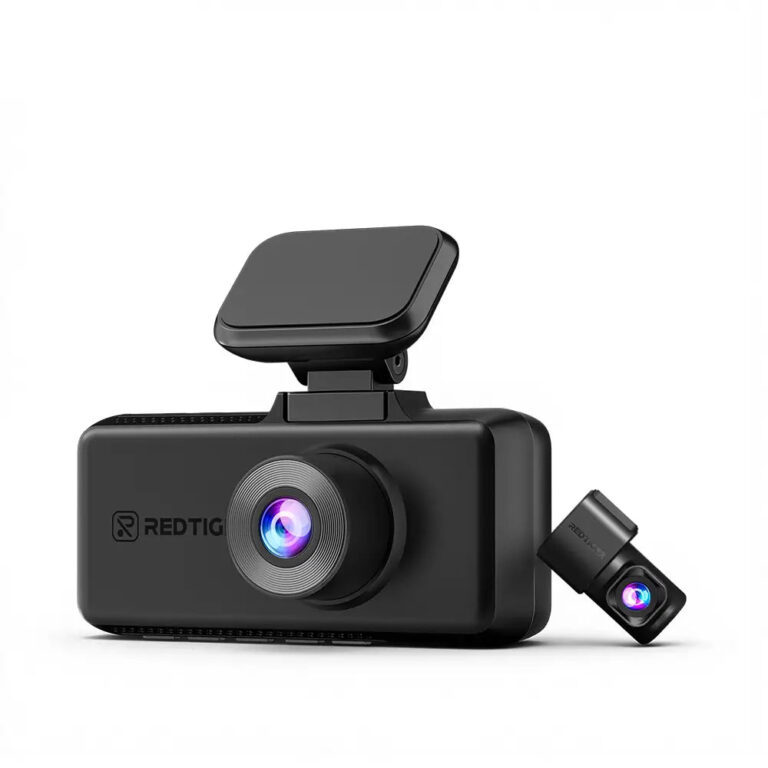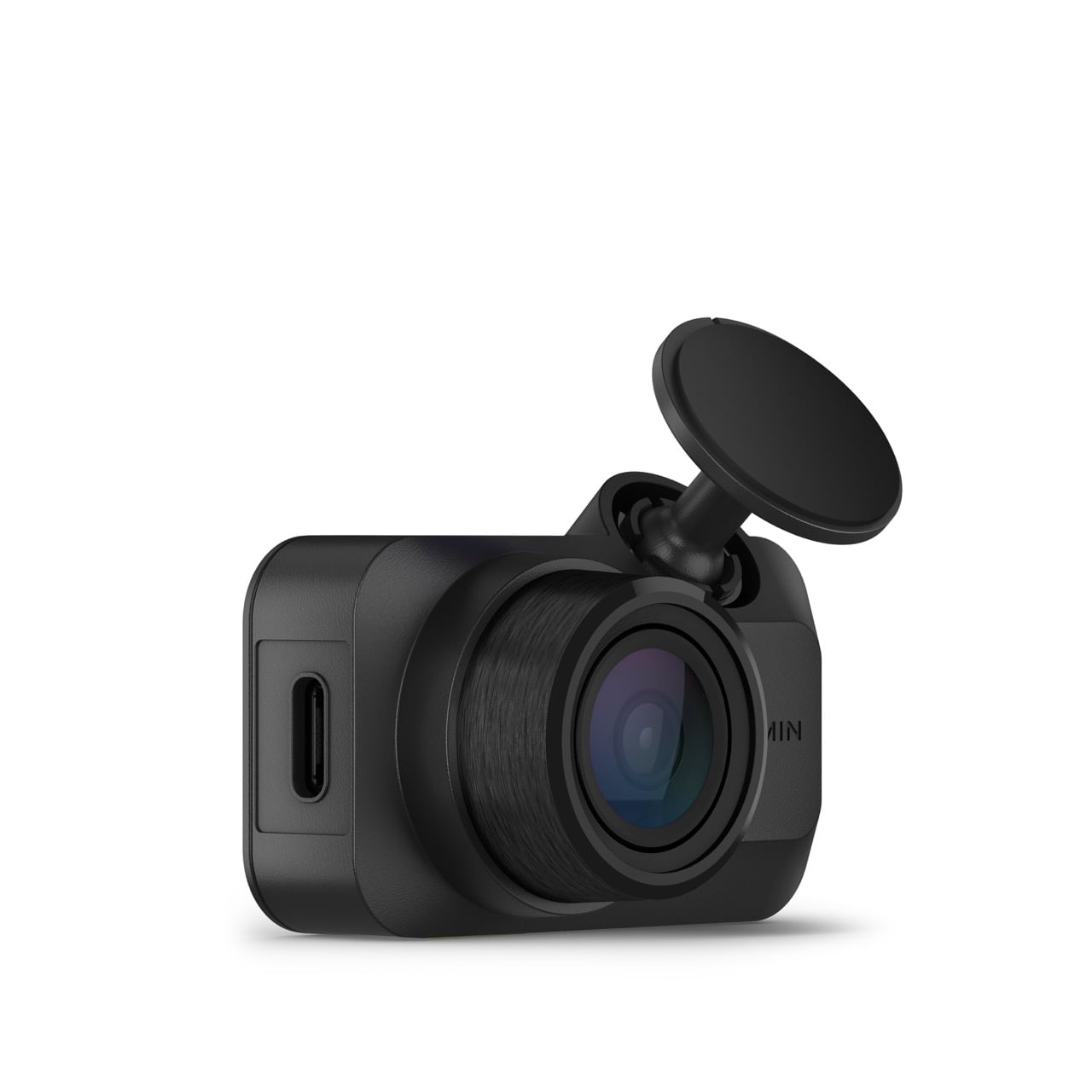
The Mini 3 is the dash cam to buy if you want one you install once and never look at again: it hides behind the mirror, and TechGearLab timed its whole install at 5 minutes. Its built-in polarizer cuts windshield glare without an add-on filter, and voice commands, in French or English, save a clip hands-free. The trade-off is detail: it records only 1080p and has no GPS, so distant plates and your speed aren't captured. If plate detail matters most, the VIOFO A119 Mini 2 records more pixels (1440p at up to 60 fps) and adds GPS.
Pros
- Small enough to hide behind the mirror
- Built-in polarizer cuts windshield glare
- Quick, app-guided setup
- Hands-free voice commands to save clips
- Can link with other Garmin dash cams
Cons
- Records only 1080p
- No GPS for speed or location
- Parking alerts need an extra cable and a paid plan
- No microSD card in the box
As an Amazon Associate I earn from qualifying purchases. Disclosure
Overview
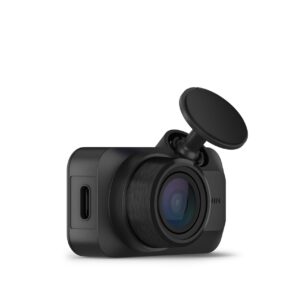
Most dash cams want a spot on your windshield and a share of your attention. The Garmin Dash Cam Mini 3 asks for neither. It’s a thumb-sized camera with no screen that tucks behind the rear-view mirror, starts recording whenever the car is on, and saves a clip when its sensor detects an impact or when you say “OK, Garmin” and then “Save Video”. Settings, playback and downloads all run through the Garmin Drive phone app.
This third generation changes little from the Mini 2. It now sits in a wider, landscape shape that hides more easily behind the mirror, it has a USB-C port, and it adds a built-in polarizing filter (Garmin calls it Clarity) to cut windshield reflections. Video is still 1080p, and there’s still no GPS, so testers who used both advise Mini 2 owners to keep the camera they have. Its voice commands can be spoken in French as well as English. On Amazon.ca, the Mini 3 is sold by a third-party seller and shipped by Amazon, and when we checked (October 2026) the listing showed its price only in the cart.
Key Specifications
| Part number | 010-02899-00 |
| Video | 1080p with HDR, 30 fps |
| Field of view | 140° rated (TechGearLab measured about 119°) |
| Lens filter | Built-in Garmin Clarity polarizer |
| Screen | None (settings and playback in the Garmin Drive app) |
| GPS | None built in; location can be added from a GPS-equipped Garmin dash cam on the same network |
| Connectivity | Wi-Fi and Bluetooth |
| Voice control | “OK, Garmin” wake word: save video, start or stop audio recording |
| Memory card | microSDHC or microSDXC, 8 to 512 GB, Class 10 or higher (not included) |
| Size | 5.21 x 3.16 x 2.03 cm (2.05 x 1.24 x 0.8 in) |
| Weight | 30 g (1.05 oz) |
| Operating temperature | -20° to 60°C (-4° to 140°F) |
| Price (CAD) | $170.00 |
Garmin Dash Cam Mini 3 Video Quality
In daylight, the testers who drove with it found the footage sharp and well exposed for a 1080p camera, and the polarizer earns its place: TechRadar saw practically no windshield reflections in its clips, even on a sunny autumn day. Where the testers part ways is how far that detail reaches. TechRadar could read license plates, street signs and road markings easily. TechGearLab, zooming into still frames, could read plates only within about 8 metres (25 ft) and found plates 9 to 12 metres (30 to 40 ft) ahead unreadable. Tom’s Guide adds that the filter gives daytime shots a darker, subdued look, though it never got in the way of reading a scene.
Night results split the testers further. TechGearLab rates it one of the few cameras in its test that does as well at night as in daylight, and credits the polarizer with taming the halos around headlights and stoplights. Tom’s Guide could read plates directly ahead in its own headlights but had a harder time with oncoming cars, and TechRadar found plates less reliable to read after dark, though vehicles and road markings stayed clear. Dashboard Camera Reviews scored its night video as only fair, noting you may be able to read plates only when stopped or moving very slowly.
TechGearLab measured the field of view at about 119° against Garmin’s 140° rating, a gap it counts among the smallest in its lineup, and judged that width about right: wide enough to catch essentially everything ahead, without so much distortion that the footage becomes hard to use. Sound is the other split: Tom’s Guide found voices clear and road noise well handled, while TechGearLab heard a little muffling and a lot of road noise on the move, though speech came through fine when stopped. In practice, the Mini 3 records clearly what happened in front of the car; the detail it can miss is the small print, such as a plate a few car lengths away.
Size, Mounting and Setup
Size is the Mini 3’s real strength. At 5.21 x 3.16 x 2.03 cm and 30 g, it can sit almost entirely behind the mirror, out of your line of sight. TechGearLab called it the only camera in its test that deserves the word “unobtrusive”, and timed the whole install at 5 minutes, three to four times faster than the other units it tested, partly because, unlike most of them, it has no rear camera to wire in.
It attaches to the glass with a small adhesive mount and a ball-and-socket joint that is easy to aim and holds the camera steady on the road. Garmin’s manual says the adhesive is meant for a long-term installation and can be difficult to remove, and that it bonds best when the air is 21° to 38°C (70° to 100°F); for a cold-weather install, clear all snow, ice and moisture from the glass and warm it with the defroster first. Tom’s Guide found only one adhesive pad in the box, so pick the spot with care. There’s no magnetic mount for moving it between cars, as Garmin’s X310 has, but the camera itself pops off its stem easily, which TechGearLab notes is handy for stashing it out of sight when you park.
Power comes from the included cable and a 12V socket adapter with two USB-A ports, so a phone can charge from the same socket. Garmin advises against using the car’s own USB port, which may not supply enough power for reliable recording. Budget for a microSD card as well: none comes in the box, and the camera takes 8 to 512 GB cards rated Class 10 or faster.
App, Voice Control and Parking Guard
With no screen, everything happens in Garmin Drive. TechGearLab rated it the most polished dash cam app it used: it connects to the phone almost automatically, sets the language and units for your region on its own, and saves clips straight to the phone’s camera roll. Tom’s Guide was less taken with it, finding the app fairly well laid out, with clear navigation, though not the cleanest design. Voice control covers the essentials: after “OK, Garmin”, say “Save Video”, “Record Audio” or “Stop Audio”. The camera also saves the 15 seconds before and after any impact its sensor detects, and the sensitivity can be turned down in the app.
Parking Guard, which records when something bumps the parked car, needs constant power from Garmin’s parking mode cable or its OBD-II Constant Power Cable, both sold separately. Phone alerts and remote live view also need the camera connected to a Wi-Fi network and a paid Vault subscription. Garmin Canada’s Vault plan page lists $14.95 CAD a month (October 2026), which comes to $179.40 CAD a year on the monthly plan; an annual plan is also offered.
Because the Mini 3 has no GPS, its own clips carry no speed or location stamp. It can borrow one: pair it in the app with a GPS-equipped Garmin dash cam, and location is added to saved videos from every camera on the network. That network can link up to four Garmin cameras for front, rear and side views, though each needs its own power source.
How Does It Stack Up Against the Competition?
Each of these compact rivals adds GPS and two of them record at 1440p, but only the Garmin has a polarizing filter built in.
| Feature | Garmin Dash Cam Mini 3 | Nextbase Piqo 2K | VIOFO A119 Mini 2 | Vantrue E1 Lite |
|---|---|---|---|---|
| Price (CAD) | $170.00 | Deal $169.99 | $169.99 | $109.99 |
| Max video resolution (maker) | 1080p | 1440p | 1440p | 1080p |
| Rated field of view | 140° | 145° | 140° | 160° |
| Screen | No | No | Yes | Yes |
| GPS | No | Yes | Yes | Yes |
| Polarizing (CPL) filter | Built in | No | Sold separately | Sold separately |
| Parking mode | Needs a constant-power or parking mode cable (sold separately) | Needs a Quick Connect or Pro Install cable (sold separately) | Needs a hardwire kit (sold separately) | Needs a hardwire kit (sold separately) |
| Max microSD card | 512 GB | 256 GB | 512 GB | 512 GB |
| Amazon | View on Amazon | View on Amazon | View on Amazon | View on Amazon |
Prices change frequently — always verify current pricing before purchasing.
Garmin Dash Cam Mini 3: Worth It for a Dash Cam You Never Notice
Buy the Mini 3 if you want a witness rather than a gadget: a camera you stick up once, set up in the app in a few minutes, and then forget, which saves clips on impact or by voice, in French or English. It suits drivers who dislike clutter on the glass and first-time buyers who want a dash cam with almost nothing to configure. Garmin rates it to operate down to -20°C (-4°F), worth knowing if you plan to leave it on Parking Guard through a deep cold snap. Its built-in polarizer also saves buying a filter that VIOFO and Vantrue sell as an add-on.
Look elsewhere if you want more pixels or speed data. The VIOFO A119 Mini 2 records 1440p at up to 60 fps and adds GPS and a small screen. The Nextbase Piqo 2K adds GPS and Witness Mode Lite in a similarly screenless body, with Emergency SOS on Nextbase’s paid Protect plan, though Tom’s Guide found the Mini 3’s image better than the Piqo’s. Tom’s Guide preferred Vantrue’s bulkier E1 Pro for its smoother 4K footage, and it is sold on Amazon.ca (October 2026) if 4K matters more to you than size. If you already own a Mini 2 that works, keep it.
Sources
- Garmin — Dash Cam Mini 3 Official Product Page
- Garmin Dash Cam Mini 3 — Amazon.ca Product Listing
- Garmin — Dash Cam Mini 3 Owner’s Manual
- Garmin — Dash Cam Mini 3 Memory Card Specifications
- Garmin — Vault Plans
- TechRadar — Garmin Dash Cam Mini 3 review
- TechRadar — The best dash cam
- Tom’s Guide — Garmin Dash Cam Mini 3 review
- TechGearLab — Garmin Mini 3 Review
- TechGearLab — The Best Dash Cam
- Digital Camera World — Garmin Dash Cam Mini 3 review
- Dashboard Camera Reviews — The Garmin Mini 3
- Security Cam Reviews — Garmin Dash Cam Mini 3: Tested and Reviewed
- Nextbase — Piqo Dash Cam 2K
- VIOFO — A119 Mini 2 Product Page
- Vantrue — E1 Lite Product Page
- Vantrue — E1 Lite User Manual
- Garmin Canada — Vault Plans
Reader Poll
Would you trade sharper 1440p video for a dash cam you never see?
Help Our Editors Know What Matters to You
Explore on Amazon →