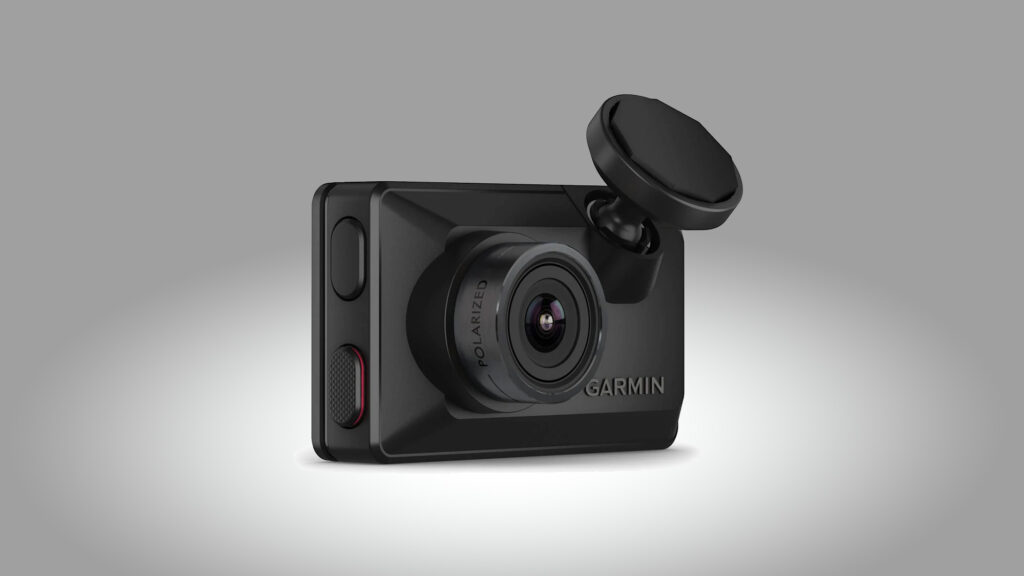
Buy the X310 if you want the clearest forward-facing footage you can tuck behind a mirror and will use what the money buys: 4K HDR video that's sharp and detailed by day, and a built-in polarizer that keeps dashboard reflections off the glass. GPS, a 2.4-inch touchscreen and a magnetic mount that lifts off for a second car make it easy to live with, with no app or account needed. The trade-offs are a premium price, no rear camera, and running cost: watching a parked car remotely needs a paid Vault plan, Wi-Fi in the car and a constant-power cable.
Pros
- Detailed 4K HDR video by day
- Built-in polarizer cuts windshield reflections
- Small body with a 2.4-inch touchscreen
- Magnetic mount moves easily between cars
- GPS speed and location on every clip
Cons
- Premium price for a dash cam
- No rear camera
- Remote Live View and cloud storage need a paid plan
- Full-time Parking Guard needs a constant-power cable, sold separately
As an Amazon Associate I earn from qualifying purchases. Disclosure
Overview
Garmin’s Dash Cam X310 fits 4K HDR video, GPS and a 2.4-inch touchscreen into a body about 7 cm wide and under 2 cm deep, small enough to tuck behind the mirror. It launched in October 2024 as Garmin’s flagship dash cam, and it suits drivers who want the clearest possible view of the road ahead from a camera they barely notice, and who are prepared to pay a flagship price for it.
Against Garmin’s earlier flagship, the Dash Cam 67W, it adds 4K video, a touchscreen and a polarizing filter built into the lens, which Garmin used to sell as an extra. The trade is a narrower lens, 140 degrees against the 67W’s 180, which TechRadar says gives a less curved, fisheye-style image at the edges.
Key Specifications
| Price (USD) | $349.99 |
| Video modes | 3840 x 2160 (4K) at 30 fps with HDR; 1920 x 1080 at 120 fps; 1920 x 1080 at 30 fps with HDR |
| Field of view | 140 degrees (diagonal) |
| Display | 2.4-inch touchscreen, 480 x 272 pixels |
| Size | 7.0 x 4.22 x 1.95 cm (2.76 x 1.66 x 0.77 in) |
| Glare filter | Built-in polarizer (Garmin Clarity) |
| GPS | Built-in; speed and location on footage |
| Wireless | Wi-Fi (2.4 and 5 GHz), Bluetooth |
| Battery | Built-in, up to about 20 minutes |
| Storage | microSDHC or microSDXC, 8 to 512 GB, Class 10 or higher (card not included) |
| Video format | HEVC (H.265) MP4 |
| Operating temperature | -20° to 60°C (-4° to 140°F); battery charges from 0° to 60°C (32° to 140°F) |
| Rear camera | None (pairs with other Garmin dash cams in the app) |
| Warranty | 1 year |
Garmin Dash Cam X310 Video Quality
Daytime footage is the reason to buy it. In 4K with HDR, the testers who drove with it found the video smooth, detailed and accurate in colour, with license plates, street signs and road markings legible in daylight. TechRadar’s reviewer went further, calling it “some of the best video I’ve seen from any dash cam”, and the best from a camera this compact.
The built-in polarizer earns its place. On sunny days it keeps reflections of the dashboard off the windshield: in TechRadar’s test car, a blue fabric dash that would normally mirror across the glass was practically invisible in the footage. It also cuts glare from oncoming headlights at night, and Tom’s Guide found it lifted contrast too.
Night footage holds up well. Auto Express rated it a match for the best it has tried in low light, and Digital Citizen could read plates on lit city streets and highways. There’s more noise than by day, and TechRadar found moving plates generally unreadable after dark, sharp only when stopped and fairly close.
The other modes are worth knowing. Dropping to 1080p without HDR raises the frame rate to 120 fps, which TechRadar found gives smoother footage that keeps its detail when paused. Tom’s Guide noticed the HDR setting adds slightly richer colour and extra highlights, but only on a screen that can play HDR video; elsewhere it looks like normal footage.
Size, Mount and Touchscreen
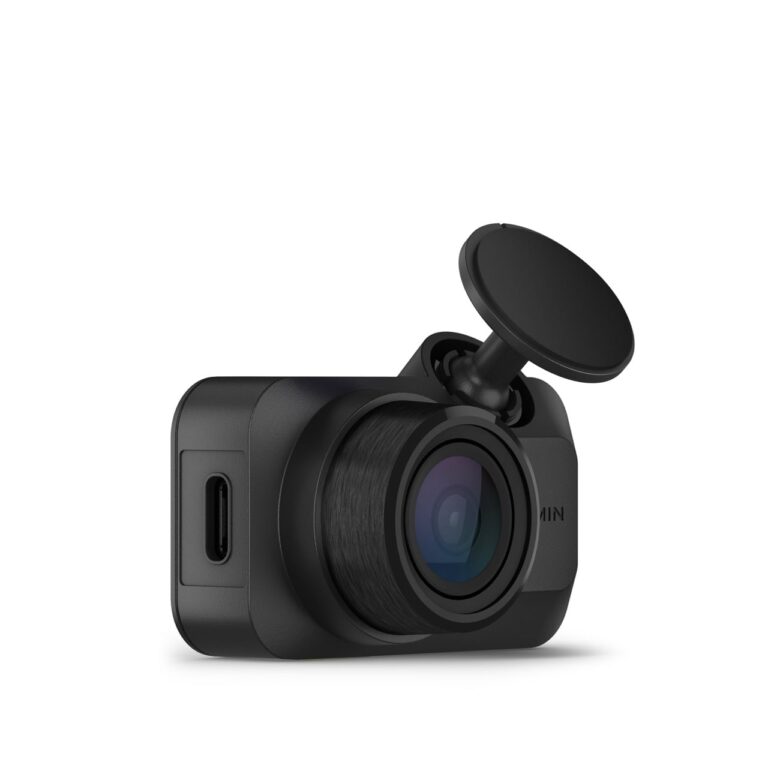
At 7.0 x 4.22 x 1.95 cm, the X310 is about twice the size of Garmin’s screenless Mini 3, yet it carries a 2.4-inch touchscreen on the back. You swipe through its menus to change the resolution, turn on Parking Guard or review clips, so you don’t need the phone app or a Garmin account to run it. One quirk, from Tom’s Guide: the camera has to sit with the Garmin logo facing up, as there’s no way to flip the screen and menus for a different mounting position.
The mount is the best part of the design. A short ball-and-socket arm holds the camera steady and adjusts easily, and it attaches by magnet to a small metal disc stuck to the glass. Fitting it is quick, a couple of minutes by Digital Camera World’s count, and because the disc stays on the glass when you lift the camera off, a second car needs only the spare disc Garmin puts in the box.
The built-in battery earns its keep at the end of a drive, keeping the camera running long enough to finish saving after you switch off, and it lasts up to about 20 minutes if you take the camera on a quick errand unplugged. You’ll need to buy a microSD card, as none comes in the box. Garmin’s manual recommends running it from the included 12 V adapter, which has two USB-A ports, rather than a car’s USB port, which may not supply enough power for reliable recording.
App, Vault and Parking Guard
The Garmin Drive app is optional: settings can be changed on the camera or in the app, and the app is where software updates are installed and an easy way to move clips to your phone. Garmin makes no rear camera for the X310, so covering the back window means a second Garmin dash cam with its own power; the app can link up to four and keep their recordings in sync.
Remote features cost extra. Vault, Garmin’s paid plan, uploads incident clips to cloud storage, where they stay for 30 days, and unlocks remote Live View, a live feed from the camera on your phone wherever you are. Garmin’s US site lists the plan at $9.99 a month (October 2026), which comes to $119.88 a year on monthly billing; an annual plan is also offered. To watch a parked car remotely, the camera also needs constant power and a Wi-Fi connection in the car, such as a mobile hotspot. Tom’s Guide found the app took upwards of a couple of minutes to start showing Live View.
Parking Guard records when the parked car is bumped. Garmin’s manual lets it run on the camera’s own battery, but for parked coverage beyond that it needs constant power from one of Garmin’s two cables, sold separately: one plugs into the OBD II port, the other is wired into the car’s electrical system. Tom’s Guide puts its draw at 2.6 watts, about a third of what it says other dash cams use. Reviews differ on whether Parking Guard itself needs Vault: TechRadar and Digital Citizen describe it as a subscription feature, while Garmin’s manual says the camera records parked incidents to its card and the paid plan adds the phone notification when the camera is on Wi-Fi.
Driver Assistance Alerts
The X310 adds forward collision and lane departure warnings, a go alert when traffic ahead moves off, and red light and speed camera alerts. Tom’s Guide sees them as a way to give an older car warnings that many newer cars already have. Garmin’s manual limits both the collision and lane warnings to speeds above 65 km/h (40 mph), and the camera alerts aren’t offered in every region; in some areas they need a paid subscription.
TechRadar’s reviewer switched off the forward collision warning after it sounded twice while the test car was parked. In a Digital Camera World review of the same camera, the same writer found the go alert not smart enough to read traffic: let another car into the gap ahead and it beeps at you. All of the alerts are easy to turn off.
How Does It Stack Up Against the Competition?
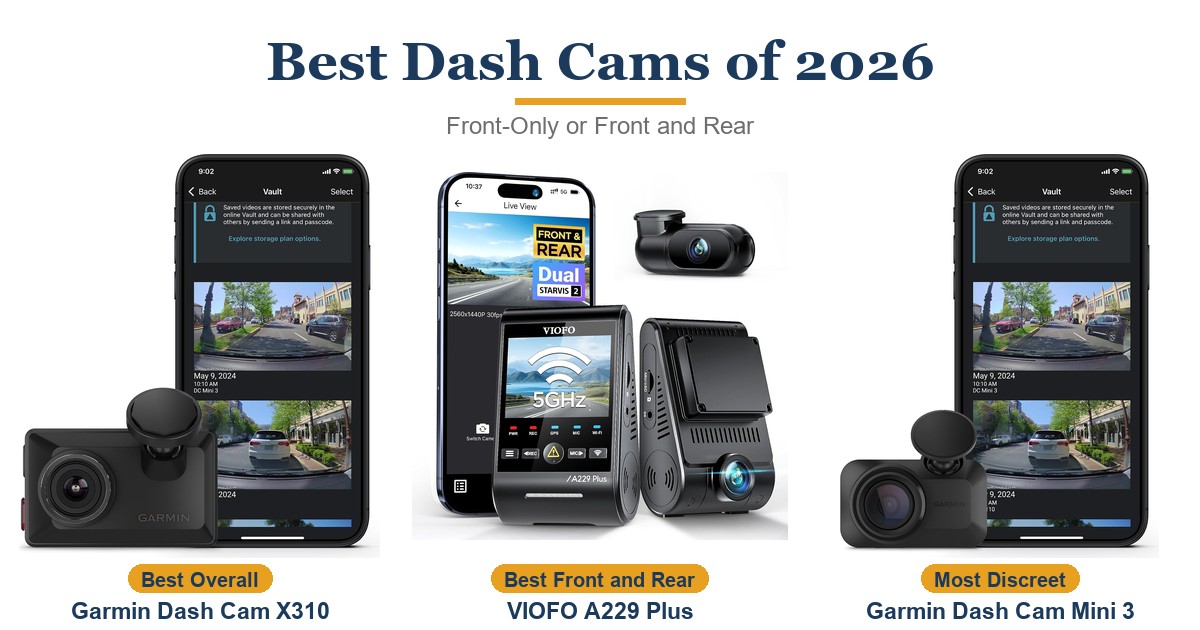
The X310’s rivals spend the money differently: the Nextbase 622GW also records 4K from a single camera but adds a bigger touchscreen and image stabilization, while the ROVE R2-4K Dual Pro and the VIOFO A229 Plus are two-camera kits at a lower price tier.
| Feature | Garmin Dash Cam X310 | Nextbase 622GW | ROVE R2-4K Dual Pro | VIOFO A229 Plus |
|---|---|---|---|---|
| Price (USD) | $349.99 | $199.99 | $249.99 | $189.99 |
| Cameras (maker spec) | 4K front only | 4K front; rear camera optional | 4K front + 1440p rear | 1440p front + 1440p rear |
| Screen | 2.4-inch touchscreen | 3-inch touchscreen | 3-inch, button controls | 2.4-inch |
| Front field of view (maker spec) | 140 degrees | 140 degrees | 150 degrees | 140 degrees |
| Polarizing filter | Built in | Built in | Included in the box | Optional, sold separately |
| GPS | Built in | Built in | Built in | Built in |
| TTP Review | This review ↑ | — | — | Read our review → |
| Amazon | View on Amazon | View on Amazon | View on Amazon | View on Amazon |
Prices change frequently — always verify current pricing before purchasing.
Garmin Dash Cam X310: Worth It for Sharp 4K in a Tiny Body
The X310 makes the most sense for a driver who wants one forward-facing camera that records the clearest footage it can, stays out of sight, and can be set up from its own screen in a couple of minutes. It’s a buy for drivers who will use the 4K detail and the touchscreen, not for anyone who just wants a basic record of the road: TechRadar points out that many alternatives cost a third as much. Plan the extras before you buy, too: Live View and cloud backup need the Vault plan, and watching a parked car remotely also takes a constant-power cable and Wi-Fi in the car. Rideshare drivers and parents who want to see the cabin or the back of the car need more than one camera, and Tom’s Guide flags that limit for exactly those drivers.
Look elsewhere if 4K isn’t the point. Garmin’s X210, sold on the same Amazon page, has the same 7.0 x 4.2 x 1.9 cm body, magnetic mount and polarizer, records 1440p with HDR, and uses buttons in place of the touchscreen, for noticeably less on Amazon. If you want two cameras in one kit, the ROVE R2-4K Dual Pro pairs 4K front video with a 1440p second camera and includes a polarizing filter, and the VIOFO A229 Plus records 1440p on both. If a bigger screen and image stabilization matter more, the Nextbase 622GW records 4K on a 3-inch touchscreen. And if you already own a Dash Cam 67W that works, TechRadar’s advice is to keep it: the X310 isn’t a big enough step up.


Sources
- Garmin — Dash Cam X310 Owner’s Manual
- Garmin — Dash Cam X310 Product Page
- Garmin — Vault Plans
- Garmin Dash Cam X310 — Amazon Product Listing
- TechRadar — Garmin Dash Cam X310 review
- Tom’s Guide — Garmin X310 dash cam review
- Digital Camera World — Garmin Dash Cam X310 review
- Digital Citizen — Garmin Dash Cam X310 review
- Auto Express — Garmin X310 review
- Digital Camera World — Garmin Dash Cam X210 review
- ROVE — R2-4K Dual Pro Dash Cam
- TechRadar — Rove R2-4K Dual Pro Dash Cam review
- Nextbase — 622GW 4K Dash Cam
- VIOFO — A229 Plus 2CH Dual Dash Cam
- PCWorld — Viofo A229 Plus 3ch review
Reader Poll
What would you trade for 4K video in a dash cam this small?
Help Our Editors Know What Matters to You
Explore on Amazon →