Smart Home Starter Kit Guide 2026: Aqara, eufy & Furbo
Not sure where to begin? We’ve narrowed the smart home market down to 3 products that deliver real, everyday value — a security camera, a robot vacuum, and a pet camera — and explain exactly what to look for in each category.

How We Researched
3 products reviewed across outdoor security, automated cleaning, and pet monitoring. AI-assisted secondary research, verified manufacturer specs, aggregated owner feedback, and independent test data from Vacuum Wars. No paid placement — badges reflect editorial judgment only.
* As an Amazon Associate I earn from qualifying purchases. Disclosure
What You’ll Learn
- What to look for in an outdoor smart home security camera
- How to evaluate robot vacuums with mop, auto-empty, and mop washing
- When a dedicated pet camera earns its premium over a basic webcam
- Which smart home ecosystem (HomeKit, Google, Alexa) to commit to first
- What to add after your first three devices
3 products in this guide
Every smart home starter kit decision in 2026 begins with the same paralysis: hundreds of devices, a dozen platforms, and no clear answer to the question “where do I even begin?” After reviewing the top-rated smart home products on Amazon this year, we’ve narrowed the starting lineup to three categories that pay off immediately — outdoor security, automated floor cleaning, and pet monitoring. This guide explains what to look for in each, names the product that performs best, and tells you what to add next once those three are running smoothly.
Start With Awareness: Outdoor Security Cameras
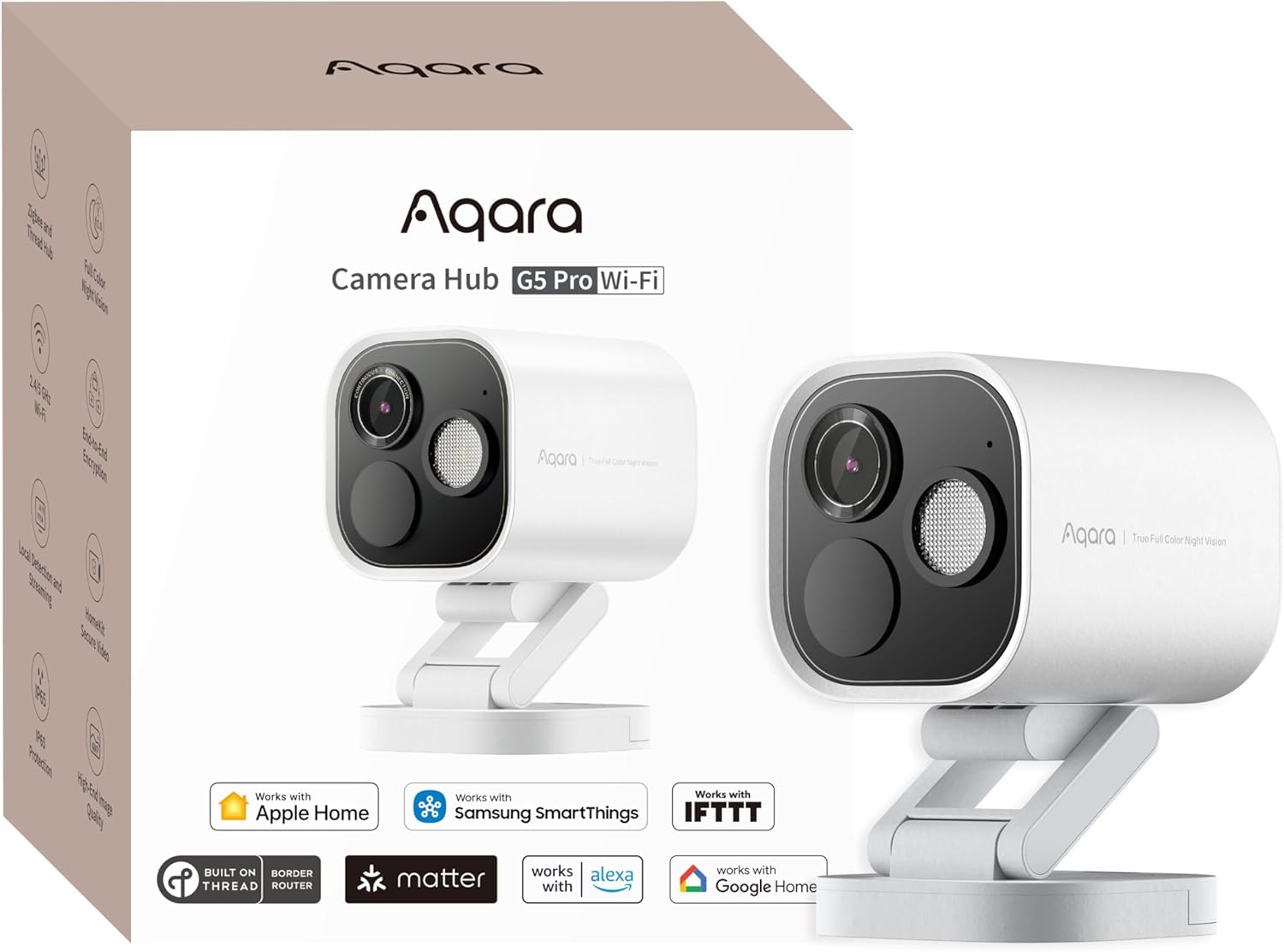
The most useful smart home device for most households is not a voice assistant or a light bulb — it is a camera that shows you what is happening outside your home in real time. A well-chosen outdoor camera does two things that basic options often miss: it distinguishes between a person and a passing cat (reducing notification fatigue to near zero), and it integrates with your wider smart home so that detected motion can trigger lights, a chime, or an alert on whatever platform you use.
The specs worth evaluating: resolution (4MP versus 2MP makes a meaningful difference for digital zoom — you can identify a face or read a license plate at 4MP where 2MP blurs), field of view (130° or wider to minimize blind spots), weather rating (IP65 minimum for Canadian winters or coastal humidity), operating temperature (the Aqara G5 Pro’s -30°C floor matters more than most people expect in colder climates), and ecosystem compatibility — Apple HomeKit, Google Home, and the Matter standard are the three worth confirming before you buy.
When it matters: You have a driveway, front porch, or backyard gate you cannot see from inside. Package theft is a concern. Or you are already using a smart home platform and want your camera to trigger automations — lights on when a person is detected, a notification only when a vehicle enters the driveway.
When it doesn’t: You live in a fourth-floor apartment with a single locked door, or your security concern is purely indoor. A general-purpose indoor camera is cheaper and easier to place.
Pay for ecosystem compatibility first, resolution second. A 4MP camera that integrates with HomeKit is worth more for a smart home owner than a 4K camera locked in its own closed app.
Automate Your Floors: Robot Vacuum + Mop Combos
A robot vacuum is the one smart home appliance that gives you back time in a tangible, daily way. The question for 2026 buyers is not whether to get one — it is whether to spend $200 on a basic model or step up to a full-system combo with a self-emptying dock, automatic mop washing, and LiDAR-based navigation that creates an accurate floor map on run one.
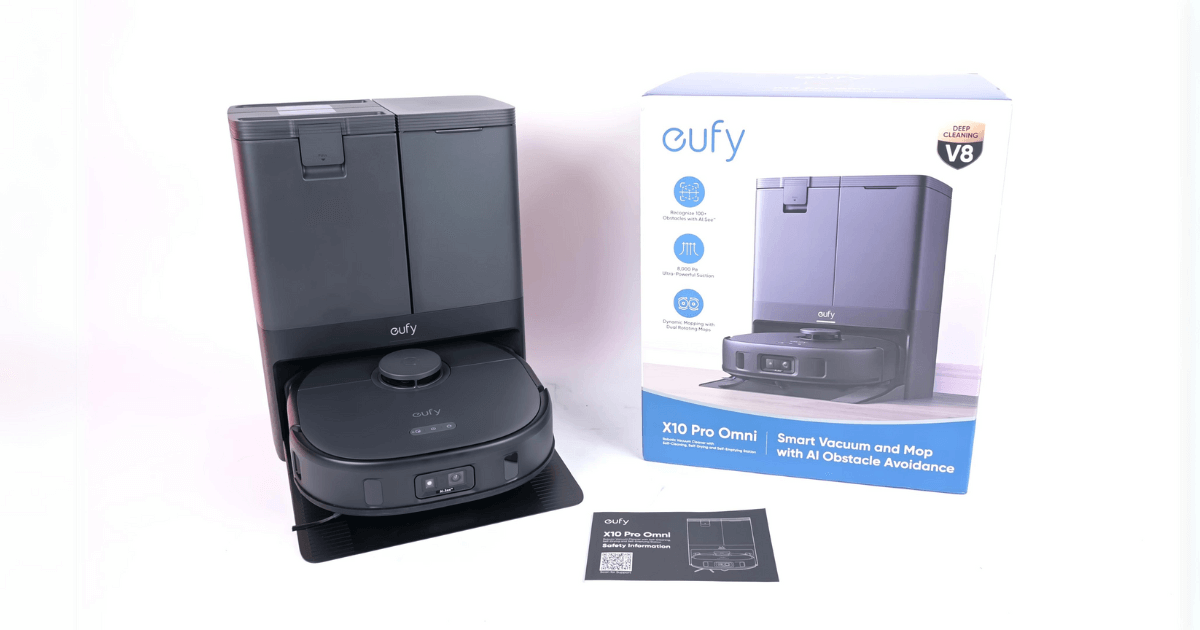
The specs that matter: suction power (6,000 Pa handles routine cleaning on both hard floors and carpet; 8,000 Pa adds the ability to deep-clean medium-pile carpet), auto-empty bag size (a 2.5L bag lasts roughly two months in a two-bedroom home — daily empties are a budget-model chore), mop pad washing and heated drying (critical for preventing mold in the dock — the eufy X10 Pro Omni’s 45°C drying cycle makes the difference between a unit that smells after a week and one that stays fresh), carpet mop-lift (12mm or more ensures pads raise fully before the robot transitions from hard floor to rug), and LiDAR navigation (creates room-accurate maps on run one, versus camera-only models that can take days to calibrate). According to Vacuum Wars testing, the eufy X10 Pro Omni’s AI obstacle avoidance ranked among the top two systems they have evaluated.
When it matters: You have a mix of hard floors and carpet, or a dog or cat that sheds. Any home between 800 and 2,500 square feet benefits from a combo unit with auto-empty — weekly maintenance drops from daily bin-emptying to a bimonthly bag swap.
When it doesn’t: You live in a small studio with only area rugs. The dock footprint alone (nearly 19 inches deep) needs a dedicated corner, and flagship-tier features are overkill for under 400 square feet.
Automatic mop washing with heated drying is the spec most first-time buyers skip and most combo-unit owners say they cannot live without after the first week.
Stay Connected to Your Dog: Indoor Pet Cameras
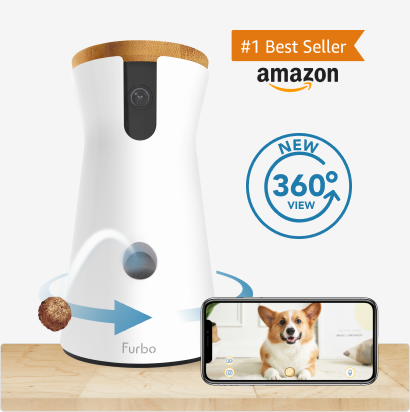
If you share your home with a dog, a purpose-built pet camera is a different product category from a general-purpose security camera — and the difference matters. A pet camera combines 360° motorized rotation, automatic dog tracking, two-way audio, and (in the best models) a remote treat dispenser. The practical benefit is behavioral: you can reinforce calm behavior remotely, reducing separation anxiety without a midday dog walker for shorter absences.
The specs that separate good pet cameras from cheap ones: 360° motorized rotation (fixed-angle cameras leave most of a room invisible), dog auto-tracking (pans to follow movement without manual joystick control), color night vision (color-capable infrared lets you read your dog’s body language after dark in a way black-and-white IR cannot), and subscription requirements for core features. The Furbo 360° does not require a paid plan for live video, treat dispensing, two-way audio, or barking alerts — all free. The optional Furbo Nanny subscription adds AI-categorized alerts and activity timelines, but most owners find the base features sufficient.
When it matters: You have a dog, leave them home for six or more hours regularly, or your dog shows signs of separation anxiety. Owners consistently name the treat dispenser as the feature that noticeably changes their dog’s behavior when left alone — because it makes your absence feel less total.
When it doesn’t: You have cats. Cats rarely engage with treat dispensers or tracking features. For cat monitoring, a Wyze Cam v4 at $35 covers everything a cat owner needs. The Furbo’s pricing only makes sense for dog owners who use the interactive features.
The treat dispenser is not a gimmick — it is the only feature in home tech that lets you reward your dog’s calm behavior from a meeting across town.
Choosing Your Smart Home Ecosystem
Before you add a fourth device, pick an ecosystem — because every device you add after the first three works better if it speaks the same language. The practical choice in 2026 is between Apple HomeKit, Google Home, and Amazon Alexa. The Aqara G5 Pro in this guide supports all three platforms plus Matter, which means it integrates with any future platform adopting Matter as a baseline and will not become an orphan if you switch ecosystems later.
Apple HomeKit offers the tightest privacy model and the smoothest integration for iPhone households — on-device processing, end-to-end encrypted video, and Siri automations that work without an internet connection. Google Home handles complex voice commands more naturally (“turn off the lights in every room except the bedroom”) and works best if Android is your primary phone. Amazon Alexa has the widest device compatibility and is the most forgiving for mixed-brand households. If you are unsure, start with Matter-compatible devices (like the Aqara G5 Pro) that work across all three without locking you in.
When it matters: You are buying a second or third device and want automations — “when the outdoor camera detects a person after 10 PM, turn on the porch light.” Cross-platform automations require shared ecosystem support.
When it doesn’t: You only have one smart device and no expansion plans. Use whichever app the device ships with and revisit the ecosystem question when you are ready to add more.
iPhone + Mac household: HomeKit. Android-first: Google Home. Mixed household or uncertain: look for Matter-certified devices and decide later.
What to Add Next
Once you have outdoor security, autonomous floor cleaning, and pet monitoring in place, the three categories that add the most value next are a video doorbell (replaces a standard doorbell with two-way video, package detection, and motion zones), a smart plug (turns any dumb appliance — a lamp, a fan, a coffee maker — into a scheduled or voice-controlled device for under $20), and a smart display (the Google Nest Hub or Amazon Echo Show gives you a dashboard for all your devices without unlocking your phone). All three are available under $100 and all work across the major ecosystems.
One category worth approaching carefully: smart lighting. Individual bulbs are inexpensive, but full-home installation adds up quickly, requires a hub in some systems, and needs replacement every few years. Start with a single smart plug and a dimmable lamp before committing to a Philips Hue or Lutron system — you will learn quickly whether scheduled lighting is actually part of how you live at home.
Quick Comparison
| Aqara G5 Pro | eufy X10 Pro Omni | Furbo 360° | |
|---|---|---|---|
| Price (USD) | $199.99 | $699.99 | $184 |
| Category | Outdoor Camera | Robot Vacuum + Mop | Pet Camera |
| Standout feature | 4MP + AI detection + Matter | Auto mop wash + 45°C dry + LiDAR | Treat toss + 360° tracking |
| Ecosystem | HomeKit, Google, Alexa, Matter | eufy app, Alexa, Google | Furbo app, Alexa, Google |
| Subscription required | No | No | No (Nanny add-on optional) |
| Our score | 4.4/5 | 4.5/5 | 4.2/5 |
Our Verdict
A functional smart home does not require 20 devices — it requires three good ones, each solving a problem you actually have. The Aqara G5 Pro handles outdoor awareness and integrates with whatever ecosystem you eventually settle on. The eufy X10 Pro Omni handles floor maintenance autonomously — vacuum and mop, auto-empty, wash and dry — so the floor cleans itself on a schedule while you are at work. The Furbo 360° handles the one thing general-purpose security cameras do not: the specific, high-context experience of monitoring a dog remotely and being able to do something about what you see.
Start with the device that solves your most immediate problem. Outdoor security concern? Lead with the Aqara. Dog left home for long stretches? The Furbo has the biggest daily impact. Already spending 30 minutes a week vacuuming a multi-room home with pets? The eufy pays for itself in recovered time within the first month.
Frequently Asked Questions
What is the best first smart home device to buy in 2026?
Do I need a smart home hub like Amazon Echo or Google Nest?
Is the eufy X10 Pro Omni worth the price over a $200 robot vacuum?
Does the Furbo 360° require a monthly subscription?
Which smart home ecosystem should I start with?
Which One Is Right for You?
Best Outdoor Camera
Bottom line: The outdoor security camera that integrates with every major smart home platform and filters person and vehicle alerts before sending your phone a notification.
Best Robot Vacuum
Bottom line: The first robot vacuum in its price range to include every premium feature — auto-empty, mop washing, heated drying, and LiDAR mapping — with Vacuum Wars-validated obstacle avoidance.
Best Pet Camera
Bottom line: The pet camera that turns passive monitoring into active behavior reinforcement — 360° rotation, treat dispensing, and dog auto-tracking, all without a subscription.