Best WFH Home Office Setup 2026
4 upgrades that make every hour at the home desk easier — from the hub that eliminates the dongle drawer to the mini PC that replaces a full tower.

What We Reviewed
Each product has a dedicated published review — rated on a 1–5 scale with criteria specific to home office gear: daily comfort, reliability, value, and connectivity.
How We Chose
Only products rated 4.0 or above made this list. Every rating reflects independent editorial judgment — no sponsored placements.
Remote work has a dirty secret: most home offices are cobbled together from whatever was lying around when the laptop bag came home and never quite got fixed. The hub is a $9 no-name dongle that drops the display three times a week. The keyboard is the one that shipped with the old iMac in 2019. The mouse is a grocery-store freebie that skips across the cheap mousepad.
This guide covers four products our editorial team reviewed and rated in 2026 — each targeting a specific friction point in the WFH day. Together they address the four core needs of a functional remote setup: connectivity, ergonomic typing, precision pointing, and enough local compute to stop routing everything through a sluggish VPN.
The Hub That Turns One Port Into a Full Desk
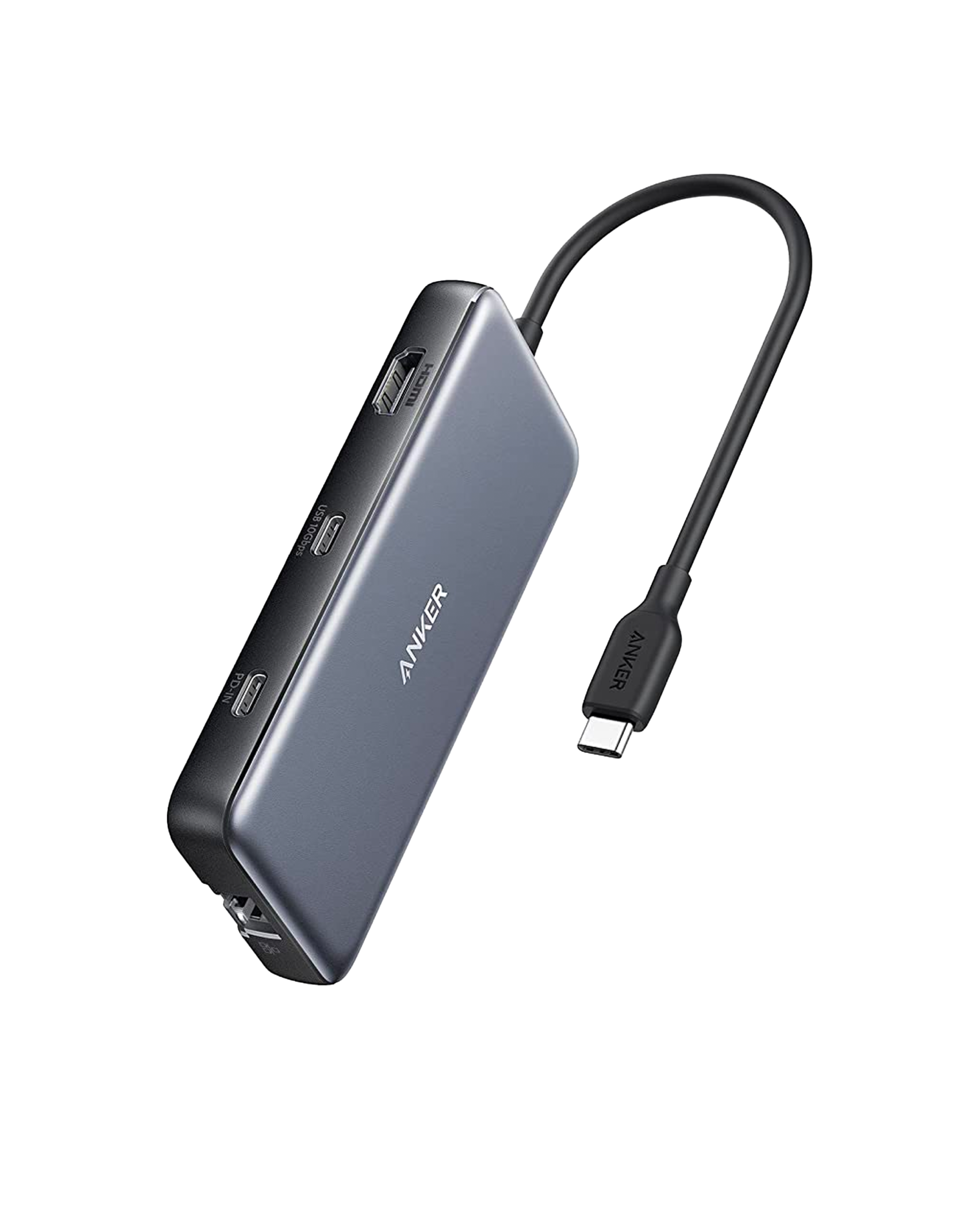
One USB-C cable into the 555 unlocks eight connections at once: HDMI 2.0 at 4K@60Hz, two USB-A ports at 10 Gbps, a USB-C data port at 10 Gbps, Gigabit Ethernet, SD, microSD, and 85W pass-through charging. This replaces the dongle drawer and the separate card reader in one purchase. PCWorld named it a top-rated USB-C hub; Engadget confirmed the 4K@60Hz spec holds under sustained load where budget hubs stutter or cap at 30Hz.
At $36–$46, it undercuts every direct competitor with equivalent specs by at least $10. The one hard limit: single display only — users who need two external monitors should step to the Anker 565 (~$75) or a full dock.
The Ergonomic Keyboard That Doesn’t Fight Your Muscle Memory
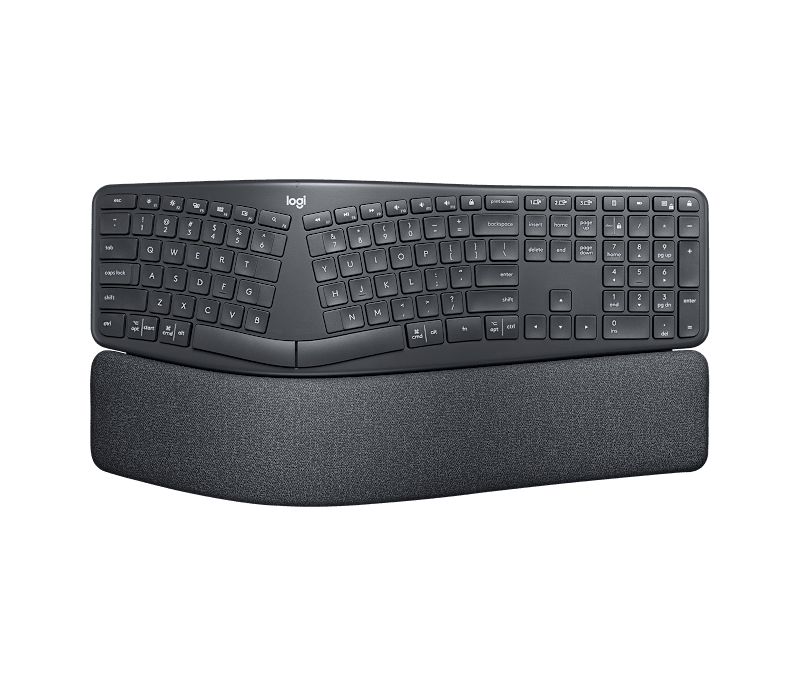
The K860’s fixed-split curved layout — 14° of inward angle — positions the hands closer to shoulder-width without separating the halves entirely. Touch typists adapt within hours, not weeks, because the overall key layout stays familiar. PC Gamer, which tested the K860 at length, noted the wrist rest hits the balance between soft enough to be comfortable and firm enough not to collapse under sustained use.
The three-layer wrist rest is what justifies $130 over a $70 wave-only alternative: knitted fabric over high-density foam over memory foam, spanning the full keyboard width. Adjustable front legs add −4° or −7° negative tilt — the ergonomist-preferred position that reduces wrist extension and the strain that compounds over a full WFH day. No backlighting is the one genuine gap for low-light workspaces.
The Mouse That Matches How Seriously You Work
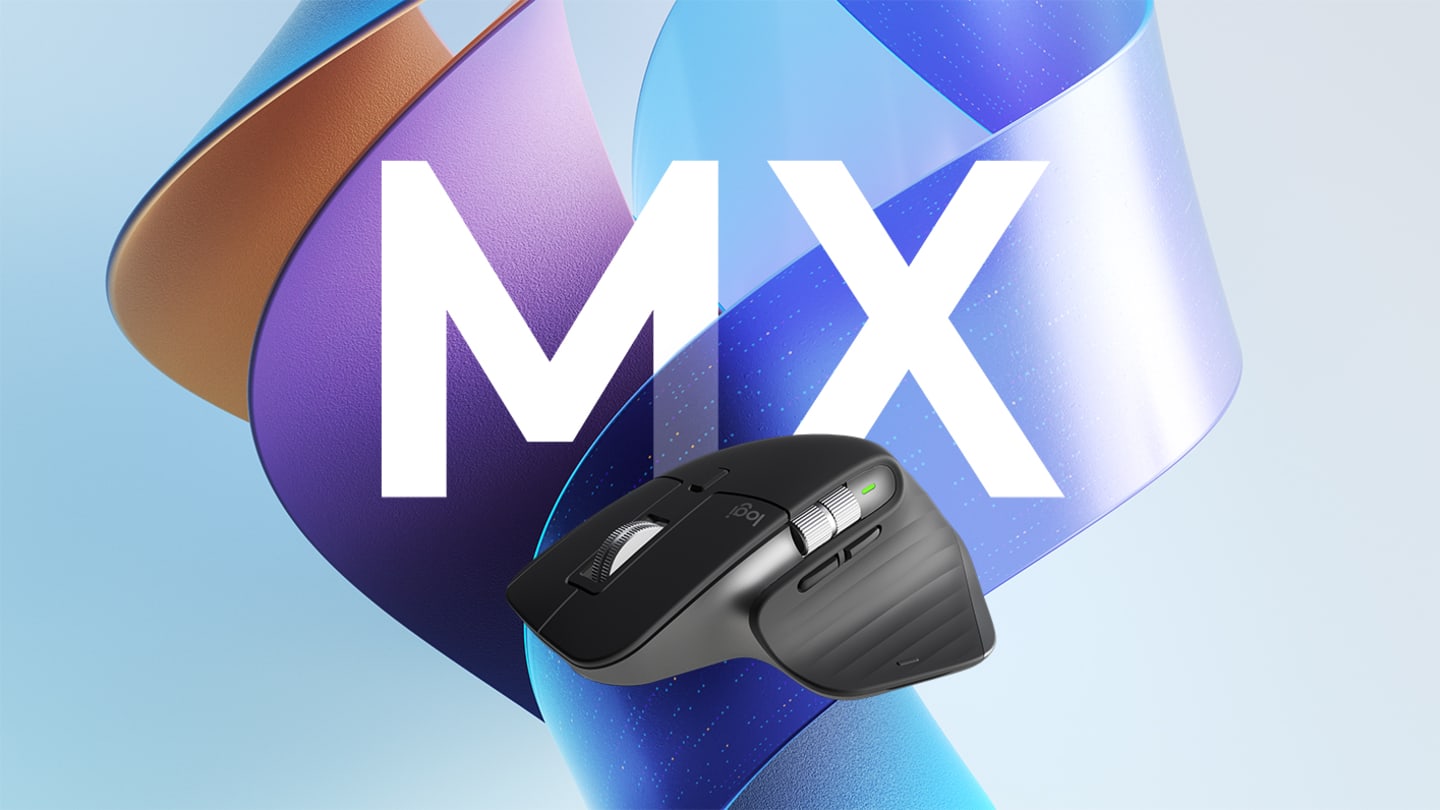
The MX Master 3S tracks smoothly on glass desks without a mousepad, and its quiet click mechanism removes the sharp click that marks every action in a shared home environment. Three-device Bluetooth pairing means one mouse handles the work laptop, personal machine, and tablet without dongle swapping. The MagSpeed free-spin scroll wheel is the feature that converts most buyers: navigating a 200-page document takes a single flick rather than thirty seconds of wheel spinning.
The honest caveat: the MX Master 3S is built for medium to large hands. The thumb rest sits too far forward for smaller hands to use comfortably across a full workday — the Logitech MX Anywhere 3 covers that gap from the same ecosystem at a lower price.
The Mini PC That Replaces Your Whole Tower
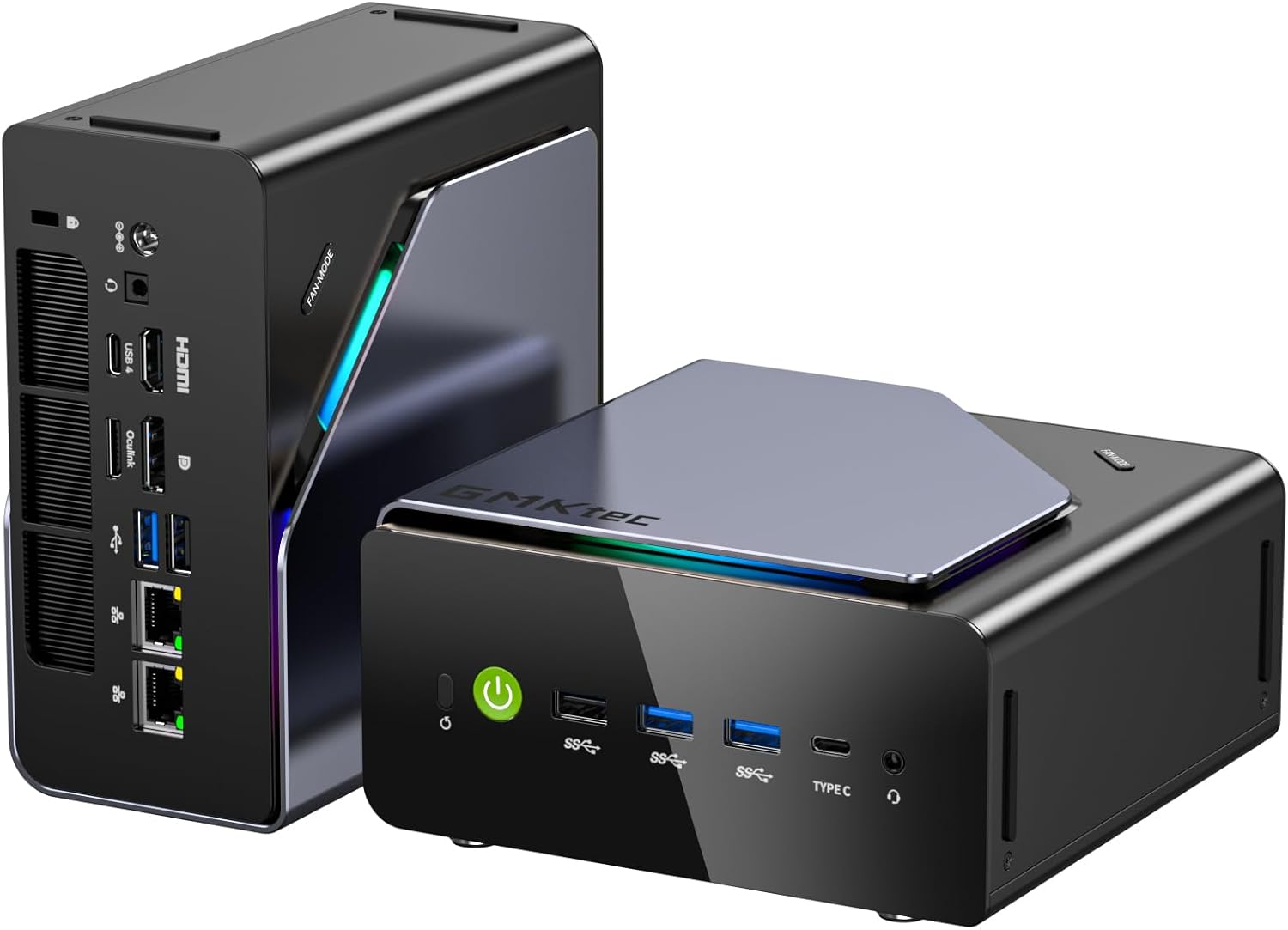
The GMKtec K12 is roughly the size of a thick paperback but carries an AMD Ryzen 7 H255 with a 4.9 GHz boost clock, 32GB of DDR5 5600MHz RAM, and a storage architecture that accepts three M.2 2280 drives simultaneously — up to 24TB internally without an external enclosure. USB4, HDMI 2.1, and dual 2.5GbE NICs round out connectivity. The dual-NIC setup is the detail most mini PCs skip: it allows a home lab user to physically separate internet traffic from NAS traffic without VLAN configuration.
The K12 is a desktop replacement for a specific buyer, not a universal recommendation. If your WFH work is primarily document editing, video calls, and browser-based tools, a $130 Chromebox handles it at a fraction of the price. The K12 justifies $409 for users moving large local file libraries, running local AI models, managing VMs, or needing a machine that won’t slow down with three demanding applications open at once.
Side-by-Side Comparison
| Feature | Anker 555 Hub | Ergo K860 | MX Master 3S | GMKtec K12 |
|---|---|---|---|---|
| Our Rating | 4.5 / 5 | 4.4 / 5 | 4.2 / 5 | 4.2 / 5 |
| Price (USD) | $36–$46 | ~$130 | ~$100 | ~$409 |
| Best For | Laptop users — full desk from one cable | All-day typists with wrist or shoulder fatigue | Precision work, multi-device switching | Creators, developers, large local storage |
| Wireless | N/A (wired hub) | Yes — Bluetooth + USB (3 devices) | Yes — Bluetooth (3 devices) | N/A (desktop machine) |
| Key Strength | 10 Gbps + 4K@60Hz + Ethernet at lowest price | 3-layer memory foam wrist rest + negative tilt | Glass tracking + quiet clicks + MagSpeed scroll | Triple M.2 + dual 2.5GbE + USB4 |
| Main Limitation | Single display only | No backlighting | Large grip (medium-large hands only) | Overkill for basic WFH needs |
Prices approximate as of June 2026. Always verify current pricing before purchasing.
Which Pick Is Right for You?
Most remote workers need the Anker 555 and at least one of the two ergonomic peripherals. The K860 and MX Master 3S are designed to work together — both pair to the same three devices using Logitech’s Easy-Switch ecosystem. That three-product bundle costs roughly $275 and addresses connectivity, typing fatigue, and pointing precision in one pass.
The GMKtec K12 is a separate category. It makes sense when the corporate laptop is genuinely underpowered, when a dedicated machine would eliminate VPN slowdowns and IT restrictions, or when local storage needs have outgrown what an external drive array comfortably handles. For everyone else, the three-peripheral bundle delivers the higher ROI per dollar spent.
All four products have full independent reviews on Top Trusted Products — linked at each pick above — with complete pros, cons, and competitive context.
Frequently Asked Questions
Do I need the GMKtec K12 mini PC for basic WFH work?
Can the Anker 555 hub run two external monitors?
Is the Logitech MX Master 3S good for small hands?
Do the keyboard and mouse work together across devices?
What’s the recommended starter bundle for a WFH desk?