Best Keyboards for Work of 2026: Mechanical and Low-Profile
Top pick: the WOBKEY Rainy75 Pro.

As an Amazon Associate I earn from qualifying purchases. Disclosure
The best keyboards for work come down to three questions: how deep you like the keys, how much noise the room can take, and whether the keyboard stays on one desk or travels. These three picks answer them differently: a full-height aluminum board for one desk, a thin low-profile board for the bag, and a full-size office board with a number pad. They are ranked by our review scores; where scores tie, the board for a fixed desk comes before the one built to travel.
At a glance
For long typing days at one desk.
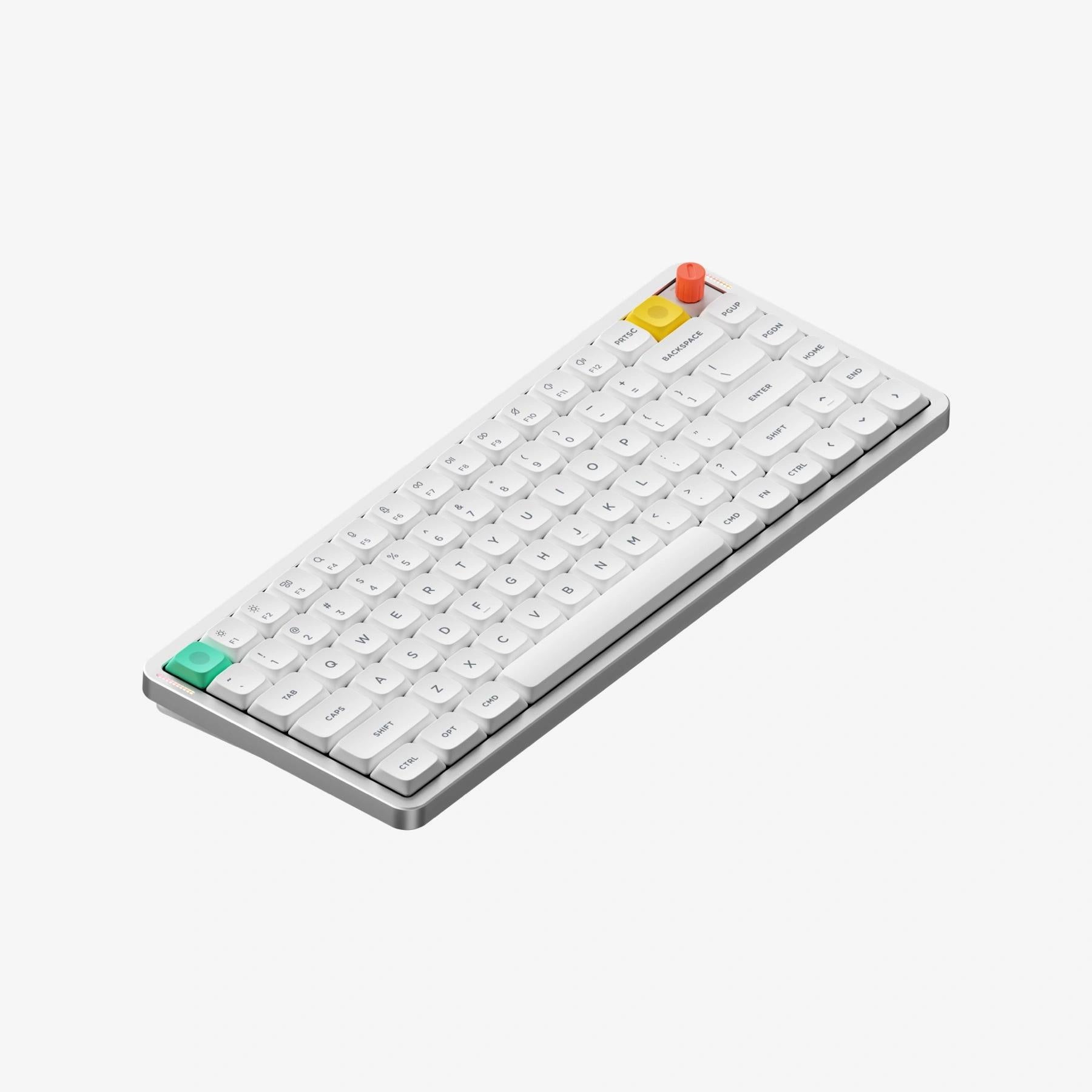
Buy it if you want deep-travel mechanical keys in a thin board that goes in a laptop bag.
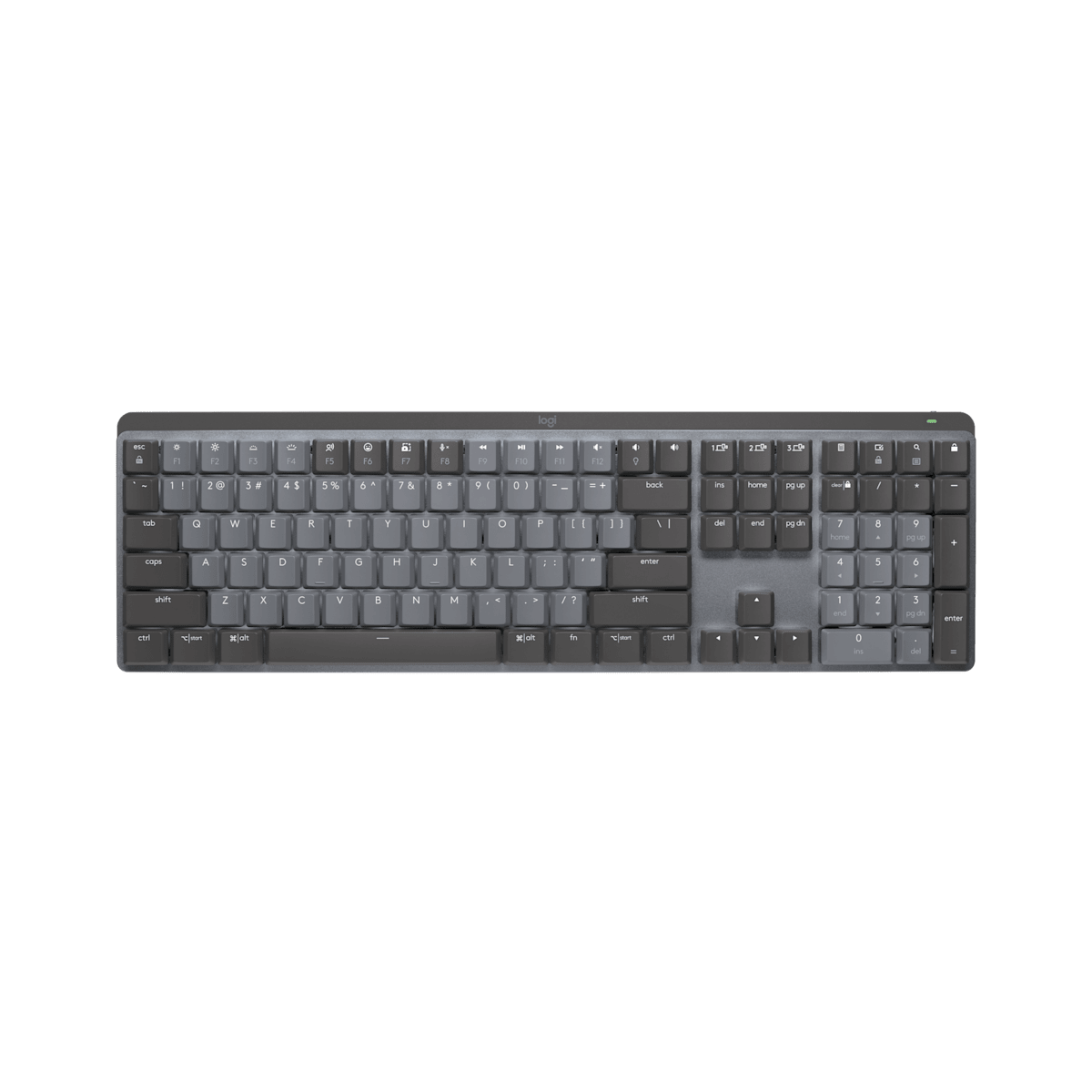
Buy it if you need a number pad and one keyboard that moves between a work laptop and a home computer.
WOBKEY Rainy75 Pro: Best for Typing All Day at One Desk
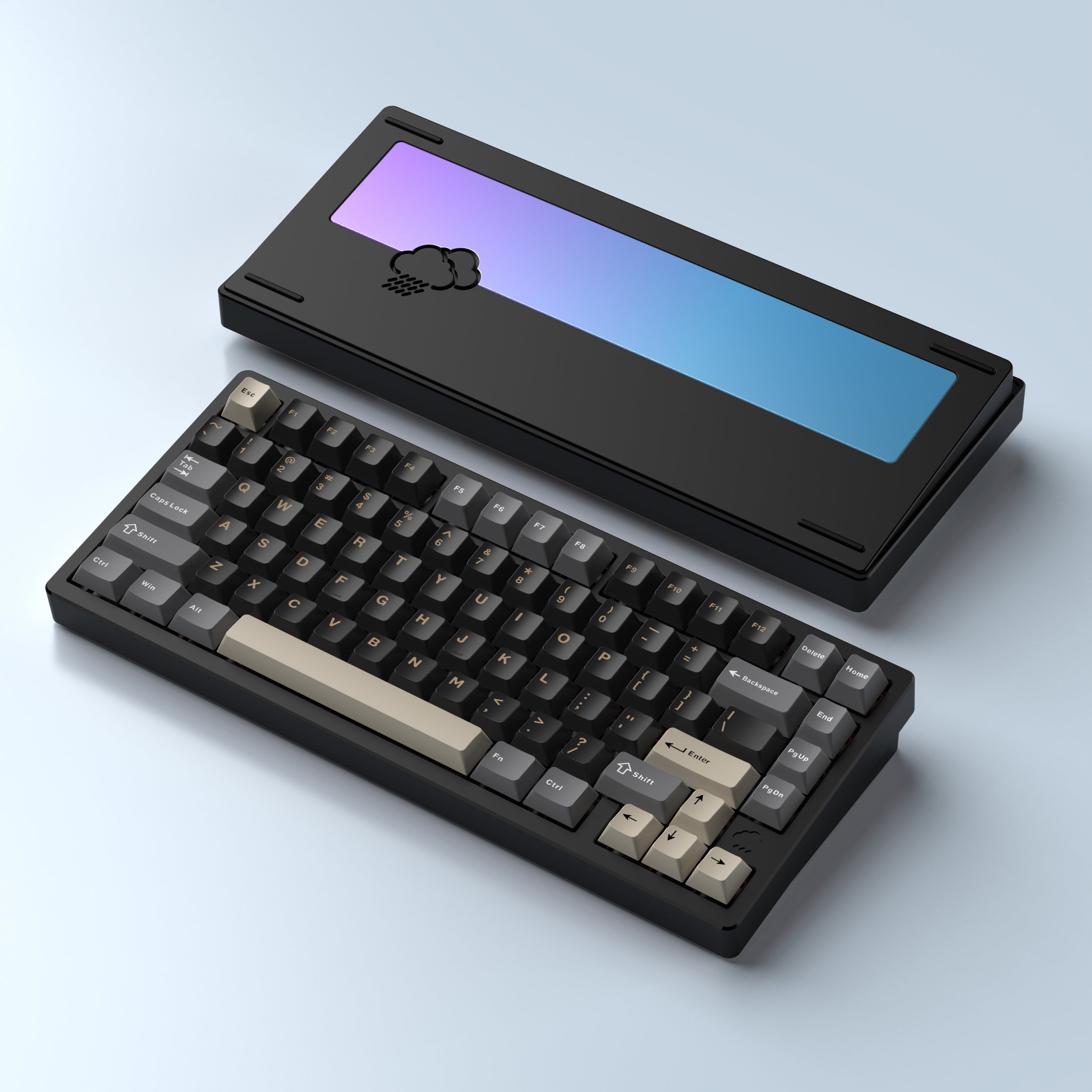
This is the keyboard for people who want the sound and solidity of a custom-built board without building one. It arrives assembled, with a CNC-machined aluminum case, a gasket mount and five layers of sound-dampening foam and padding. Tom’s Guide called it the nicest-sounding keyboard its reviewer had tested. The stock Kailh Cocoa switches are smooth linears, and because the board is hot-swappable with 3- and 5-pin MX switches, you can fit tactile ones later without soldering. WOBKEY rates the 7,000 mAh battery at about 900 hours with the lighting off.
It is not a quiet keyboard: IGN measured peaks in the mid-60s on its decibel meter at roughly ear height while seated, though it found the sound more satisfying than distracting. It is also a desk-bound board, at 1.8 to 2.0 kg by WOBKEY’s figure for the range, which keeps it planted while you type. The case sits at a fixed 7-degree slope with no adjustable feet; most testers found that comfortable, but TechRadar still wanted wrist support for long sessions, so plan on a wrist rest if you type for hours on a bare desk. WOBKEY’s warranty covers manufacturing defects for six months from receipt, half the one year NuPhy and Logitech give.
NuPhy Air75 V3: Best for Laptop Bags and Small Desks
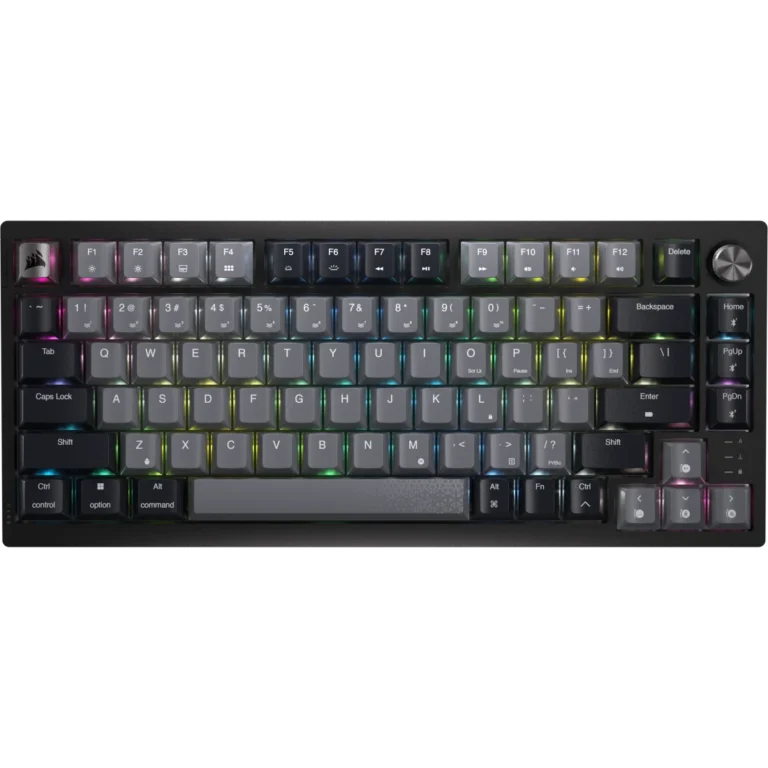
The Air75 V3 removes most of the usual low-profile trade-off. Its Gateron low-profile switches travel 3.5 mm in the Red and Brown versions, close to a standard-height keyboard, in a board just 13.2 mm tall at the front and 724 g. NuPhy rates the battery at up to 1,200 hours with the lights off, its own lab figure; SemiPro Tech+Gear notes that rival low-profile mechanical boards often top out at 300 to 400 hours. It holds three Bluetooth devices plus a 2.4 GHz dongle that stores in a slot on the back.
Against the WOBKEY, you give up full-height keys and a heavy, solid case for a board that goes anywhere, and it is the better choice for a shared room if you order it with the Blush silent linear switches. Customization runs in NuPhy IO, a browser app with no VIA support, and opinions split on it: Tom’s Guide says it does everything VIA does in a friendlier interface, while Notebookcheck’s launch coverage calls it not quite as powerful as VIA or Keychron’s Launcher. NuPhy gives it a 1-year warranty.
Logitech MX Mechanical: Best for Number-Heavy Office Work
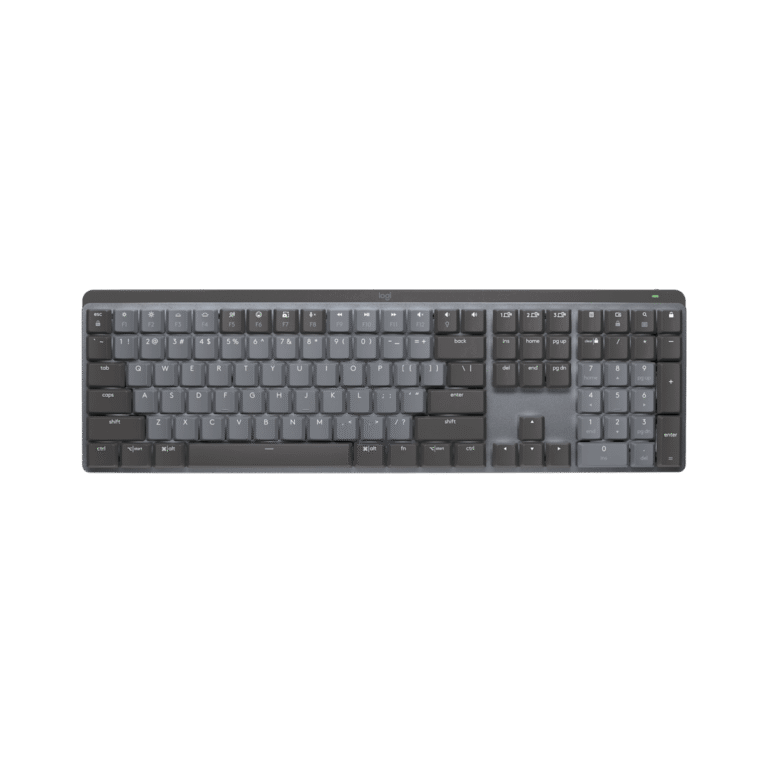
The only full-size board here, the MX Mechanical has the number pad the other two leave out. Three Easy-Switch keys move it between paired devices, over Bluetooth or the Logi Bolt receiver, and with a Logitech Flow mouse you can work across two computers with one keyboard and mouse. RTINGS found its low profile comfortable over long typing sessions with no wrist rest, while PCWorld felt the keys sit high enough that you’ll want something under your wrists. Logitech rates the battery at up to 15 days, or up to 10 months with the backlight off; Tom’s Guide got a little over a week at moderate brightness.
Testers disagree on how quiet it is. RTINGS found typing noise minimal with the tactile switches, but PCWorld found that the chassis rattles and makes a lot of noise. It also gives up flexibility the other two have: Logi Options+ can remap only 23 keys by Tom’s Guide’s count, and the switches can’t be swapped. Logitech covers it with a 1-year limited hardware warranty.
How the Picks Compare
| WOBKEY Rainy75 Pro | NuPhy Air75 V3 | Logitech MX Mechanical | |
|---|---|---|---|
| Price (USD)Price (CAD) | $159.99$199.00 | $139.95$189.99 | Deal $149.99 until Nov 1$222.98 |
| Our score | 4.4/5 | 4.4/5 | 4.0/5 |
| Layout | 75%, 81 keys | 75%, 84 keys | Full size, with number pad |
| Key height | Full height | Low profile, 3.5 mm travel (Red, Brown) | Low profile |
| Stock switches | Kailh Cocoa linear | Gateron Red, Brown or Blush (silent) | Tactile Quiet, Clicky or Linear |
| Hot-swappable switches | Yes | Yes | No |
| Weight (maker) | 1.8 to 2.0 kg (Rainy 75 range) | 724 g | 828 g |
| Height (maker) | 37.6 mm | 13.2 mm (front) | 26.1 mm |
| Typing angle | Fixed, about 7 degrees | 4, 8 or 10 degrees | Fold-out feet |
| Connections | USB-C, 2.4 GHz, Bluetooth | USB-C, 2.4 GHz, Bluetooth | Logi Bolt, Bluetooth; USB-C charges only |
| Rated battery (maker) | About 900 h lights off, 80 h RGB on | Up to 1,200 h lights off, 60 to 100 h lights on | Up to 15 days, 10 months backlight off |
| Software | VIA (browser) | NuPhy IO (browser) | Logi Options+ (app) |
| Warranty | Manufacturing defects, 6 months | 1 year | 1-year limited hardware |
| Amazon | View on AmazonView on Amazon | View on AmazonView on Amazon | View on AmazonView on Amazon |
Full-Height or Low-Profile Keys?
Comparing a low-profile mechanical board with Logitech’s scissor-key MX Keys S, RTINGS notes that the mechanical switches’ longer key travel is something some typists may find more satisfying. The Rainy75 Pro is the only full-height board here; the NuPhy and the Logitech use low-profile mechanical switches, and the NuPhy’s 3.5 mm of travel on its Red and Brown switches comes close to full height. RTINGS found the MX Mechanical’s low-profile tactile switches can feel a bit softer than the distinct bump of Logitech’s scissor-key MX Keys.
When it matters: if the keyboard stays on one desk and you want a full-height keypress in a heavy, solid case, the WOBKEY wins. If you carry it, smaller and lighter wins, and the NuPhy is the thinnest and lightest of the three.
When it doesn’t: if the keyboard never leaves your desk and a lower keypress suits you, the weight and height differences won’t matter; decide on noise and layout instead.
How Much Noise Can Your Workspace Take?
The switches set most of a keyboard’s feel and much of its sound. The WOBKEY’s sound is part of its appeal, but the volume IGN measured is worth weighing if you share a room or type during calls. For a shared room, the NuPhy ordered with its Blush silent linear switches is the safest choice of the three, though AppleVis notes that the Blush switches give up some key travel for their silicone cushioning. The Logitech is the open question: RTINGS heard little typing noise, PCWorld heard a rattle.
When it matters: open-plan offices, shared home offices and frequent calls. Pick the NuPhy Air75 V3 with Blush switches.
When it doesn’t: a private office or a room of your own, where the WOBKEY’s sound is a reason to buy it rather than a drawback.
Do You Need a Number Pad?
Start with the work itself: if it runs on numbers, a number pad saves time. Only the MX Mechanical has one. The WOBKEY and the NuPhy are 75% layouts with no number pad.
When it matters: spreadsheets, accounting and data entry all day. Pick the Logitech MX Mechanical.
When it doesn’t: writing, email and coding, where a smaller 75% board takes up less of the desk.
How We Chose
We weighed what decides a work keyboard: typing feel and key depth, noise in a shared room, layout, wireless connections and battery life, and the software for remapping keys. We started from the keyboards RTINGS, TechRadar and PCMag currently recommend for work and typing, then compared them with the five work keyboards we’ve reviewed; gaming keyboards are left out, since this list is for typing. Every pick has a full review of its own, built from independent tests and reviews and the maker’s specifications. Picks are ordered by our review scores; where scores tie, the board for a fixed desk comes before the one built to travel.
Which Keyboard Should You Buy for Work?
For a desk you sit at all day, the WOBKEY Rainy75 Pro gives you the feel and sound of a custom mechanical keyboard, ready to use out of the box, with switches you can change later. If your keyboard moves between home, office and a laptop bag, the NuPhy Air75 V3 keeps a deep keypress (with its Red or Brown switches) in a thin, light board with a battery you’ll rarely think about, and its Blush option trades some of that travel for quieter typing in a shared room. If your work runs on numbers and you split your day between two computers, the Logitech MX Mechanical gives you the number pad and one-press device switching the other two don’t have.
Our picks
For one desk and long typing days.
For a keyboard that travels or a shared room.
For number pads and two-computer desks.
Browse all Office & Productivity reviews →Office & Productivity reviews →
Frequently Asked Questions
Can I use the wireless dongle with an iPad or a USB-C-only laptop?
Can I change the switches later?
How long does each keyboard take to charge?
Which of these works best with a Mac?
Sources
- RTINGS – The Best Office Keyboards
- TechRadar – Best office keyboards
- TechRadar – The best keyboard
- PCMag – The Best Wireless Keyboards We’ve Tested
- WOBKEY – Rainy 75 product page
- WOBKEY – Rainy 75 specifications
- WOBKEY – Refund and warranty policy
- Tom’s Guide – Wobkey Rainy 75 Pro review
- TechRadar – Wobkey Rainy 75 Pro review
- IGN – WOBKEY’s Rainy 75 Pro review (via Yahoo Tech)
- GreenKeys – WOBKEY Rainy75 review
- NuPhy – Air75 V3 product page
- Tom’s Guide – NuPhy Air75 V3 review
- TweakTown – NuPhy Air75 V3 review
- SemiPro Tech+Gear – NuPhy Air75 V3 review
- AppleVis – NuPhy Air75 V3 keyboard review
- Notebookcheck – NuPhy Air75 V3 launch
- Logitech – MX Mechanical product page and specifications
- Tom’s Guide – Logitech MX Mechanical review
- PCWorld – Logitech MX Mechanical review
- RTINGS – Logitech MX Mechanical review
Reader Poll
What matters most to you in a mechanical keyboard?
Help Our Editors Know What Matters to You
Explore on Amazon →