The K65 Plus Wireless is for Canadian gamers who also type all day and want one wireless 75% board for a PC, a Mac and a console; on Amazon.ca it costs well under the ASUS ROG Azoth X. Pre-lubed MLX Red switches and two layers of dampening give it a quiet, solid sound that Tom's Hardware compared to pricier custom keyboards. The trade-offs are a plastic shell, keycap legends that don't light up, a battery that drops to around 30 hours with RGB on, and a noticeably higher CAD price than the wired Razer BlackWidow V4 75%.
Pros
- Quiet, well-dampened typing sound
- Hot-swappable pre-lubed MLX Red switches
- 2.4GHz, Bluetooth (3 devices) and wired
- Windows/Mac switch plus console support
- Knurled metal control dial
- Undercuts the Azoth X by a wide margin
Cons
- Plastic shell and single-shot keycaps
- Legends don't light up; hard to read in the dark
- About 30 hours per charge with RGB on
- Some space bar rattle; no wrist rest
As an Amazon Associate I earn from qualifying purchases. Disclosure
Overview
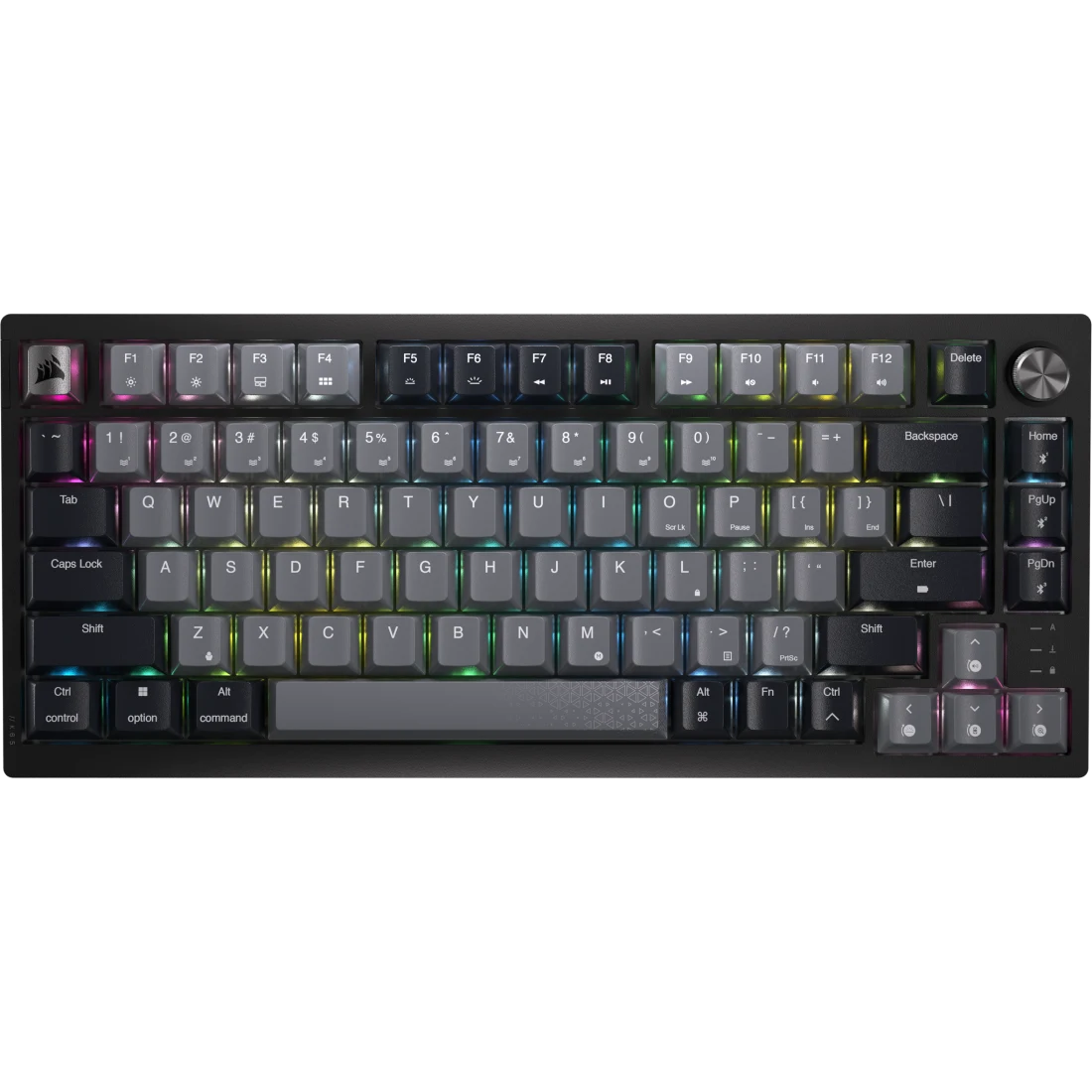
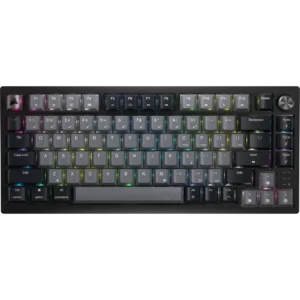
Tom’s Hardware’s Matt Safford guessed from the switch feel and sound alone that the K65 Plus Wireless would cost well over US$200, then was shocked by its much lower launch price. Corsair’s first 75% keyboard pairs pre-lubed MLX Red linear switches with two layers of internal dampening, hot-swap sockets, a knurled metal control dial and three ways to connect: a 2.4GHz dongle, Bluetooth and a USB cable. It is built for PC gamers who also type all day and want one compact board for both, and a switch on the back flips it between Windows and Mac layouts.
It arrived after the ASUS ROG Azoth had set the bar for gaming 75% boards, and most reviews measure it against that line and the Razer BlackWidow V4 75%. On Amazon.ca the price picture shifts. The K65 Plus Wireless still sits well below the Azoth X in CAD, but the wired-only BlackWidow is noticeably cheaper in Canada, where in the US the two cost about the same, so Canadian buyers pay a real premium for going wireless. Its weak spots are the parts you see and touch rather than hear: a plastic shell, single-shot keycaps whose legends don’t light up, and a dial with few options.
Key Specifications
| Price (CAD) | $194.99 |
| Layout | 75%, 81 keys |
| Switches | Corsair MLX Red linear, pre-lubed, hot-swappable |
| Switch Specs | 45g actuation force, 1.9mm actuation point, 4.0mm total travel |
| Keycaps | PBT, dye-sublimated single-shot legends |
| Connectivity | 2.4GHz wireless, Bluetooth (3 devices), wired USB |
| Polling Rate | 1,000Hz |
| Battery Life (rated) | Up to 266 hours over 2.4GHz with RGB off |
| Sound Dampening | Two layers (foam and silicone) |
| Onboard Memory | 1MB, up to 4 profiles |
| Weight | 0.918 kg (2.02 lbs) |
| Dimensions | 320 x 136 x 35 mm (12.59 x 5.35 x 1.37 in) |
| Compatibility | Windows, macOS, iPad; Xbox and PlayStation via the dongle |
| Warranty | 2 years |
Corsair K65 Plus Wireless Typing Feel and Sound
This is where the board earns its reputation. Tom’s Hardware wrote that “in terms of key feel and sound, the K65 Plus Wireless is the nicest gaming-focused keyboard I have ever used,” describing a quiet, solid “thocky” sound that rivals pricier custom keyboards. KitGuru scored it 9/10 and called it the best keyboard Corsair had made in quite some time, crediting stabilizers that are much improved over earlier Corsair boards. GamesRadar+ called the linear typing experience extraordinary, with none of the rattle and stabilizer ping it associates with the brand.
Switches: the MLX Reds are linear, so each press travels straight down with no bump. Corsair rates them at 45g of actuation force, a 1.9mm actuation point and 4.0mm of total travel, and lubes them at the factory. Tom’s Hardware found them excellent for gaming but not the best for typing, and its reviewer swapped in tactile switches to cut down on typos while working. The sockets are hot-swappable and a combined keycap and switch puller comes in the box, so changing switches needs no soldering. Tom’s Guide tried Drop’s Holy Panda X tactiles and found typing considerably more enjoyable, though a full set took three packs.
The space bar is the weak note. PCWorld found the stabilizers “solid, not spectacular, with a bit of rattle in the space bar,” GamesRadar+ noticed some shakiness in the space key, and Reviewed said the space bar sounds cheap and plasticky next to otherwise hushed switches. Tom’s Guide, by contrast, found the dampening foam pretty much eliminated rattling. PCWorld and GamesRadar+ also point out that Corsair’s warranty doesn’t cover opening the case for mods, so tuning the stabilizers yourself means giving up that coverage.
Battery Life and Wireless Connectivity
Corsair rates the battery at up to 266 hours over 2.4GHz with the RGB lighting off, from what PCWorld lists as a 4,200mAh cell. Turn the lights on and that drops sharply. GamesRadar+ got about 30 hours with RGB on across three work days with gaming in the evenings, and Tom’s Hardware estimated that someone typing for hours a day with bright RGB would charge about once a week. For comparison, Tom’s Hardware reports the ASUS ROG Azoth X is rated for up to 1,600 hours with its lighting and OLED screen off, so anyone who hates charging has a real reason to pay more.
Connection options are the K65’s strongest practical feature. A three-way switch on the back picks 2.4GHz, Bluetooth or wired, and Reviewed notes quick toggles for three paired Bluetooth devices. The 2.4GHz mode polls at 1,000Hz, which Tom’s Guide said average gamers likely won’t feel as input lag, though some rivals go higher. Reviewed confirmed it works with Xbox consoles back to the Xbox One and with the PlayStation 4 and 5 through the wireless dongle, and PCWorld pointed to a dedicated PlayStation Mode toggle in Corsair’s software. The dongle stores in a slot on the back, and PCWorld liked being able to set a custom sleep timeout to balance battery against instant wake.
Build Quality, Keycaps and Lighting
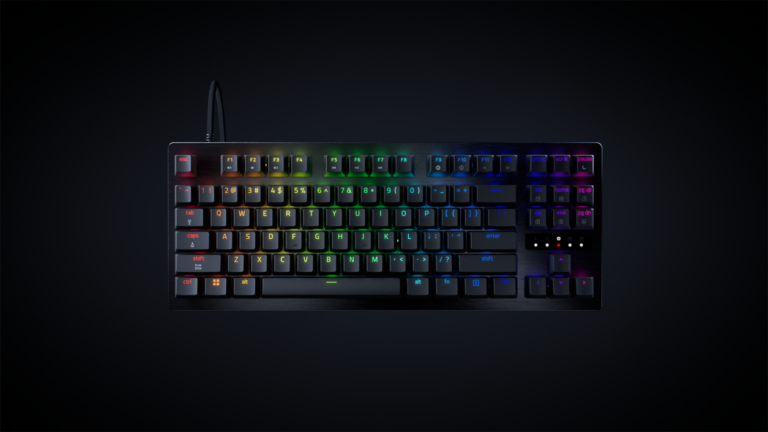
The case is polycarbonate plastic over an internal steel plate, and at 2.02 lbs the board doesn’t slide around. Tom’s Hardware and Tom’s Guide both wished for an aluminum shell, and GamesRadar+ listed cheaper build materials than the competition as its main con. The Azoth X adds an aluminum top plate and the BlackWidow V4 75% an aluminum top case, while the WOBKEY Rainy75 Pro uses a CNC aluminum case.
The keycaps are PBT with dye-sublimated, single-shot legends, which Tom’s Hardware found crisp but plain. The bigger issue is lighting: the legends are opaque, so the per-key RGB glows around the keys rather than through them. GamesRadar+ found the keys illegible once the room goes dark, and Reviewed listed the lighting as non-functional accent lighting. Reviewed also found that over a wireless connection iCUE won’t let you build a custom pattern or layer effects, such as one color for letters and another for modifiers; that needs a USB cable.
Control Dial, Shortcuts and iCUE Software
The knurled metal control dial in the top-right corner defaults to volume and can switch to vertical or horizontal scrolling, zoom or backlight brightness. Tom’s Hardware liked its feel but noticed slight wobble, and KitGuru flagged the same. Tom’s Guide found five dial functions limiting and wanted to assign macros to it. There are no dedicated macro keys, and the Delete key moves up to the function row, which PCWorld never warmed to and GamesRadar+ got used to quickly.
iCUE is optional for most owners. Nearly every setting has a function-key shortcut, which Tom’s Hardware counted as a plus, though Corsair’s shortcut tables fill nearly three pages. You need iCUE for remapping keys, firmware updates and detailed lighting, and the keyboard stores up to four profiles in 1MB of onboard memory, so you can set it up once and stop the software from running at startup. PCWorld rated iCUE among the better gaming software packages, and Reviewed saw it as the main reason to pick this board if you already use iCUE and switch between platforms.
How Does It Stack Up Against the Competition?
The K65 Plus Wireless costs well under the Azoth X, and the wired-only BlackWidow V4 75% is the cheaper way into this class if you can live without wireless.
| Feature | Corsair K65 Plus Wireless | ASUS ROG Azoth X | Razer BlackWidow V4 75% | WOBKEY Rainy75 Pro |
|---|---|---|---|---|
| Price (CAD) | $194.99 | $319.99 | $178.99 | $271.92 |
| Connectivity | 2.4GHz, Bluetooth, wired | 2.4GHz, Bluetooth, wired | Wired only | 2.4GHz, Bluetooth, wired |
| Battery (rated) | Up to 266 hrs, RGB off | Up to 1,600 hrs, RGB and OLED off | None (wired) | About 900 hrs rated (7,000mAh) |
| Switches | MLX Red linear, pre-lubed | ROG NX Snow V2 linear or Storm V2 clicky | Razer Orange tactile | Linear options only |
| Case | Plastic, internal steel plate | Plastic, aluminum top plate | Aluminum top, ABS bottom | CNC aluminum, gasket-mounted |
| Polling Rate | 1,000Hz | 1,000Hz (8,000Hz with a separate booster) | Up to 8,000Hz | 500Hz wired |
| Extras | Metal control dial, Win/Mac switch | OLED screen, wrist rest | Roller, 2 media keys, wrist rest | Built for typing more than gaming |
| TTP Review | This review ↑ | — | — | Read our review → |
Prices change frequently — always verify current pricing before purchasing.
Is the Corsair K65 Plus Wireless Worth It?
Buy it if one keyboard has to cover evening games on a PC and daytime work on a Mac or a laptop over Bluetooth, and that flexibility is worth paying more than the wired Razer costs in Canada. The Windows/Mac switch, three Bluetooth slots, the dongle and console support let it move between machines without fuss, and the dampened MLX Reds sound like a much pricier board. One Canadian check before you buy: the Amazon.ca listing is the North American QWERTY layout, so anyone who needs Canadian French legends won’t get them from this listing.
Look elsewhere if you type in the dark, charge rarely or want metal. The ASUS ROG Azoth X costs considerably more in CAD but adds an aluminum top plate, an OLED screen, a wrist rest and a far longer rated battery. If you never unplug, the wired Razer BlackWidow V4 75% brings an aluminum top case, media keys and a wrist rest for noticeably less on Amazon.ca. For mostly typing, the WOBKEY Rainy75 Pro offers a gasket-mounted aluminum build that Tom’s Hardware praised for its sound, though with a 500Hz wired polling rate it isn’t built for fast games. The K65 has no wrist rest in the box, so budget for one if you need it.

Check the latest price for the Corsair K65 Plus Wireless
Check Current Price on Amazon.caSources
- Corsair — K65 PLUS WIRELESS Official Product Specifications
- Corsair K65 Plus Wireless — Amazon.ca Product Listing
- Tom’s Hardware — Corsair K65 Plus Wireless Keyboard Review
- GamesRadar+ — Corsair K65 Plus Wireless Review
- Tom’s Guide — Corsair K65 Plus Wireless Review
- PCWorld — Corsair K65 Plus Wireless Review
- Reviewed — Corsair K65 Plus Wireless Review
- KitGuru — Corsair K65 Plus Wireless 75% Keyboard Review
- Tom’s Hardware — Asus ROG Azoth X Review
- Razer — BlackWidow V4 75% Specifications
- Tom’s Hardware — Wobkey Rainy 75 Pro Review
Reader Poll
Which K65 Plus Wireless trade-off would bother you most?
Help Our Editors Know What Matters to You
Explore on Amazon →