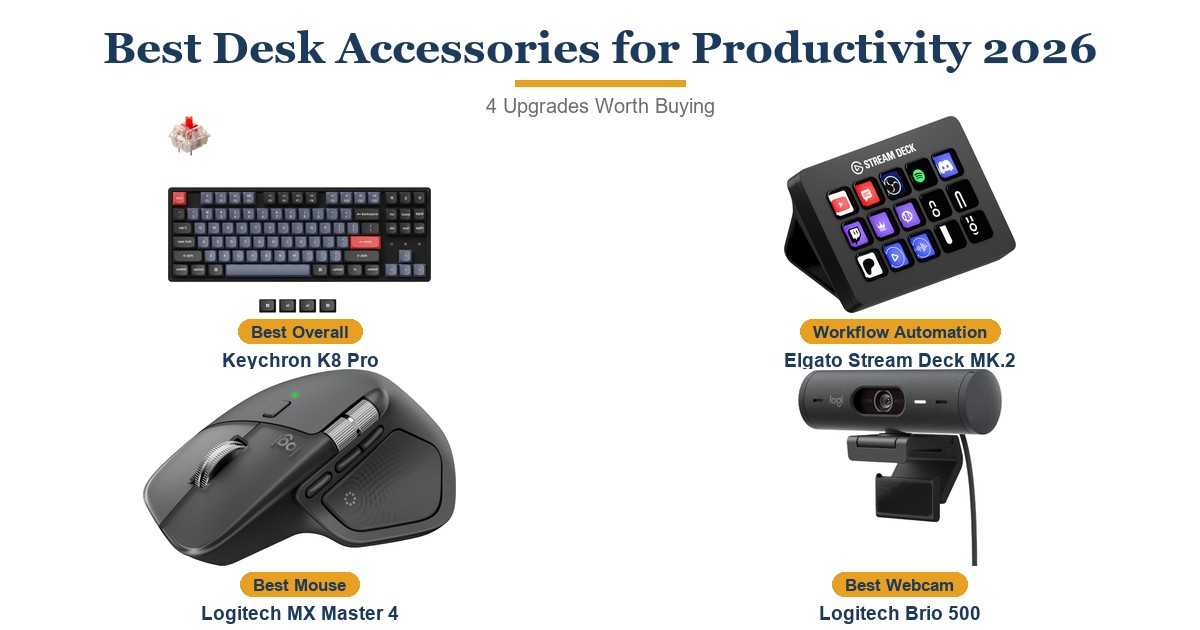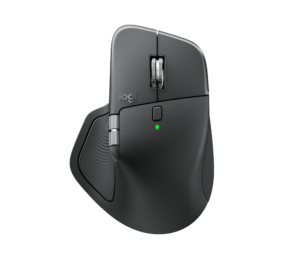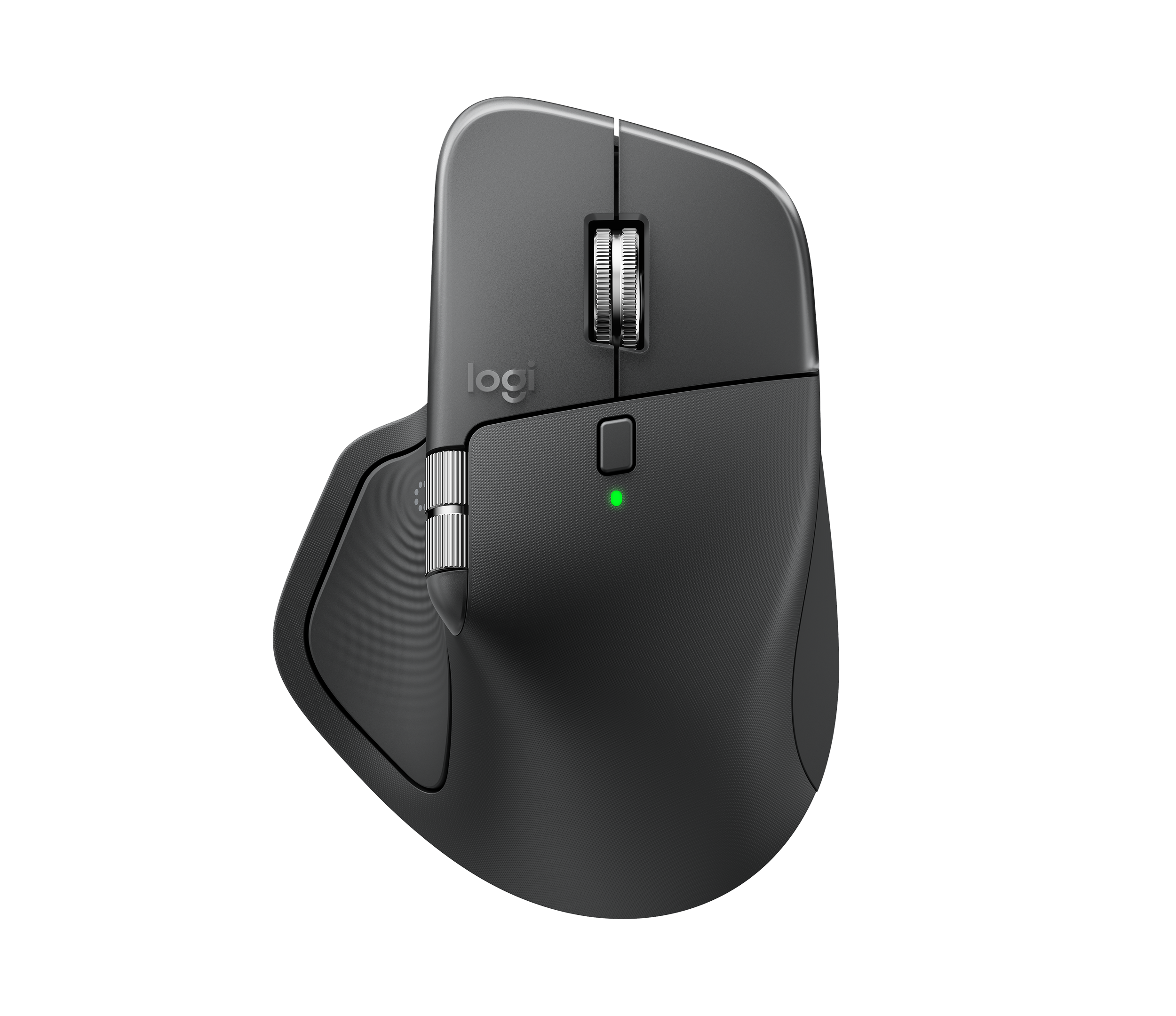
The MX Master 4 is Logitech's most refined productivity mouse yet, purpose-built for professionals who spend hours at a desk and need ergonomics, sensor reliability, and multi-device flexibility in a single peripheral. The Darkfield sensor handles glass and any surface effortlessly, and the new haptic feedback layer adds genuine tactile precision to scrolling and gesture control. Pairing with three devices and switching instantly between them makes it the ideal anchor for hybrid workers splitting time across a laptop, desktop, and tablet. At $119.99, it costs $20 more than the still-excellent MX Master 3S, and its 150 g weight makes rapid movements feel sluggish compared to lighter alternatives.
Pros
- Exceptional ergonomic shape reduces wrist strain during long desk sessions
- Darkfield sensor tracks accurately on glass and nearly any surface
- 70-day battery with 1-minute fast charge (USB-C)
- Haptic feedback adds tactile precision to scrolling and gestures
- Connects to up to 3 devices simultaneously with Logi Flow support
- Works on Windows, macOS, ChromeOS, Linux, Android, and iPadOS
Cons
- 150 g weight slows rapid movements compared to lighter mice
- Logi Options+ restricts complex macro creation
- Logi Bolt dongle now requires USB-C port (no USB-A compatibility)
As an Amazon Associate I earn from qualifying purchases. Disclosure
Overview
The Logitech MX Master 4 is the flagship productivity mouse for professionals who work at a desk for hours each day — whether at a home office or in a corporate environment. Priced at $119.99 and available on Amazon.com, it pairs an ergonomic palm shape with Logitech’s Darkfield sensor, MagSpeed electromagnetic scroll wheel, and — for the first time in the MX series — customizable haptic feedback. It works across Windows, macOS, ChromeOS, Linux, Android, and iPadOS, connecting to up to three devices simultaneously.
The MX Master 4 builds meaningfully on the MX Master 3S by adding two new capabilities: a haptic feedback system that provides tactile confirmation during scrolling and gestures, and an Actions Ring — a touch-activated shortcut panel that Logitech says can reduce repetitive mouse movements by up to 63%. These additions push the line further beyond a premium peripheral and toward something closer to a precision input tool for productivity-focused work.
Key Specifications
| Sensor | Darkfield high-precision (glass-compatible) |
| DPI Range | 200–8,000 DPI (adjustable in 50 DPI increments) |
| Polling Rate | 125 Hz (8 ms) |
| Battery Life | Up to 70 days; fast charge (1 min ≈ 3 hours) |
| Charging | USB-C (usable while charging) |
| Connectivity | Logi Bolt USB-C receiver + Bluetooth LE (up to 3 devices) |
| Buttons | 8 (including Haptic Sense Panel and Actions Ring) |
| Weight | 150 g (5.29 oz) |
| Dimensions | 50.8 mm H × 88.4 mm W × 128.2 mm D |
| Compatible OS | Windows 10/11+, macOS 12+, ChromeOS, Linux, Android 12+, iPadOS 15+ |
| Color | Graphite |
| Price (USD) | $118 |
Logitech MX Master 4 Ergonomics & Wrist Comfort
The MX Master 4 uses a sculpted palm-grip shape that positions your wrist at a natural, slightly pronated angle. PCWorld’s reviewer called the ergonomic design exceptional, noting that the shape distributes hand weight evenly across the palm during extended sessions rather than loading it onto the wrist or fingers. The thumb rest is wide and textured, and the rubberized grip along the sides provides firm contact without creating pressure points. For right-handed users who spend several hours a day mousing, this design consistently earns praise as one of the most comfortable available at any price.
The new haptic feedback layer enhances the comfort story in a subtle but meaningful way. Rather than purely auditory or visual cues, the Haptic Sense Panel under your thumb delivers light tactile confirmations during scrolling mode changes and gesture triggers. Logitech describes this as the first productivity mouse to offer native integration with Windows 11 Advanced Haptics. In practice, the feedback is quiet and precise — it adds a sense of tactile control that makes repeated actions feel more intentional. The 150 g weight, however, is a real constraint: PCWorld noted that rapid movements feel sluggish compared to lighter mice, so users who frequently flick the mouse across a large monitor array may find the heft tiring over time.
Tracking Performance & Sensor Accuracy
The Darkfield high-precision sensor tracks reliably on nearly any surface, including glass — a capability absent from most competitors at this price. Logitech’s published specification puts the resolution range at 200–8,000 DPI adjustable in 50 DPI increments, giving fine-grained control for high-resolution displays or precision work in creative applications. The 125 Hz polling rate (8 ms) is slower than gaming mice but entirely sufficient for document editing, spreadsheet navigation, coding, and creative workflows — the scenarios where this mouse is designed to excel.
The MagSpeed electromagnetic scroll wheel remains the standout mechanical feature. It shifts automatically between incremental click-by-click scrolling and free-spinning mode depending on scroll speed, letting you move precisely through a document one line at a time or fly through thousands of rows in a spreadsheet with a single flick. PCWorld observed that the wheel feels slightly loose in free-spin position compared to the incremental mode, but rated the overall scroll experience as excellent for desk work. A secondary horizontal scroll wheel under the thumb rounds out navigation for wide spreadsheets or horizontal timelines.
Multi-Device Connectivity & Logi Options+ Software
The MX Master 4 connects to up to three devices simultaneously and switches between them with a button press — the same fundamental multi-device system as the MX Master 3S, now delivered through a Logi Bolt USB-C dongle or Bluetooth LE. Logitech claims 2× better wireless connectivity compared to the previous generation, which translates to fewer dropouts in dense RF environments like open-plan offices with many wireless peripherals. Pairing is quick and the connection stays stable across platforms, making it a natural fit for professionals who split time between a Windows workstation and a MacBook.
The Logi Options+ software on Windows and macOS lets you remap every button, adjust haptic intensity, set per-application DPI profiles, and configure the Actions Ring — a touch-sensitive panel that brings up an on-screen radial menu of customizable shortcuts. PCWorld flagged that macro creation within Logi Options+ is more limited than what power users might expect: you can assign existing OS shortcuts and Logi actions but cannot build complex keystroke sequences. For most professionals this is adequate, but dedicated macro users may find the ceiling frustratingly low. Logi Flow, which lets the mouse move seamlessly between two paired computers by reaching the edge of one monitor, works reliably and remains one of the most useful productivity features in any peripheral ecosystem.
Battery Life & Charging
Logitech rates the MX Master 4 at 70 days per charge — consistent with what the MX Master 3S delivered. In PCWorld’s assessment, the real-world battery performance held up across their testing period with typical workday use. The fast-charge USB-C port is a genuine convenience: one minute of charging provides approximately three hours of use, so running flat in the morning is easily resolved before your first meeting. Unlike Apple’s Magic Mouse, the MX Master 4 remains fully functional while plugged in.
The move to USB-C for both charging and the Logi Bolt dongle (which now requires a USB-C port rather than USB-A) simplifies the cable situation on modern laptops and monitors with USB-C hubs. If your setup relies on USB-A ports exclusively, you will need a USB-C adapter for the Logi Bolt receiver — a minor friction point that Logitech does not include an adapter for in the box.
How Does It Stack Up Against the Competition?
The MX Master 4 sits at the premium end of the productivity mouse market. Here is how it compares to its closest alternatives.
| Feature | MX Master 4 | MX Master 3S | Apple Magic Mouse | Microsoft Arc Mouse |
|---|---|---|---|---|
| Price (USD) | $118 | $99.99 | $79 | $80.99 |
| Sensor DPI | 200–8,000 | 200–8,000 | N/A (touch surface) | 1,000 |
| Battery Life | 70 days | 70 days | ~1 month | Up to 6 months (2× AA) |
| Haptic Feedback | Yes | No | No | No |
| Multi-Device | 3 devices | 3 devices | 1 device | 1 device |
| Usable While Charging | Yes (USB-C) | Yes (USB-C) | No (Lightning on bottom) | N/A (AA batteries) |
| Glass-Surface Tracking | Yes | Yes | No | No |
| TTP Review | This review ↑ | Read our review → | — | — |
Prices change frequently — always verify current pricing before purchasing.
Is the Logitech MX Master 4 Worth It?
The MX Master 4 earns its premium price for professionals who use a mouse extensively every day and want the ergonomics, sensor quality, and multi-device flexibility to match. PCWorld awarded it an Editors’ Choice and called it “a joy to use every day” — the combination of the Darkfield sensor, MagSpeed scroll wheel, and the new haptic feedback layer makes it the most capable productivity mouse Logitech has shipped. If you work across multiple machines, need glass-surface tracking, or simply spend six or more hours a day at a keyboard, the $119.99 price is justified.
If you already own the MX Master 3S and are considering an upgrade, the calculus is tighter: the haptics and Actions Ring are genuine additions, but the core ergonomics, sensor, and battery life are essentially unchanged. Users who are new to the MX Master line and working within a budget may find the MX Master 3S at approximately $99.99 delivers 90% of the experience. The MX Master 4’s 150 g weight also means it is not the right pick for users who need to move the mouse quickly across large, multi-monitor setups — lighter options like the Logitech MX Anywhere 3S or the Microsoft Arc Mouse at approximately $79.99 serve that use case better.