Best Monitors for Home Office 2026: 3 Top Picks Compared
A 5K Mac display, a 4K hub monitor, and a budget FHD pick — matched to how you actually work from home.

How We Researched
We drew on three home office monitors already reviewed on Top Trusted Products, cross-checked against published test data from RTINGS.com, PCWorld, and Tom’s Hardware, plus verified manufacturer specs. No manufacturer paid for placement — badges reflect editorial judgment only.
What You’ll Learn
- BenQ MA270S — a 5K display built specifically for Mac creators
- Dell UltraSharp U3225QE — the hub monitor for juggling multiple devices
- Acer Vero B247Y G — where to save money without losing usability
- Which panel and refresh-rate specs actually matter for office work
- How much you should expect to pay at each tier
Picking the best monitors for a home office comes down to matching the panel to how you actually work — a video editor on a Mac needs a very different screen than someone juggling three docked laptops between meetings. We lined up three home office monitors already reviewed on Top Trusted Products, spanning a Mac-only 5K display, a hub-equipped 4K workhorse, and a budget-friendly FHD pick, and broke down what each one is actually good for.
1. BenQ MA270S — Best for Mac Creators (5K)
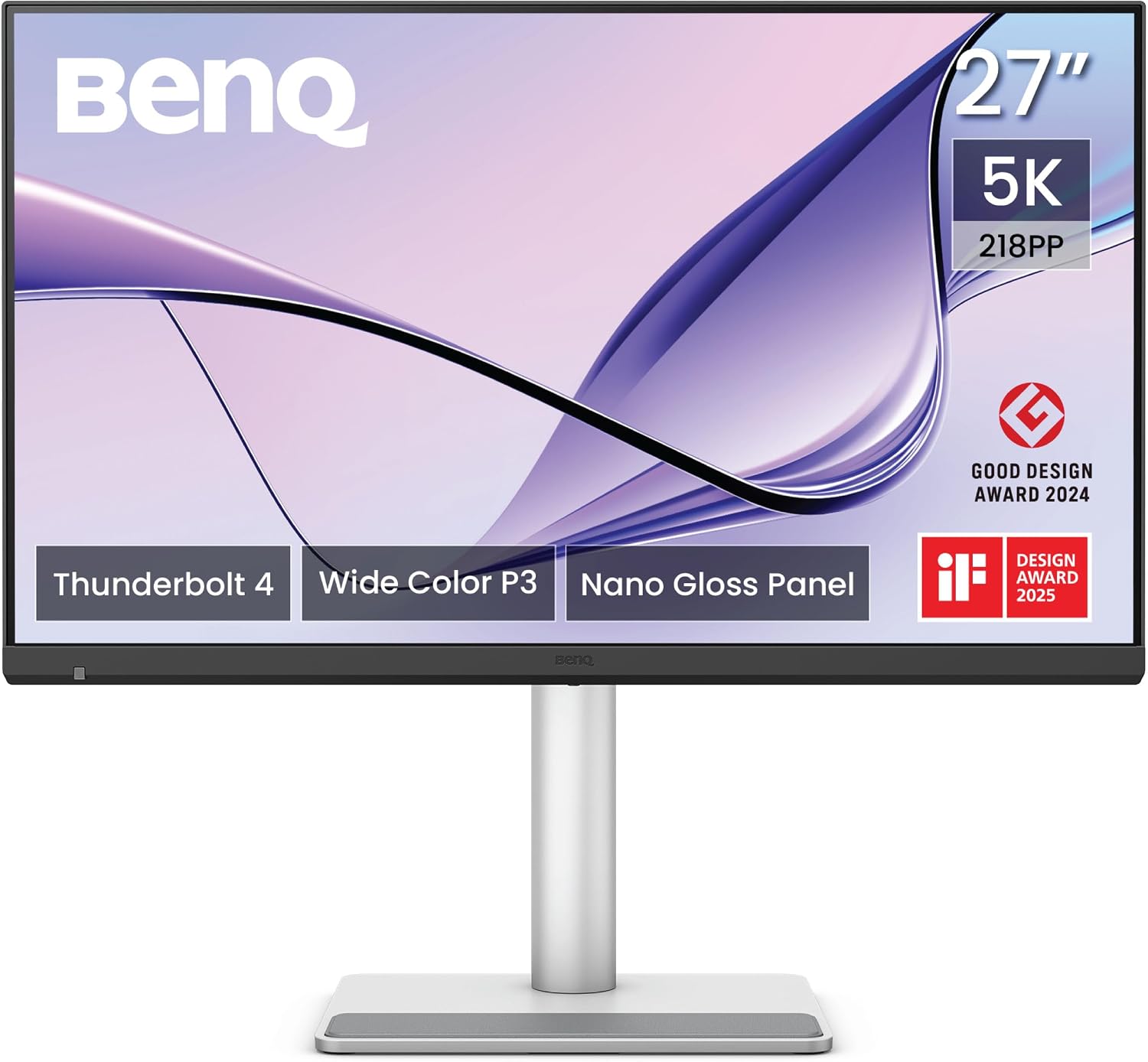
The MA270S packs a 27-inch 5K (5120×2880) Nano Gloss panel with dual Thunderbolt 4 ports, a built-in KVM switch, and daisy-chain support — a spec sheet Macworld and 9to5Mac both describe as purpose-built for Mac users rather than a general-purpose office display. How-To Geek’s review frames it directly as a Studio Display alternative, noting it lands roughly $600 below Apple’s own 5K monitor while covering the same P3 color gamut creative work needs.
That resolution is the catch: it’s designed around a Mac’s Thunderbolt output and doesn’t do much for a Windows desk that isn’t already running similar hardware. For a home studio built around a MacBook or Mac mini, though, it’s the rare 5K panel priced like a mid-range monitor rather than a luxury one.
Best for: Mac-based home offices that want Studio Display-level clarity without the Apple price tag.
2. Dell UltraSharp U3225QE — Best USB-C Hub Monitor for Multitasking
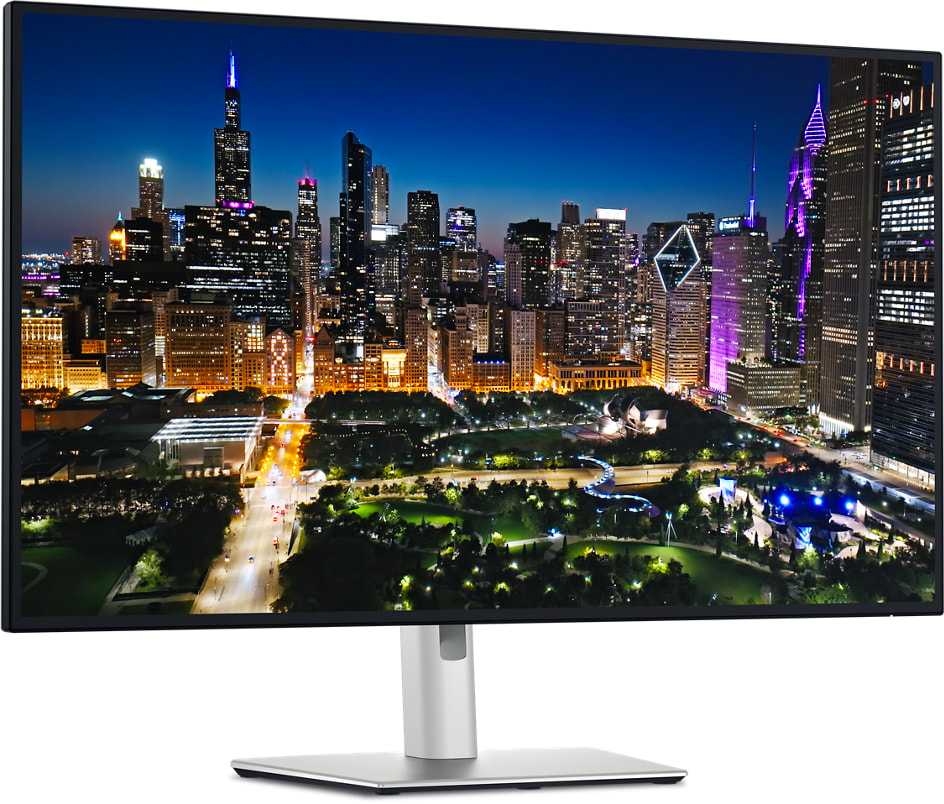
This 32-inch 4K UHD IPS Black panel runs at 120Hz with HDR support, and PCWorld’s review calls it “the best home office monitor yet” after putting it through the same panel measurements RTINGS.com has independently verified. The built-in Thunderbolt hub is the real selling point: one cable handles video, data, and laptop charging at once, which matters a lot more than raw resolution once your desk has more than one docked device.
At $949.99 it sits above entry-level 4K monitors, but it undercuts larger hub displays like BenQ’s PD3225U while offering a faster 120Hz refresh rate most 32-inch 4K panels in this tier don’t match. For hybrid workers rotating between a laptop and desktop setup, the hub alone can be worth the price gap.
Best for: hybrid and remote workers who want one cable to run an entire desk setup.
3. Acer Vero B247Y G — Best Budget Home Office Monitor
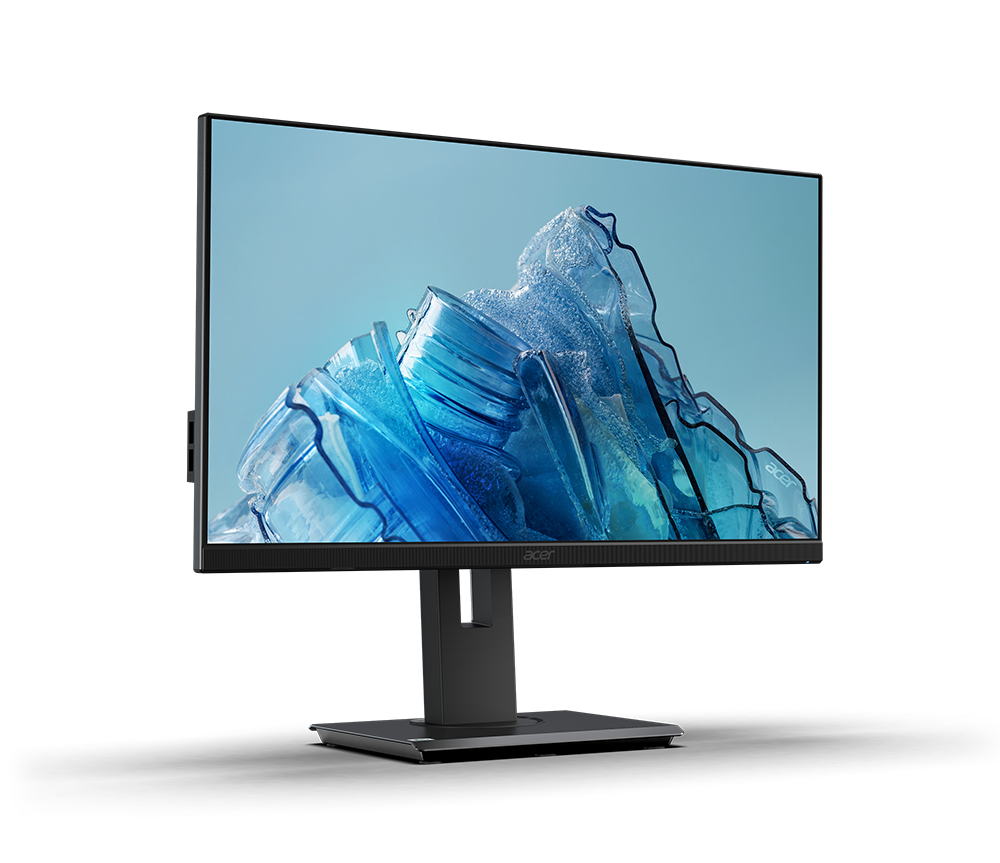
The Vero B247Y G is a 24-inch Full HD IPS panel running at 120Hz — Tom’s Hardware’s review called it “colorful all-around value” for a monitor priced well under $200. It’s part of Acer’s eco-conscious Vero line, built with recycled plastics in its housing and shipped in reduced packaging, a detail that shows up in the price without hurting everyday usability.
It won’t match the color depth or pixel density of the two panels above, and 1080p shows its limits once windows get crowded on a 24-inch screen. But for email, spreadsheets, video calls, and general productivity work, it covers the essentials at a fraction of the cost — and makes a sensible second monitor even for a desk anchored by one of the pricier picks above.
Best for: budget-conscious buyers who need a reliable monitor — or second monitor — without flagship pricing.
Quick Comparison
| BenQ MA270S | Dell UltraSharp U3225QE | Acer Vero B247Y G | |
|---|---|---|---|
| Price | $999.99 | $949.99 | $159.99 |
| Screen Size | 27″ | 32″ | 24″ |
| Resolution | 5120×2880 (5K) | 3840×2160 (4K) | 1920×1080 (FHD) |
| Panel | IPS Nano Gloss | IPS Black | IPS |
| Refresh Rate | 60Hz | 120Hz | 120Hz |
| Connectivity | Dual Thunderbolt 4 + KVM | Thunderbolt Hub | HDMI / DisplayPort |
| Our Score | 4.4/5 | 4.4/5 | 4.1/5 |
Prices current as of July 2026 — verify before purchasing.
The Final Word
There’s no single best monitor for every home office — there’s a best monitor for what’s actually on your desk. Mac creators get more real value out of the MA270S’s 5K panel than any Windows setup would; hybrid workers juggling docked devices will get their money’s worth out of the Dell’s hub alone; and if your home office budget is tighter than your task list, the Acer proves a great monitor doesn’t have to cost a month’s coffee budget.
Browse all Office & Productivity reviews →Office & Productivity reviews → or see our full WFH Home Office Setup guide →.
Frequently Asked Questions
Which monitor is best for a Mac setup?
Do I need a hub monitor if I only use one laptop?
Is 120Hz worth it for office work?
What’s the cheapest way to add a second monitor?
Does the BenQ MA270S work well with Windows?