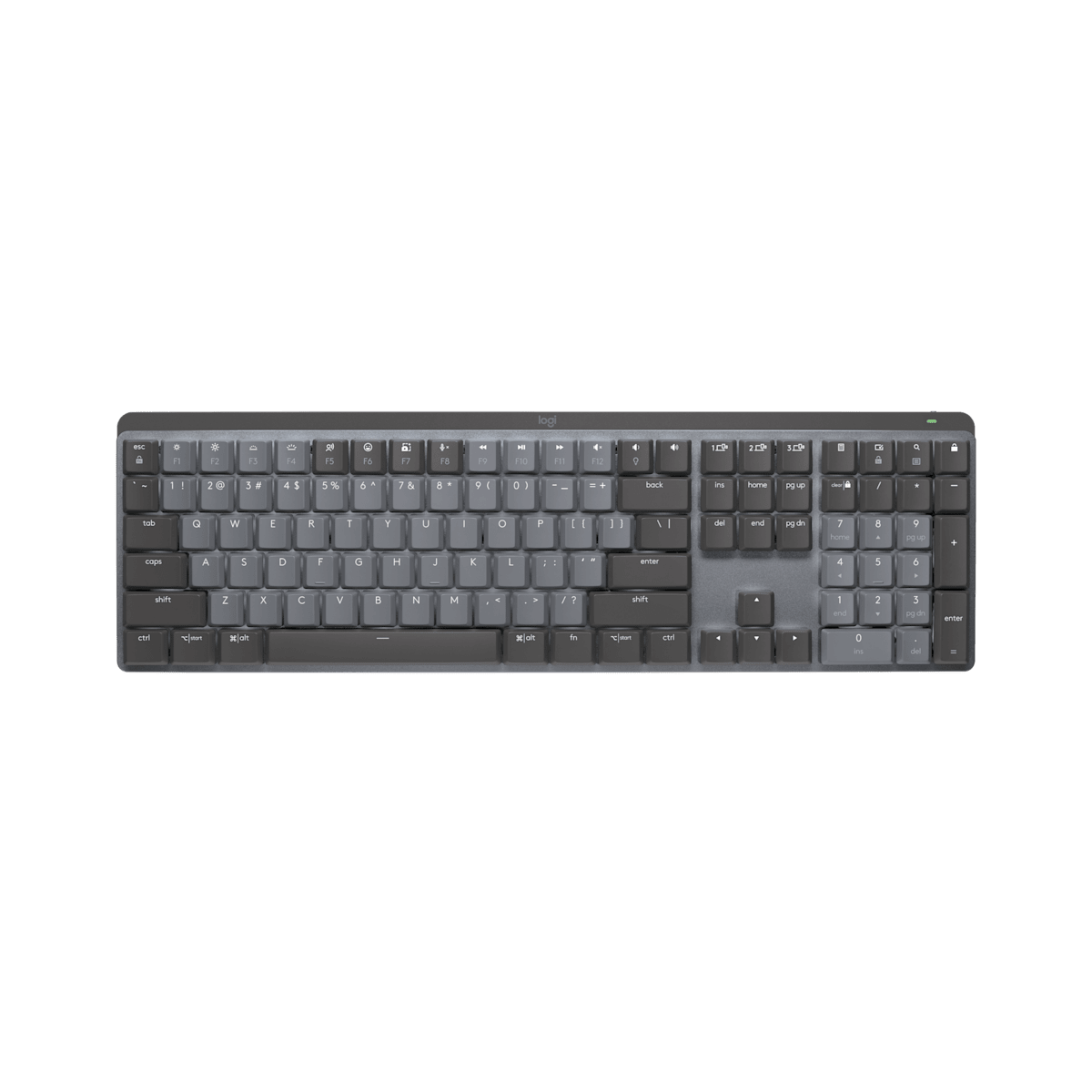
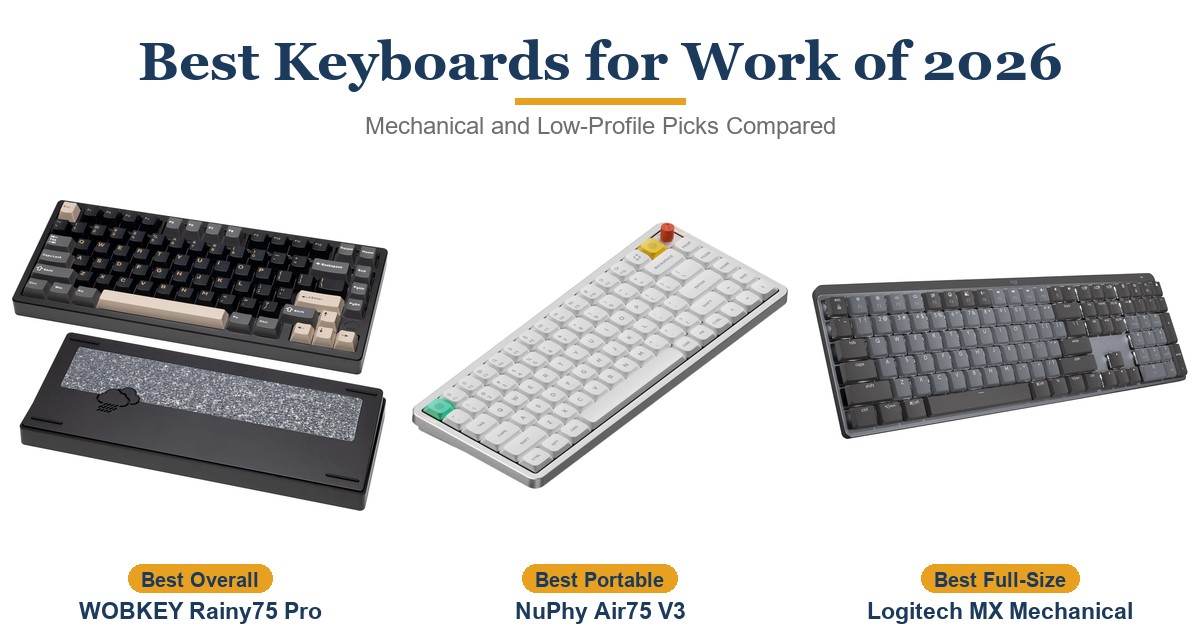
Buy the MX Mechanical if your workday spans a desktop and a laptop and you want mechanical keys without the gamer look: one keypress moves it between three devices, and testers got one to two weeks per charge with the backlight on. Its low-profile Tactile Quiet switches give a light, responsive bump that suits long typing sessions, though anyone used to full-height mechanical boards may find them shallow. The main trade-off is customization: Logi Options+ can remap only a fixed set of keys, so if you want every key programmable and a wired mode, the Keychron K5 Max fits better.
Pros
- Switches between three devices at a keypress
- A week or more per charge with the backlight on
- Light, responsive low-profile Tactile Quiet switches
- Backlight wakes as your hands approach
- Works with Windows, macOS, Linux, ChromeOS and iPadOS
Cons
- Logi Options+ can remap only a fixed set of keys
- No wired mode: USB-C is for charging only
- Pricier than the MX Keys S and K5 Max as of October 2026
- PCWorld found the chassis rattles as you type
As an Amazon Associate I earn from qualifying purchases. Disclosure
Overview
The MX Mechanical is Logitech’s MX Keys idea rebuilt with low-profile mechanical switches: a full-size wireless keyboard with a number pad that pairs with up to three devices, over Bluetooth or the included Logi Bolt receiver, and moves between them at the press of a key. It is aimed at people who type all day across a work laptop and a home computer and want a mechanical feel in a keyboard that looks at home in an office. On Amazon in October 2026 the Tactile Quiet version was $149.99.
Its strengths are the ones Logitech’s MX line is known for: dedicated device-switching keys, a backlight that wakes as your hands approach, a long rated battery life and Logitech Flow for working across two computers. Where it gives ground to rivals is flexibility: unlike Keychron’s K5 Max it has no wired mode, and unlike hot-swappable boards such as NuPhy’s Air75 V3, its switches can’t be replaced.
Key Specifications
| Price (USD) | Deal $149.99 until Nov 1 |
| Layout | Full size, with number pad |
| Switches | Low-profile mechanical: Tactile Quiet, Clicky or Linear (not hot-swappable) |
| Connectivity | Bluetooth Low Energy or Logi Bolt USB receiver (needs a USB-A port); up to 3 devices |
| Wireless range | 10 m (33 ft) |
| Battery | 1,500 mAh rechargeable; rated up to 15 days, or up to 10 months with the backlight off |
| Charging | USB-C, cable included; charging only, no wired mode |
| Backlight | White, with hand-proximity and ambient light sensors |
| Dimensions | 433.85 x 131.55 x 26.1 mm (17.08 x 5.18 x 1.03 in) |
| Weight | 828 g (29.21 oz) |
| Works with | Windows, macOS, Linux, ChromeOS, iPadOS, iOS, Android |
| Software | Logi Options+ (Windows and macOS) |
| Warranty | 1-year limited hardware warranty |
Logitech MX Mechanical Typing Feel and Noise
The switches are the reason to choose this over Logitech’s flat MX Keys S. Logitech sells it with Tactile Quiet, Clicky or Linear switches, and Tom’s Guide identifies them as Kailh low-profile switches. This review covers the Tactile Quiet version, the one sold through the Amazon listing we link and the one every review we drew on tested.
If you’re coming from a laptop or a cheap membrane keyboard, testers found the short, tactile keypress more substantial and more responsive, though RTINGS notes it can feel a bit softer than the distinct bump of the MX Keys’ scissor keys. Laptop Mag’s reviewer reached 91 words per minute at 98% accuracy in a typing test, above the reviewer’s usual 84 to 85 wpm and the 89 reached on the MX Keys Mini. Coming from full-height mechanical keyboards is another matter. The bump is light and the travel shallow, so the feel can come across as soft rather than snappy if you are used to a standard Brown switch, though CGMagazine’s reviewer, who types on Cherry MX switches every day, found the writing experience excellent.
How loud it is depends on who you ask. RTINGS found typing noise minimal with the tactile switches and TechFinitive called it pretty muted, but PCWorld, which scored it 3.5 out of 5, found that the chassis rattles and makes a lot of noise even with the Tactile Quiet switches. RTINGS also found typing louder than on the scissor-key MX Keys, so if you share a quiet room, the flat MX Keys line is still the safer choice.
Switching Between Devices and Battery Life
This is where it earns its place on a busy desk. Three dedicated keys move it between paired devices, typically a desktop on the Bolt receiver and a laptop or tablet on Bluetooth, and testers found the switching instant. Pair it with a Logitech mouse that supports Flow and both can move between two computers: you push the cursor to the edge of one screen to carry on working on the other, and you can copy and paste between them.
The Logi Bolt receiver needs a USB-A port, so on a laptop with only USB-C ports Bluetooth is the way to connect. It isn’t compatible with Logitech’s older Unifying receivers either, and the keyboard has nowhere to store the receiver.
Logitech rates the 1,500 mAh battery at up to 15 days per charge, or up to 10 months with the backlight off. In testers’ daily use it ran roughly one to two weeks per charge with the backlight on. Tom’s Guide got a little over a week at moderate brightness, and PCWorld’s charge fell by 20 percent over three days, in line with the rating, though PCWorld still lists only average battery life among its cons and calls the 1,500 mAh battery relatively small.
The USB-C port only charges it: the MX Mechanical can’t work as a wired keyboard. You can keep typing while it charges, but if you use the Bolt receiver, that takes a second USB port. Tom’s Guide adds that 15 minutes on the charger should give 8 to 10 hours of use.
Build, Layout and Comfort
The case is plastic with a low-carbon aluminum top plate, and Laptop Mag notes that the plastic is 45% post-consumer recycled. It weighs 828 g (1.8 lb) and stands 26.1 mm tall. Testers describe it as sturdy, with a little flex in the deck when pressed.
Its border is thin and the function keys sit right above the number row, so it takes up less room than many full-size keyboards. The modifier keys carry both Windows and Mac legends. RTINGS found that a few of its buttons misbehave on macOS and Linux, though everything works on Windows. Laptop Mag also found the function row a mixed bag, with an emoji key and a microphone-mute key where the MX Keys had Mission Control and Launchpad, though the function keys can be reassigned in Logi Options+.
Two fold-out feet give one steeper typing angle: 8° rather than 4°, by Tom’s Guide’s figures. RTINGS found it comfortable for long sessions even without a wrist rest, while PCWorld felt the keys sit high enough that you’ll want something to raise your wrists. There is no palm rest in the box, but Logitech lists it as compatible with its MX Palm Rest.
The double-shot keycaps are ABS plastic. TechFinitive found they picked up greasy smudges within days, and points out that neither the switches nor the keycaps can be replaced. Logitech covers it with a 1-year limited hardware warranty.
Logi Options+ and Key Customization
Logi Options+, for Windows and macOS, is where you change the backlight effects, set up app-specific shortcut profiles and build Smart Actions, Logitech’s multi-step shortcuts. Smart Actions need a Logitech account.
The limits are clear. Options+ can remap only 23 keys, by Tom’s Guide’s count: the function row, the four keys above the number pad, and Insert, Home, End, Page Up and Page Down. For a keyboard at this price, that is thin. Keyboards built on open firmware, such as Keychron’s QMK-based K5 Max, let you customize each key and set up macros, so if you like to rebuild a layout, this isn’t the keyboard for it.
The backlight is white only, with six effects and seven brightness levels. A sensor turns it on as your hands approach and another adjusts it to the room’s light; by default it switches off at 10% battery to save power, a setting you can turn off.
How Does It Stack Up Against the Competition?
The closest alternatives are Logitech’s own flat MX Keys S, Keychron’s full-size low-profile K5 Max and, if you can do without a number pad, NuPhy’s Air75 V3.
| Feature | Logitech MX Mechanical | Logitech MX Keys S | Keychron K5 Max | NuPhy Air75 V3 |
|---|---|---|---|---|
| Price (USD) | Deal $149.99 until Nov 1 | $119.99 | $104.99 | $139.95 |
| Layout | Full size, with number pad | Full size | 100%, 108 keys | 75%, 84 keys |
| Keys | Low-profile mechanical, not hot-swappable | Low-profile dished keys, not mechanical | Gateron low-profile mechanical; hot-swappable version offered | Low-profile mechanical, hot-swappable |
| Connections | Bluetooth or Logi Bolt receiver, up to 3 devices | Bluetooth or Logi Bolt receiver, up to 3 devices | 2.4 GHz, Bluetooth (up to 3 devices), wired | 2.4 GHz, Bluetooth 5.0, wired (USB-C) |
| Rated battery (maker) | Up to 15 days; up to 10 months backlight off | Up to 10 days; up to 5 months backlight off | Around 95 hours with backlight off (2,000 mAh) | 60 to 100 hours lights on; up to 1,200 hours lights off |
| Weight | 828 g (1.8 lb) | 810 g (1.8 lb) | 720 g (1.6 lb) | 724 g (1.6 lb) |
| Software | Logi Options+ (23 keys reassignable) | Logi Options+ (Smart Actions) | QMK firmware; Keychron Launcher for remapping and macros | NuPhyIO |
| TTP Review | This review ↑ | Read our review → | — | Read our review → |
| Amazon | View on Amazon | View on Amazon | View on Amazon | View on Amazon |
Prices change frequently — always verify current pricing before purchasing.
Logitech MX Mechanical: Worth It for Multi-Device Office Typing
If your desk holds a work laptop and a personal computer, and you want one mechanical keyboard that moves between them at a keypress and runs for a week or more per charge, this is the one to get. It looks like office equipment rather than gaming gear, and with a Flow-enabled Logitech mouse it lets you work across two computers with one keyboard and mouse. Price was the reviewers’ most common complaint at launch. On Amazon in October 2026 it was $149.99, against $119.99 for the MX Keys S and $104.99 for the Keychron K5 Max.
Some buyers will do better elsewhere. If you want to remap every key, record macros or plug in a cable, the Keychron K5 Max does all three; Keychron now also sells a newer K5 Ultra 8K. If you don’t need mechanical switches, the slimmer MX Keys S keeps the same device switching and software. And if you can give up the number pad, the NuPhy Air75 V3 offers low-profile mechanical keys in a lighter 75% board with a wired mode.
Sources
- Logitech — MX Mechanical product page and specifications
- Logitech MX Mechanical — Amazon Product Listing
- Tom’s Guide — Logitech MX Mechanical keyboard review
- PCWorld — Logitech MX Mechanical review
- Trusted Reviews — Logitech MX Mechanical Keyboard Review
- Laptop Mag — Logitech MX Mechanical Keyboard review
- TechFinitive — Logitech MX Mechanical Review
- CGMagazine — Logitech MX Mechanical Keyboard Review
- RTINGS — Logitech MX Mechanical Keyboard Review
- Logitech — MX Keys S product page
- Keychron — K5 Max product page
- NuPhy — Air75 V3 product page
Reader Poll
Which MX Mechanical trade-off would bother you most?
Help Our Editors Know What Matters to You
Explore on Amazon →