Anker SOLIX C1000 Gen 2 vs Jackery Explorer 1000 v2: Speed vs Quiet
The Anker for fast refills and backup duty; the Jackery for quiet camping.

As an Amazon Associate I earn from qualifying purchases. Disclosure
primeNew to Amazon? Try Prime free for 30 days — free fast shipping, streaming & more.Start free trial →Most buyers should get the Anker SOLIX C1000 Gen 2: it runs bigger loads, switches to battery in under 10 ms, takes more solar and has a five-year warranty. The Jackery Explorer 1000 v2 is for campers who want a quiet station with a light.
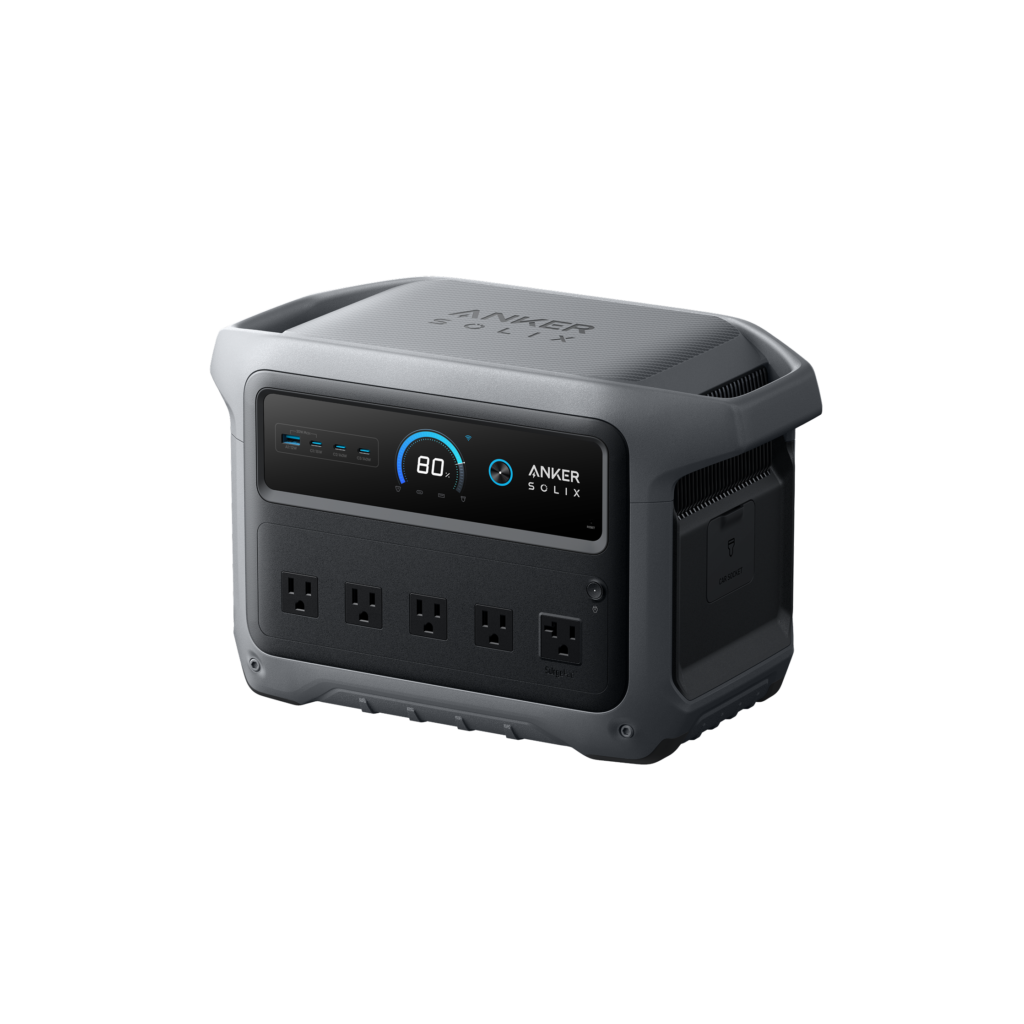 Faster Recharging
For home backup and camping, and for a CPAP, router or desktop kept plugged in.
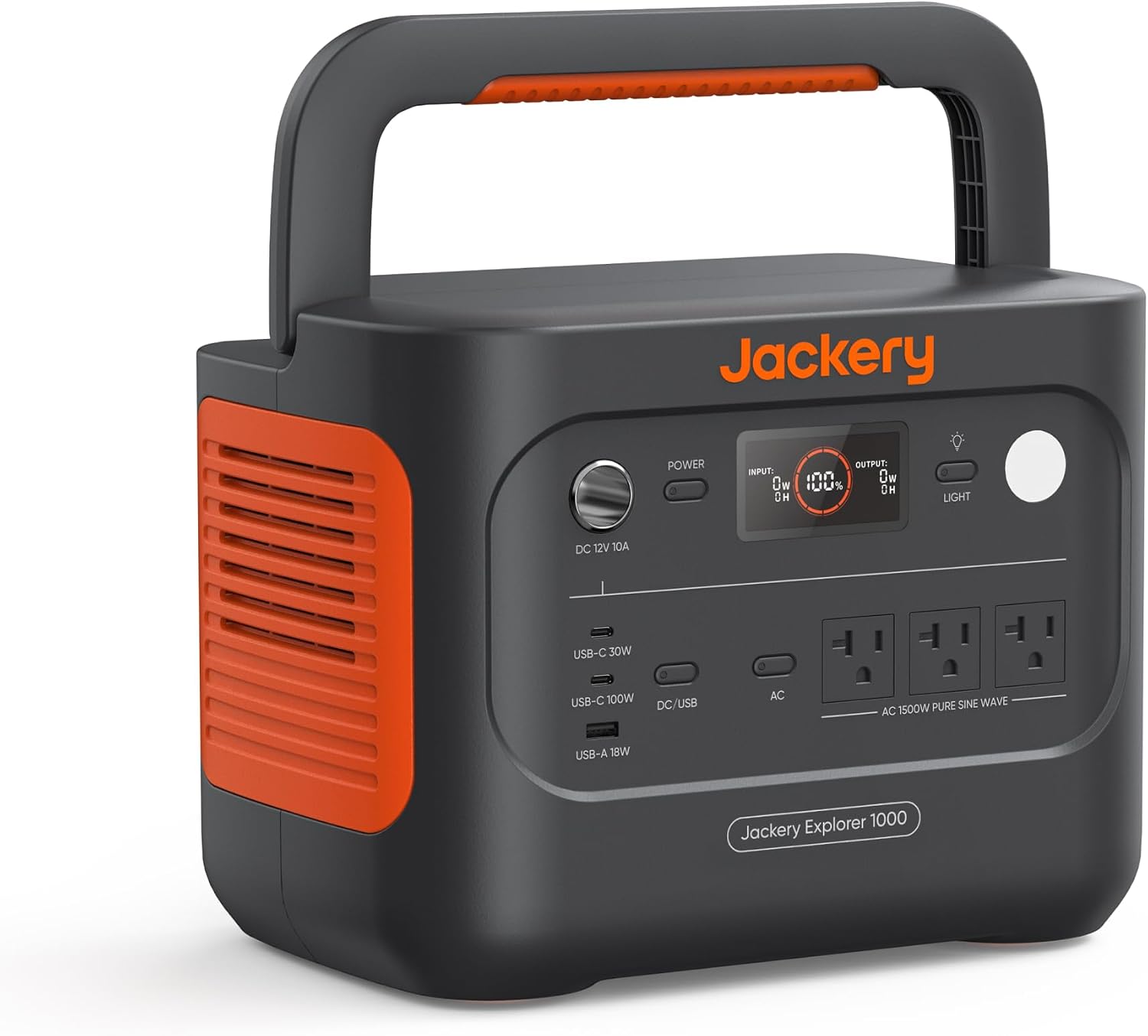 Lighter to Carry
For tents and vans, where quiet running and a built-in light matter most.
The Anker SOLIX C1000 Gen 2 vs Jackery Explorer 1000 v2 choice comes down to how quickly you need the battery back and what you’ll plug into it. Both are 1kWh-class LiFePO4 power stations of about the same size, and OutdoorGearLab got almost the same usable energy out of each. They split on recharge speed, output, backup switchover, noise, solar input and warranty. The specs come first, then the questions that decide it.
How the Picks Compare
| Anker SOLIX C1000 Gen 2 | Jackery Explorer 1000 v2 | |
|---|---|---|
| Price (USD)Price (CAD) | $529.99Deal $649.00 until Nov 18 | $559.00$648.99 (Nov 13) |
| Capacity (maker rating) | 1,024Wh | 1,070Wh |
| Usable energy (OutdoorGearLab measured) | 890Wh | 910Wh |
| AC charging rate (OutdoorGearLab measured) | 1,097Wh per hour | 563Wh per hour |
| Fastest wall refill (maker’s claim, mode switched on in the app) | 0-100% in 49 min (UltraFast; battery above 20°C) | 0-100% in 1 hour (Emergency Super Charge) |
| Continuous AC output / peak (maker) | 2,000W / 3,000W | 1,500W / 3,000W surge |
| AC outlets | 5 | 3 |
| Max solar input (maker) | 600W (XT60i port) | 400W (two DC8020 ports) |
| Backup (UPS) switchover (maker) | Under 10 ms | Under 20 ms |
| Weight (OutdoorGearLab measured) | 25.2 lb | 24.4 lb |
| Built-in light | No | Yes (low, high, strobe) |
| Add-on battery | No | No |
| Battery rating (maker) | At least 80% after 4,000 cycles | 70%+ after 4,000 cycles |
| Charging temperature (maker) | 0°C to 40°C (32°F to 104°F) | 0°C to 45°C (32°F to 113°F) |
| Warranty | 5 years (60 months) | 3 years; 5 if bought on jackery.com |
| Amazon | View on AmazonView on Amazon | View on AmazonView on Amazon |
What They Have in Common
Both store about 1kWh in lithium iron phosphate cells rated for 4,000 cycles, and both handle the same kinds of jobs: a fridge, a kettle, laptops and lights through an outage, or a weekend of camping. Each one works as a backup power supply when it’s left plugged into the wall with your devices connected through it, and each has a phone app over Bluetooth or Wi-Fi with a fast-charge mode you switch on there. Neither takes an add-on battery, so the capacity you buy is the capacity you keep. The sections below cover only where they differ.
How Fast Does Each One Refill From the Wall?
The Anker is faster, though with both fast modes on the gap is minutes rather than hours. OutdoorGearLab measured the Anker taking in 1,097Wh per hour from the wall against 563Wh per hour for the Jackery, which took almost two hours to fill in that test. Each station also has a fast mode you switch on in its app: Anker rates its UltraFast mode, which draws 1,600W, at 49 minutes from empty to full, and Jackery rates its Emergency Super Charge at one hour. 9to5Toys found its Anker kept close to the 49-minute pace across repeated charges.
At the standard rates the two are close: about 1.5 hours for the Anker by 9to5Toys’ figure, and 1.58 hours by Jackery’s rating. The Anker’s fast mode also comes with conditions: it only kicks in when the battery is above 20°C, and Anker advises using it only when you need it, to prolong the battery’s life. Outdoor Life’s tester ranks recharge time low for most buyers, but valued fast charging when a windstorm warning arrived with stations part-empty.
Pick the Anker if you want the quickest refill and can charge it somewhere warm; if you charge overnight, either will do.
What Can Each One Run, and for How Long?
The Anker has more headroom: 2,000W continuous against the Jackery’s 1,500W, with both rated to 3,000W at peak. MacRumors ran the Anker at loads up to 1,500W without trouble. The Jackery handled the induction cooktop and kettles testers plugged in, but EFTM, testing an Australian-market unit, found a 2,200W washing machine drew too much for too long. Runtime is close: OutdoorGearLab measured 910Wh of usable energy from the Jackery and 890Wh from the Anker, and found the Jackery enough to keep its electric cooler running through a weekend of camping. The Anker has five AC outlets to the Jackery’s three, which OutdoorGearLab found closely spaced for bulky plugs; MacRumors warned that the Anker’s front outlets can also get tight with several large plugs.
For backup duty, the Anker switches to battery in under 10 ms and Anker markets it for CPAP machines and laptops. The Jackery’s switchover is rated at under 20 ms: TechRadar, testing a non-US unit with two AC outlets, had a 3D printer finish a 24-hour print through an overnight power cut, though it cautions that a NAS or high-end workstation may notice the gap and reboot. Jackery’s own guidance is that its power stations are not recommended for medical devices, life-support equipment or data servers.
Pick the Anker if you’ll run appliances drawing more than 1,500W, or keep a CPAP or desktop on it through outages.
Which One Is Easier to Live With at Camp?
The Jackery, by a small margin on weight and a clearer one on noise. OutdoorGearLab weighed it at 24.4 lb against the Anker’s 25.2 lb, under a pound apart. The Jackery’s fold-down handle leaves a flat top that TechRadar found handy for setting cameras and gear on. The Drive’s reviewer found that single cooler-style handle better for one-handed carrying, but prefers the two built-in handles of rival designs, the layout the Anker uses to spread its weight across both hands.
Noise is the bigger difference in a tent, a van or a bedroom. OutdoorGearLab found the Jackery’s fans stayed nearly silent even near its maximum output. The Anker is quiet at low loads, but Notebookcheck measured 45 dB from a metre away at higher outputs and during fast charging, and MacRumors’ reviewer couldn’t have slept with its fans running that high. The Jackery also has a built-in light with low, high and strobe settings and four simple buttons; the Anker Gen 2 dropped the light bar its predecessor had. The Jackery also usually costs less than the Anker on Amazon.
Pick the Jackery if it will sit near where people sleep, or you want a lamp built into the station.
How Much Solar Can Each Take?
The Anker accepts up to 600W of solar (60V max) through its XT60i port, which Anker says refills it in 1.8 hours, and it can take solar and wall power at the same time. The Jackery tops out at 400W, shared across two DC8020 ports that Jackery’s own panels plug straight into; OutdoorGearLab puts a full solar charge at three to four hours in ideal sun and notes that many 1kWh rivals now take 600W to 1,000W. Using another brand’s panels on the Jackery needs an adapter cable bought separately, which EFTM counted as the main downside of the connector.
Pick the Anker if you plan to recharge from a large panel array rather than top up through the day.
Which One Is Covered for Longer?
Anker’s warranty table lists 60 months, five years, for the C1000 Gen 2, and claims need proof of purchase from Anker or an authorized Anker SOLIX reseller. Jackery’s standard warranty is three years; it adds two more years free only for units bought on jackery.com, and Jackery Canada applies the same rule to its own site. A Jackery bought on Amazon therefore starts with three years. The cells are rated differently too: Anker rates its battery to keep at least 80% of its capacity after 4,000 cycles, Jackery to keep 70% or more.
Pick the Anker if you’re buying on Amazon and want the longer cover; the Jackery only matches it when bought direct from Jackery.
Consider Instead
If you expect to want more than 1kWh later, neither of these can grow. The EcoFlow DELTA 3 takes add-on batteries up to 5kWh by EcoFlow’s figures, with an 1,800W inverter and a 56-minute wall refill rating, and both our reviews point to it for that reason. OutdoorGearLab weighed it at 28.1 lb, heavier than either.
Which Power Station Should You Buy?
For most people, the Anker SOLIX C1000 Gen 2. It runs bigger appliances, makes a dependable backup for a CPAP or a desk, refills a little faster, takes more solar and is covered for longer when bought on Amazon; OutdoorGearLab called it the most well-rounded power station it has tested and its favorite for off-grid power, camping included. The Jackery Explorer 1000 v2 is the better pick when the station will run near where people sleep, in a tent, a van or a bedroom, or when you want a lamp built in. It runs quietly, gave slightly more usable energy in OutdoorGearLab’s test and keeps its controls simple.
Which to buy
Buy the Anker if you want more output, quick backup switchover and a five-year warranty.
Buy the Jackery if you want a quiet camp station with a built-in light.
How We Compared
We compared the two on what splits buyers of 1kWh power stations: recharge speed, output and backup switchover, noise and portability, solar input, and warranty. The facts come from our reviews of both stations and the research behind them: Anker’s and Jackery’s specifications and warranty terms, OutdoorGearLab’s measurements of both from the same tests, and independent reviews from Notebookcheck, MacRumors, 9to5Toys and GearJunkie for the Anker, and TechRadar, The Drive and EFTM for the Jackery. We haven’t tested either station ourselves. The two are listed in order of our review scores.
Frequently Asked Questions
Can I charge either one in a cold garage in winter?
Do I need the app to use them?
How long will each one run laptops?
Is there an expandable version of the Anker?
Sources
- Anker SOLIX – C1000 Gen 2 product page and specifications
- Anker SOLIX – Portable power station warranty policy
- Jackery – Explorer 1000 v2 product page and specifications
- Jackery Canada – Explorer 1000 v2 Portable Power Station
- EcoFlow – DELTA 3 Portable Power Station specifications
- OutdoorGearLab – Jackery Explorer 1000 v2 review
- Notebookcheck – Anker Solix C1000 Gen 2 power station review
- MacRumors – Anker Solix C1000 Gen 2 review
- 9to5Toys – Tested: Anker SOLIX C1000 Gen 2 portable power station
- GearJunkie – Best portable power stations
- Outdoor Life – The best portable power stations, tested and reviewed
- TechRadar – Jackery Explorer 1000 V2 portable power station review
- The Drive – Jackery Explorer 1000 v2 solar generator hands-on review
- EFTM – Jackery Explorer 1000 V2 portable power station review
Reader Poll
What would you mainly use a 1kWh power station for?
Help Our Editors Know What Matters to You
Explore on Amazon →